 Swords 'n Magic and Stuff Server Hosting
A dedicated server for Kindred Games' cozy co-op RPG that never depends on the host's PC and stays online around the clock from İstanbul.
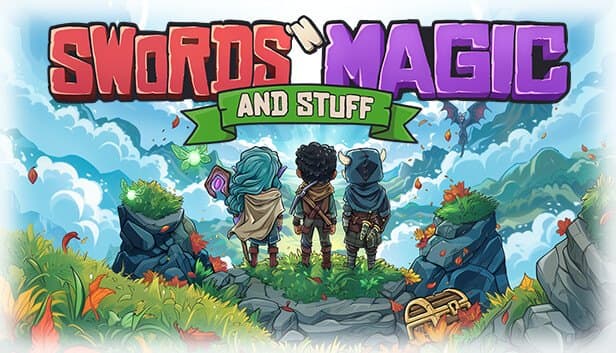
Choose your Game Server
Select from our wide range of optimized game servers. Each server is configured for maximum performance and comes with DDoS protection.
1. Plan Type
2. Location
3. Choose Plan

Bronze 4GB
Silver 6GB
Gold 8GB
Platinum 10GB
Diamond 12GB
Emerald 16GB
Xtreme 32GB
Which Swords 'n Magic and Stuff Plan Is Right for You?
Compare recommended use, plan hardware and monthly prices.
| Plan | Recommended for | Hardware | Monthly price |
|---|---|---|---|
| Bronze 4GB | 2–8 players, friend group (recommended)Enough memory for the Wine-hosted server and a small co-op group. | 4 vCore Ryzen 9950X · 4 GB DDR5 6000MHz · 50 GB NVMe SSD Samsung 990 PRO | ₺240.00/mo |
| Silver 6GB | 8–16 players, slots often fullComfortable margin when players split across four zones, plus Wine's overhead. | 4 vCore Ryzen 9950X · 6 GB DDR5 6000MHz · 60 GB NVMe SSD Samsung 990 PRO | ₺345.00/mo |
| Gold 8GB | More than enough even for 16 slotsNo real gain over Silver; it runs on the same 4 vCores. | 4 vCore Ryzen 9950X · 8 GB DDR5 6000MHz · 70 GB NVMe SSD Samsung 990 PRO | ₺440.00/mo |
| Platinum 10GB | Not recommended for this gameA co-op RPG server will not fill this memory; most of it would sit idle. | 4 vCore Ryzen 9950X · 10 GB DDR5 6000MHz · 100 GB NVMe SSD Samsung 990 PRO | ₺530.00/mo |
| Diamond 12GB | Not recommended for this gameAdds RAM to the same CPU share; the server sees no noticeable benefit. | 4 vCore Ryzen 9950X · 12 GB DDR5 6000MHz · 110 GB NVMe SSD Samsung 990 PRO | ₺617.50/mo |
| Emerald 16GB | Not recommended; most cores stay idle6 vCores and 16 GB are far beyond what this dedicated server needs. | 6 vCore Ryzen 9950X · 16 GB DDR5 6000MHz · 120 GB NVMe SSD Samsung 990 PRO | ₺840.00/mo |
| Xtreme 32GB | Far too large for this gameBuilt for heavily modded sandbox games; here it would be unused capacity. | 12 vCore Ryzen 9950X · 32 GB DDR5 6000MHz · 200 GB NVMe SSD Samsung 990 PRO | ₺1520.00/mo |
Why TheCrewHost for Swords 'n Magic and Stuff?
Each feature here is chosen around how this game's dedicated server actually behaves, not a generic checklist.
Official Windows Server on Linux
The dedicated server Kindred Games publishes is a Windows build. On our panel it runs inside a Wine environment, and the console can stay quiet on first boot while Visual C++ components install.
Name, Password and Owner
The server name must be two to five distinct words. Set a password and the owner's Steam ID to keep the server for your group and tie administration to your own account.
Scheduled Reset Cycle
Choose how many days pass between resets and the time of day it happens, in 24-hour format. Putting it at an hour when your group is usually offline avoids nasty surprises.
Live Log Streaming
The panel console streams the server log in real time. It does not take commands, but it shows the Steam session starting, players connecting and any errors worth chasing.
World Data Backed Up
Automatic backups cover the server folder and settings under SNM2020/Saved. A manual snapshot before an Early Access patch makes it easy to roll back if something breaks.
Free DDoS Protection
Every plan includes free DDoS protection and unlimited traffic, so your co-op evening is not cut short by attack traffic aimed at the server.
TheCrewHost Swords 'n Magic and Stuff server hosting starts at ₺240.00 per month ($6.00) and runs the game's official dedicated server, so nobody has to keep a listen server open for the group to play. Your server runs in our İstanbul datacenter on a Ryzen 9 9950X with NVMe storage, keeping latency low for players in Türkiye. You choose the server name, the password, the owner Steam ID and how often and at what hour the world resets. Characters are saved on each player's own PC, so your friends arrive with their own heroes while the server keeps the shared world of four large zones, dungeons and housing plots running.
Why run a dedicated server for Swords 'n Magic and Stuff?
A Swords 'n Magic and Stuff dedicated server keeps your group's shared world online without tying it to any player's computer. The game also supports listen servers that players host from their own PC, but then the world lives on the host's machine and disappears for everyone when they log off. A rented server keeps the world up 24/7, and whoever in the group is free can hop in.
The game comes from Kindred Games, a husband-and-wife studio, and entered Early Access on Steam in September 2020. Each of the six classes levels independently, and dual-wielding lets you mix weapons into your own playstyle. There are four large open zones, a seasonal winter area, professions from blacksmithing to cooking, fishing and hundreds of quests. Loot drops individually for each player, which takes item squabbles between friends off the table.
Because characters are stored on the player's own PC, everyone can carry the same hero between different servers. Your server holds the shared world, the housing plots and the content people run into. That makes it easy for friends who only drop by now and then to join in without losing progress.
Which plan is enough for this game?
For a small group of friends, the 4 GB on our Bronze plan is enough; for communities that regularly fill the default 16 slots, Silver is the safer pick. The Swords 'n Magic and Stuff dedicated server is an Unreal Engine application built for Windows, and on our Linux servers it runs through the Wine compatibility layer. Wine's overhead is small but not zero, so adding a little margin to your memory estimate makes sense.
What really drives server load is how spread out your players are. When everyone hangs around the same town, one area stays active; when the group scatters across four zones, the AI and physics of each one are simulated at the same time. The Ryzen 9 9950X's strong single-core performance helps server frames get processed on time in those moments.
Gold and above are larger than this game needs. Every plan up to Diamond uses the same four vCores, and a 16-player co-op server will not fill that much memory. Emerald and Xtreme are built for far heavier games; spend the money on your fun rather than on resources that sit idle.
How do you set the server name, password, owner and reset?
A Swords 'n Magic and Stuff server is managed through a handful of core settings: server name, password, owner Steam ID, player limit and reset timing. The name comes with a rule of its own: it must be two to five words, and none of them may repeat. North Wind Guild works; Dragon Dragon House does not.
Leave the password empty and the server is open to anyone; set one and only people who know it can get in. The owner Steam ID decides which account the server treats as its administrator. Enter your 64-bit Steam ID, the long number starting with 7656, not the custom name from your profile URL.
The reset settings are two values: how many days pass between resets and at what time of day the reset happens, written as HH:MM on a 24-hour clock. Schedule it for an hour when most of your group is asleep, and announce it on Discord. The rest of the server configuration lives in SNM2020/Saved/Config/WindowsServer/Game.ini, which is created from the Dedicated-Server-Game.ini template that ships with the server.
Early Access updates and common problems
Because Swords 'n Magic and Stuff is still in Early Access, updates arrive often, and the client and server must be on the same version. When a new patch lands on Steam, players' games update automatically; if your server stays on the old build, nobody can connect. When that happens, restart the server so it picks up the current server build, and if the version still lags behind, our support team can trigger the update for you.
On the very first boot after installation, a blank console for a while is normal: the Wine environment is being prepared and the Visual C++ runtime installed. Once that finishes, restart the server once. When the server is ready, the log reports that the Steam session was created successfully; do not invite players until you see that line.
The console only shows the log stream and does not accept commands. Administration happens in-game from the Steam account you set as owner. For players who cannot connect, check for a version mismatch first and the password second. Also keep in mind that a server name with a repeated word, or one that breaks the naming rule, may not show up in the list the way you expect.
How do players join your server?
Players find your server by name in the game's multiplayer menu and join from there; if you set a password, they enter it when connecting. That is why a searchable name made of distinctive words makes life easier. By default the server uses port 7777 for game traffic and 27015 for Steam queries; the ports assigned in your panel may be different, and that is perfectly normal.
Every player needs to own the game on Steam and run the same version as the server. Since characters are stored locally, a player can bring the hero they raised on a friend's listen server straight to yours; there is no need to start a new character.
A short checklist before the first evening does the job: confirm the Steam session line in the log, share the server name and password with your group, and announce the reset time. Then everyone joins with their own character, whether they want to fish, buy a plot or dive into the nearest dungeon, without waiting for anyone to host.
How to Set Up a Swords 'n Magic and Stuff Server
- 1
Choose a plan for the size of your group
Bronze covers a small circle of friends. If you will often fill all 16 slots, start with Silver to allow for Wine's extra overhead.
- 2
Check out and let the server install itself
Once payment clears, the official dedicated server files download automatically. Open the console at gamepanel.hostingmerkezi.net to follow the installation.
- 3
Restart once after the first boot
On first launch the console may stay quiet while Wine and the Visual C++ components are prepared. Restart when that is done and wait for the Steam session line in the log.
- 4
Set the name, password and owner Steam ID
Pick a name of two to five distinct words, add a password if you want privacy, and enter your own Steam ID starting with 7656 as owner.
- 5
Configure the reset interval and time
Decide how many days between resets and the HH:MM time it runs, then tell your group so nobody gets caught off guard.
- 6
Share the server name and call your group
Players find you by name in the multiplayer menu, enter the password if there is one, and join with their local characters.
Frequently Asked Questions
The most common questions about a Swords 'n Magic and Stuff server: price, settings, resets and joining.
How much does Swords 'n Magic and Stuff server hosting cost?
How much RAM do I need?
Why does the server run on Wine?
What are the rules for the server name?
What does the reset setting do?
How soon can my group start playing?
How do friends join the server?
Are backups and DDoS protection included?
Can I upgrade my plan later?
İstanbul Location,
Maximum Performance
Our İstanbul datacenter runs on Ryzen 9 hardware, delivering low latency to players in Türkiye and good connectivity to Europe, the Middle East and the Caucasus.
Turkey

İstanbul
Turkey
Explore Our Other Services
Everything your project needs — from game servers to VPS, dedicated servers, web hosting and Discord bot hosting.
Connect with our community of gamers and developers
Get instant support, share experiences, and stay updated with the latest news
