 Arma 3 Server Hosting
Milsim ops with ACE and TFAR, Antistasi campaigns or King of the Hill battles: bring your Arma 3 unit together on Ryzen 9 hardware in İstanbul.
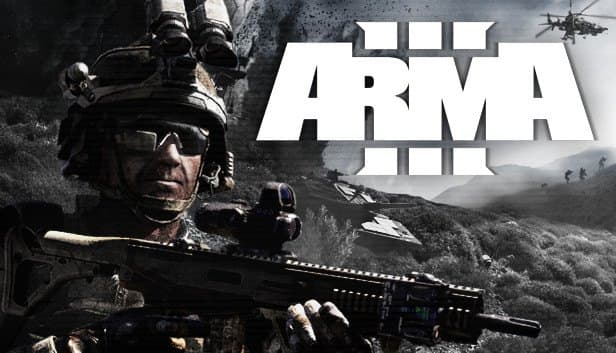
Choose your Game Server
Select from our wide range of optimized game servers. Each server is configured for maximum performance and comes with DDoS protection.
1. Plan Type
2. Location
3. Choose Plan

Gold 8GB
Platinum 10GB
Diamond 12GB
Emerald 16GB
Xtreme 32GB
Which Arma 3 Plan Is Right for You?
Compare recommended use, plan hardware and monthly prices.
| Plan | Recommended for | Hardware | Monthly price |
|---|---|---|---|
| Gold 8GB | Recommended: vanilla or light mods, up to ~40 playersAbove the 6 GB floor; enough for KOTH-style play or small co-op with CBA and ACE. | 4 vCore Ryzen 9950X · 8 GB DDR5 6000MHz · 70 GB NVMe SSD Samsung 990 PRO | ₺440.00/mo |
| Platinum 10GB | Milsim with ACE3, TFAR and CBA, 20–50 playersRoom for a mid-sized mod list and a few extra terrains for units running weekly ops. | 4 vCore Ryzen 9950X · 10 GB DDR5 6000MHz · 100 GB NVMe SSD Samsung 990 PRO | ₺530.00/mo |
| Diamond 12GB | Large content packs like RHS or CUPStops memory from running tight when heavy packs and several terrains load together. | 4 vCore Ryzen 9950X · 12 GB DDR5 6000MHz · 110 GB NVMe SSD Samsung 990 PRO | ₺617.50/mo |
| Emerald 16GB | Antistasi or Liberation with 1–2 headless clients6 vCores let the server and headless clients share the AI load on separate cores. | 6 vCore Ryzen 9950X · 16 GB DDR5 6000MHz · 120 GB NVMe SSD Samsung 990 PRO | ₺840.00/mo |
| Xtreme 32GB | Big modded community, several headless clients12 vCores and 32 GB: the most headroom for heavy modpacks, lots of AI and large player counts. | 12 vCore Ryzen 9950X · 32 GB DDR5 6000MHz · 200 GB NVMe SSD Samsung 990 PRO | ₺1520.00/mo |
Why TheCrewHost for Arma 3?
The files an Arma 3 admin touches every day, and the CPU muscle to carry your AI load, in one plan.
Workshop Mods and Keys
Upload mod folders like @CBA_A3 and @ace over SFTP and copy their .bikey files into keys. With verifySignatures = 2, only players with correctly signed mods get in.
server.cfg and basic.cfg Control
hostname, passwordAdmin, maxPlayers, admins[] and the Missions class live in server.cfg; network values such as MaxMsgSend and MaxBandwidth live in basic.cfg. Both are one click away.
Room for Headless Clients
Offloading AI to a separate client saves server FPS on AI-heavy missions. The extra vCores and memory on Emerald and Xtreme give headless clients room to work.
BattlEye RCon and #monitor
Connect remote admin tools with the RCon password in BEServer_x64.cfg. In game, #login makes you admin and #monitor shows server FPS and memory use live.
Ryzen 9 for Server FPS
The Arma 3 server does most of its work on one core, where AI, physics and mission scripts compete. The high clock of the Ryzen 9 9950X cuts the risk of desync.
DDoS Shield and Mission Backups
Competitive KOTH and PvP servers are frequent targets, and free DDoS protection filters that traffic. Automatic backups restore missions and profiles if a mod update goes wrong.
Arma 3 server hosting at TheCrewHost starts at ₺440.00 ($11.00) per month on Gold 8GB, with 8 GB of DDR5 RAM, Ryzen 9 9950X cores and 70 GB of NVMe SSD, comfortably above the 6 GB floor we set for Arma 3. You get full access to server.cfg, basic.cfg and the mpmissions and keys folders, so you can upload Workshop mods as @folders, add their .bikey files and rotate mission .pbo files. Higher tiers leave spare cores and memory for headless clients that take AI off the main server. It is hosted in İstanbul, and free DDoS protection and automatic backups are part of every plan.
What can you run on an Arma 3 server?
Your own Arma 3 server can run anything from a pure military sim to a heavily modded life server. The most common setup for milsim units is a Zeus-driven co-op server for weekly operations, usually built on CBA_A3, ACE3 and a radio mod such as TFAR or ACRE2. Long-running campaigns like Antistasi and KP Liberation offer co-op play that pushes across the map and saves its progress.
On the PvP side, King of the Hill and Invade & Annex style missions stay popular, while life servers use frameworks such as Altis Life to build roleplay communities. Those frameworks usually depend on a database extension and a MySQL server, which is worth planning before you set up.
Every mission is a .pbo file in the mpmissions folder, and it enters rotation through the class Missions block in server.cfg with a line like template = "MissionName.Altis". You can define several missions on one server and set the difficulty per mission.
How much RAM does an Arma 3 server need?
6 GB is the floor for a vanilla or lightly modded Arma 3 server, which is why our plans start at Gold 8GB. Memory is driven by your mod pack and map far more than by player count. Add a large content pack such as RHS or CUP, stack ACE3 and a couple of terrains on top, and 10 to 12 GB fills up quickly.
The real bottleneck in Arma 3 is usually the CPU. The server does most of its work on a single core, where AI groups, vehicle physics and mission scripts all compete. When server FPS drops, players see AI teleporting, vehicles sliding and shots registering late. That is where the Ryzen 9 9950X's single-thread speed pays off directly.
On missions with hundreds of active AI, like Antistasi or Liberation, headless clients come into play. Each one needs roughly 2 GB of extra memory and benefits from its own core, which is why the 6 vCores of Emerald 16GB and the 12 vCores of Xtreme 32GB make sense for those communities.
How do you install Workshop mods on an Arma 3 server?
Arma 3 mods go on the server as folders named @ModName. Subscribe to the mods on your own PC through the Steam Workshop, upload the folders to the server directory over SFTP and copy each mod's .bikey file from its keys folder into the server's main keys folder. With verifySignatures = 2 set in server.cfg, a player whose mod key is missing cannot join, which is your baseline defense against tampered clients.
Mods load through the -mod= startup parameter, while server-only mods go into -serverMod=. Order matters: dependencies like CBA_A3 must come before the mods that use them. If you get stuck editing the startup line, our support team can help.
To keep everyone on the same list, share the HTML preset exported from the Arma 3 Launcher with your community. When a mod author pushes an update, update the server copy and its key too, or players will hit signature or version mismatches.
server.cfg, basic.cfg and admin commands
Your Arma 3 server's identity lives in server.cfg. hostname is the name in the server list, password the join password, passwordAdmin the admin password and maxPlayers the slot count. Listing Steam64 IDs in the admins[] array gives trusted people admin login without the password. motd[] lines show messages on join, BattlEye = 1 turns on anti-cheat, and persistent = 1 keeps a mission running with nobody connected, which suits long campaigns.
basic.cfg handles network behavior: MaxMsgSend, MaxSizeGuaranteed, MaxSizeNonguaranteed, MinBandwidth and MaxBandwidth are tuned to reduce desync on busy servers. Move in small steps here and test after each change.
In game, #login followed by the password makes you admin. #missions opens mission selection, #restart restarts the mission, #kick removes a player and #monitor 5 prints server FPS and memory use every five seconds. For BattlEye RCon, add RConPassword and RConPort lines to BEServer_x64.cfg in the battleye folder.
What is a headless client and when do you need one?
A headless client is an extra, display-less instance of Arma 3 that connects to the server like a player and takes over AI calculations from the main server. The server's core can then focus on network traffic and players while AI is processed in a separate process. On missions with hundreds of active enemies, that is the difference between playable server FPS and enemies rubber-banding across the map.
Setup has two sides. In server.cfg you add the address the headless client connects from (127.0.0.1 if it runs on the same machine) to the headlessClients[] and localClient[] arrays. The mission has to support it as well: it needs a Headless Client slot placed in the editor and must hand AI groups over to it. Most large missions such as Antistasi and KP Liberation support this, while small co-op missions rarely need it.
If you want to run a headless client alongside the main server, talk the startup setup through with our support team. Budget roughly 2 GB of memory for each one.
How do players join your Arma 3 server?
Players join by searching for your server name in Arma 3's in-game server browser or in the Servers tab of the Arma 3 Launcher. The Launcher is the better route for modded servers, since it shows which mods a server requires and makes missing ones easy to spot. Direct connection by IP:port works too; Arma 3's default game port is 2302, and the port assigned to you is shown in the panel.
Besides the main port, Arma 3 uses a few neighboring ones: +1 for Steam queries, +2 for Steam and +4 for BattlEye traffic. Copying the connection details straight from the panel is the safest way to make sure players aim at the right port.
Tags like TR, Milsim, ACE or Antistasi in the server name pull the right players from the list. With the server in İstanbul, players in Türkiye join operations with low latency, and unit members connecting from Europe and the Middle East generally get a good connection as well.
How to Set Up a Arma 3 Server
- 1
Pick a plan for your mods and AI load
Gold 8GB covers vanilla or lightly modded play. If you plan RHS or CUP-sized packs, or Antistasi with headless clients, start on Diamond, Emerald or Xtreme.
- 2
Open the panel after automatic setup
Your Arma 3 server installs automatically once payment is confirmed. The console, file manager, backups and start, stop and restart buttons are ready at gamepanel.hostingmerkezi.net.
- 3
Edit server.cfg
Set hostname, password, passwordAdmin, maxPlayers and admins[], check the verifySignatures = 2 and BattlEye = 1 lines, and write your mission template into the Missions block.
- 4
Upload mods and keys
Upload @mod folders over SFTP, copy the .bikey files into keys and add the mods to the -mod= line in the right order. Server-only mods go into -serverMod=.
- 5
Drop your mission into mpmissions
Upload the mission .pbo to mpmissions, restart the server and confirm in the console that it loads without errors. Check the first server FPS readings with #monitor.
- 6
Bring your unit in
Share the Launcher preset HTML and the server name. Players join from the Launcher's Servers tab or by IP:port; take a backup of the working setup.
Frequently Asked Questions
Questions Arma 3 unit leaders and community admins ask before renting a server.
How much does an Arma 3 server cost?
How many GB of RAM does an Arma 3 server need?
How do I add Workshop mods to the server?
How long does Arma 3 server setup take?
How do players connect?
Should I use a headless client?
Why are players kicked with signature errors?
How do backups work?
Is there DDoS protection?
Can I move my Arma 3 server to a bigger plan later?
İstanbul Location,
Maximum Performance
Our İstanbul datacenter runs on Ryzen 9 hardware, delivering low latency to players in Türkiye and good connectivity to Europe, the Middle East and the Caucasus.
Turkey

İstanbul
Turkey
Explore Our Other Services
Everything your project needs — from game servers to VPS, dedicated servers, web hosting and Discord bot hosting.
Connect with our community of gamers and developers
Get instant support, share experiences, and stay updated with the latest news
