 Soldat 2 Server Hosting
The 2.5D sequel's dedicated server with your own map cycle, modifiers like Agar or Knife Only, and C# scripts that rewrite the rules.
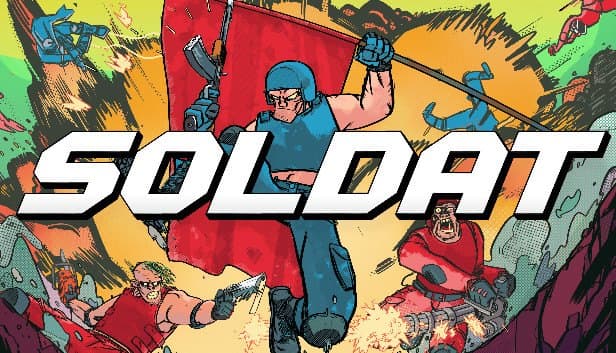
Choose your Game Server
Select from our wide range of optimized game servers. Each server is configured for maximum performance and comes with DDoS protection.
1. Plan Type
2. Location
3. Choose Plan

Bronze 4GB
Silver 6GB
Gold 8GB
Platinum 10GB
Diamond 12GB
Emerald 16GB
Xtreme 32GB
Which Soldat 2 Plan Is Right for You?
Compare recommended use, plan hardware and monthly prices.
| Plan | Recommended for | Hardware | Monthly price |
|---|---|---|---|
| Bronze 4GB | Recommended: typical server, bots, modifiersPlenty of memory for a light Soldat 2 server; with bots, single-core speed matters most. | 4 vCore Ryzen 9950X · 4 GB DDR5 6000MHz · 50 GB NVMe SSD Samsung 990 PRO | ₺240.00/mo |
| Silver 6GB | Many bots plus heavy C# scriptsHeadroom for servers combining complex scripted modes with a big bot fill. | 4 vCore Ryzen 9950X · 6 GB DDR5 6000MHz · 60 GB NVMe SSD Samsung 990 PRO | ₺345.00/mo |
| Gold 8GB | Unnecessary for Soldat 2A single Soldat 2 server uses a small fraction of this memory. | 4 vCore Ryzen 9950X · 8 GB DDR5 6000MHz · 70 GB NVMe SSD Samsung 990 PRO | ₺440.00/mo |
| Platinum 10GB | Not recommended for Soldat 2Same 4 vCores as Bronze; extra RAM adds nothing to matches. | 4 vCore Ryzen 9950X · 10 GB DDR5 6000MHz · 100 GB NVMe SSD Samsung 990 PRO | ₺530.00/mo |
| Diamond 12GB | Not recommended for Soldat 2Resources sit idle; the lower tier gives the same experience. | 4 vCore Ryzen 9950X · 12 GB DDR5 6000MHz · 110 GB NVMe SSD Samsung 990 PRO | ₺617.50/mo |
| Emerald 16GB | Well beyond a Soldat 2 server6 vCores contribute little to a single server process. | 6 vCore Ryzen 9950X · 16 GB DDR5 6000MHz · 120 GB NVMe SSD Samsung 990 PRO | ₺840.00/mo |
| Xtreme 32GB | Completely unnecessary for Soldat 232 GB and 12 vCores exceed this game's needs many times over. | 12 vCore Ryzen 9950X · 32 GB DDR5 6000MHz · 200 GB NVMe SSD Samsung 990 PRO | ₺1520.00/mo |
Why TheCrewHost for Soldat 2?
The flexibility Soldat 2 offers on the server side, and what it takes to keep it running around the clock.
A self-generating autoconfig.ini
The file written on first start holds settings like ServerPassword, GamesCycleFile and RestartAfterPatching, and any value can be overridden at launch as Key=Value.
Map and mode cycles
Each entry in the JSON files under Cycles pairs a rule set, a level and a list of modifiers; LoadCycle, LoadMap, NextMap and Vote steer the flow.
Modding without a launcher
Upload files to the Custom folders under Levels, Rules, Modifiers and Scripts over SFTP; the Reload command recompiles C# scripts without stopping the server.
WebSocket RCON
Set WebSocketsRconPort and RconPassword, then connect to ws://IP:port/rcon; the first string you send is the password, after which the server streams its logs to you.
Bots that fill the gaps
When the community is small, FillBotsCount, AddBot and RemBot keep matches going; just remember bots cost more CPU than real players.
DDoS protection for event nights
Community tournaments and custom-mode nights can draw attacks; free DDoS protection on every plan stops attack traffic before it reaches your match.
Soldat 2 server hosting at TheCrewHost runs Transhuman Design's Linux dedicated server on Ryzen 9 9950X hardware in İstanbul from ₺240.00 (about $6.00) per month. Soldat 2, the Unity-based sequel in Early Access from September 2020, keeps the original's physics-based movement and adds a modding layer the classic never had: game modes are editable JSON rule files, modifiers such as Survival, Agar or Knife Only stack on any mode, and custom C# scripts can change the game logic itself. You configure the server through autoconfig.ini, which it writes on its first start, and manage it remotely over WebSocket RCON.
How is a Soldat 2 server different from classic Soldat?
Soldat 2 is a separate game made in Unity by Michał 'MM' Marcinkowski, the creator of the original, and it entered paid Early Access on Steam in September 2020. It offers a stylized 2.5D look, ranked multiplayer, bots, a built-in level editor and customization of nearly everything. In April 2022 the game received a total rehaul.
The server-side differences are big. Classic Soldat uses soldat.ini and Pascal-based ScriptCore, while Soldat 2 uses autoconfig.ini, JSON rule, modifier and cycle files, and C# scripts. The dedicated server is distributed as a Linux build from Transhuman Design's own download link rather than through Steam, and it pulls its own updates. Ranked matchmaking runs on the official servers, so your own server is for custom rules, community matches and events.
Who should pick which is clear: if your players own Soldat 2 and you want custom modifiers, your own map cycle or scripted game modes, choose this server; if your community plays the free classic, our Soldat product is the right home. In 2024 MM said he was focusing on new projects and would release small, community-compiled updates for Soldat 2, which is how recent versions have shipped.
How much RAM does a Soldat 2 server need?
The Soldat 2 dedicated server is light, and the developer's changelog notes a dedicated optimization of the server's memory use. The Bronze plan's 4 GB is a generous margin for a typical CTF, Deathmatch or Domination server.
The load sits mainly on the CPU and comes from two sources. The first is bots: the game's own FAQ states plainly that bots demand more CPU than human players. Filling gaps with FillBotsCount is common in a small community, so single-core speed matters more as you add bots, and the Ryzen 9 9950X leaves comfortable headroom there. The second is custom C# scripts, since complex rules that run on every event mean extra computation.
If you plan to run lots of bots and heavy scripts at the same time, Silver leaves sensible extra room. Gold and above go far beyond what a single Soldat 2 server can use; additional memory or cores bring no tangible benefit to this game's server. That is why the plan guide recommends Bronze.
What goes into autoconfig.ini and the cycle files?
The server creates autoconfig.ini the first time it runs, so start it once before editing settings. Core lines include ServerPassword for the join password, GamesCycleFile for the cycle to use, LevelsToVote for how many maps appear in a vote and FillBotsCount for bot filling. Keeping Debug and NetDebug set to false avoids unnecessary load.
Pay special attention to two lines. AutoShutdownAfterHours and AutoShutdownAfterMatches make the server shut itself down after a set time or number of matches, and according to the changelog the server can close after 12 hours by default. If you want a server that stays up around the clock, adjust these to suit your community's routine. RestartAfterPatching decides whether the server restarts itself after pulling its own update.
Cycle files live in the Cycles folder, with cycle-default, cycle-ctf, cycle-dm and cycle-dom included by default. Each entry consists of a Rules value, a Level and a Modifiers list. Write your own cycle under Cycles/Custom and point GamesCycleFile at it. greet.txt holds the server greeting and description, and players see it together with the active modifiers when they join.
How do modifiers, custom levels and C# scripts work?
Modifiers are Soldat 2's best-loved feature, and they stack on any game mode. The server ships with ready-made ones such as Agar, Arena, FogOfWar, KnifeOnly, LimitedAmmo, NoJets, OneShots, RailgunBarrett, RealisticDamage, ReverseFlags, SniperOnly, Space, Survival, UltraTactical and Zone. Add or remove them during play with AddModifier and RemoveModifier, and the change takes effect with Restart or LoadMap. You define your own modifier as a JSON file under Modifiers/Custom.
Game modes follow the same logic. Rules/Standard holds the CaptureTheFlag, Deathmatch, TeamDeathmatch, Domination and Climb rule files; copy one into Rules/Custom and change it to create a new mode. Levels you build with the game's in-game editor go into Levels/Custom.
To go deeper, there are C# scripts: scripts placed in Scripts/Custom can change every aspect of the game logic. Climb.cs is a good starting example for a simple game mode, and Survival.cs for a modifier script. After editing, the Reload command recompiles them, and any errors appear in the console.
How do players join your Soldat 2 server?
Players pick your server from Soldat 2's server list. For direct links the game has its own address format: a link like s2://IP:port opens the game and takes the player to your server. Taking the IP and port from your panel and pinning that link in your Discord is the most practical approach. If you set ServerPassword, players enter it on join.
A player joining first sees the greet screen, showing game info, active modifiers and your greet.txt message. In the pre-match lobby, players can arrange teams and vote on the map, mode and modifiers.
For administration, the in-game console opens with Alt + ~ or Alt + Home. Enter your password with the Rcon command, then use commands such as ListPlayers, Kick, Ban, SetTeam and Set; Set changes both autoconfig values and rule components such as Match.MinimumPlayers live. Because Soldat 2 is a paid game, everyone who joins your server needs to own it on Steam.
How to Set Up a Soldat 2 Server
- 1
Start with Bronze
Bronze is more than enough for a typical Soldat 2 server; move to Silver if you plan lots of bots and heavy C# scripts.
- 2
Wait for the install and first start
After payment the server installs itself, and on first start it writes autoconfig.ini, which you can watch in the gamepanel.hostingmerkezi.net console.
- 3
Edit autoconfig.ini
Enter ServerPassword, GamesCycleFile, FillBotsCount and the RCON settings, and check AutoShutdownAfterHours and AutoShutdownAfterMatches for round-the-clock running.
- 4
Upload your custom content
Put levels in Levels/Custom, rules in Rules/Custom, modifiers in Modifiers/Custom and scripts in Scripts/Custom over SFTP, then update your cycle.
- 5
Share your s2:// link
Build an s2://IP:port link from the IP and port in your panel, write your rules into greet.txt and share the link with your community.
Frequently Asked Questions
What to know before you set up your own Soldat 2 server.
How much does Soldat 2 server hosting cost?
How much RAM does a Soldat 2 server need?
What is the difference between a Soldat 2 and a classic Soldat server?
Do players need to own Soldat 2?
Can I add my own game mode or modifier?
Why does my server shut itself down after a few hours?
When is a new Soldat 2 server ready to play?
How do players join my Soldat 2 server?
Do backups cover my custom modes and scripts?
Is there DDoS protection on tournament nights, and can I upgrade?
İstanbul Location,
Maximum Performance
Our İstanbul datacenter runs on Ryzen 9 hardware, delivering low latency to players in Türkiye and good connectivity to Europe, the Middle East and the Caucasus.
Turkey

İstanbul
Turkey
Explore Our Other Services
Everything your project needs — from game servers to VPS, dedicated servers, web hosting and Discord bot hosting.
Connect with our community of gamers and developers
Get instant support, share experiences, and stay updated with the latest news
