 Don't Starve Together Server Hosting
Surface and caves online together, mods loaded, world up 24/7: a long-running DST world your friends can survive in even when you are offline.
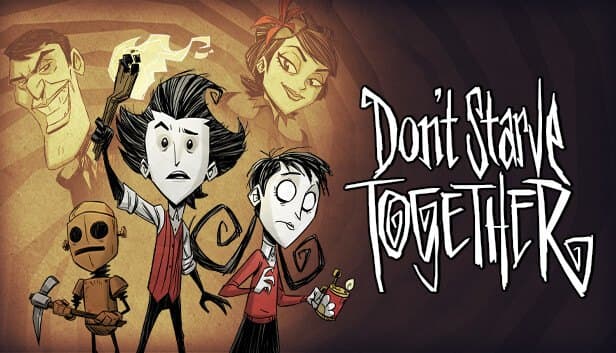
Choose your Game Server
Select from our wide range of optimized game servers. Each server is configured for maximum performance and comes with DDoS protection.
1. Plan Type
2. Location
3. Choose Plan

Bronze 4GB
Silver 6GB
Gold 8GB
Platinum 10GB
Diamond 12GB
Emerald 16GB
Xtreme 32GB
Which Don't Starve Together Plan Is Right for You?
Compare recommended use, plan hardware and monthly prices.
| Plan | Recommended for | Hardware | Monthly price |
|---|---|---|---|
| Bronze 4GB | 2–6 players, Master + Caves, light mods (recommended)At roughly 1 GB per shard, two shards and a short mod list fit comfortably. | 4 vCore Ryzen 9950X · 4 GB DDR5 6000MHz · 50 GB NVMe SSD Samsung 990 PRO | ₺240.00/mo |
| Silver 6GB | 6–10 players, large mod collectionA safe margin as shard memory grows with more mods and players. | 4 vCore Ryzen 9950X · 6 GB DDR5 6000MHz · 60 GB NVMe SSD Samsung 990 PRO | ₺345.00/mo |
| Gold 8GB | 10–16 players, worlds hundreds of days oldRoom for late-game worlds packed with bases, plus heavier mods. | 4 vCore Ryzen 9950X · 8 GB DDR5 6000MHz · 70 GB NVMe SSD Samsung 990 PRO | ₺440.00/mo |
| Platinum 10GB | Public server, 16+ players with many modsFor busy, modded community servers; most friend groups never need it. | 4 vCore Ryzen 9950X · 10 GB DDR5 6000MHz · 100 GB NVMe SSD Samsung 990 PRO | ₺530.00/mo |
| Diamond 12GB | More than DST needs in most casesA two-shard cluster rarely uses this much memory; same 4 vCores. | 4 vCore Ryzen 9950X · 12 GB DDR5 6000MHz · 110 GB NVMe SSD Samsung 990 PRO | ₺617.50/mo |
| Emerald 16GB | Not recommendedEach shard uses a single core, so extra vCores sit idle in this setup. | 6 vCore Ryzen 9950X · 16 GB DDR5 6000MHz · 120 GB NVMe SSD Samsung 990 PRO | ₺840.00/mo |
| Xtreme 32GB | Not recommended32 GB and 12 vCores are far beyond a standard Master + Caves cluster. | 12 vCore Ryzen 9950X · 32 GB DDR5 6000MHz · 200 GB NVMe SSD Samsung 990 PRO | ₺1520.00/mo |
Why TheCrewHost for Don't Starve Together?
The files and settings a DST server owner touches every day, organized around the game's cluster layout.
Surface and caves together
The Master shard runs the surface and the Caves shard runs the underground as separate processes. Players drop through a sinkhole into the caves and climb stairs back up, all within one cluster.
Workshop mods
Workshop IDs listed in dedicated_server_mods_setup.lua are downloaded when the server starts. Each mod is then enabled and configured in the modoverrides.lua files inside the Master and Caves folders.
Game rules in cluster.ini
game_mode, max_players, pvp, pause_when_empty and cluster_intention all live in one file. Choose survival, endless or wilderness as the game mode.
Permissions by KU ID
adminlist.txt, whitelist.txt and blocklist.txt work with Klei user IDs, which start with KU_. Anyone you ban from inside the game is added to blocklist.txt automatically.
Rollback and regeneration
A snapshot is taken on every save, and max_snapshots decides how many are kept. c_rollback steps back a few saves, and c_regenerateworld builds the world from scratch.
A fast core for each shard
Each shard runs on a single thread, so core speed matters more than core count. The Ryzen 9 9950X carries both shards comfortably, even in late-game worlds packed with sprawling bases.
Don't Starve Together server hosting at TheCrewHost starts at ₺240.00 ($6.00) a month and runs Klei's official dedicated server as a cluster on Ryzen 9 9950X hardware in İstanbul. A cluster ties together the Master shard, which holds the surface world, the Caves shard for the underground, shared cluster.ini settings and the cluster token from your Klei account. You download Workshop mods through dedicated_server_mods_setup.lua and enable them in each shard's modoverrides.lua. Admin, whitelist and block lists use Klei user IDs, and rollback snapshots undo a disastrous day. Because the server never shuts down, your friends keep surviving even when you are not playing.
How does a Don't Starve Together server work: cluster, Master and Caves
A Don't Starve Together server is not a single program but a structure called a cluster. The cluster folder holds cluster.ini with the shared settings, cluster_token.txt tied to your Klei account, and the admin, whitelist and block lists. Beneath it sit two shard folders: Master, which carries the surface world, and Caves, which carries the underground.
Each shard runs as its own server process with its own server.ini. On the Master shard is_master is true; on Caves it is false. The two shards link up through settings such as master_port and cluster_key in the SHARD section of cluster.ini, and if that part breaks, cave entrances stop working. Players go down through a sinkhole on the surface and back up via the stairs in the caves, and their characters move between the two worlds.
Caves look optional, but for most groups they are essential: light bulbs, cave resources and the road to the Ruins are all down there. That is why running Master and Caves together is the standard setup for a hosted DST server, and resource planning is done across both processes.
What is a cluster token, and how do you get one?
A cluster token is the key your server uses to identify itself to Klei's online services; without it, the server is not reachable by players over the internet. The token is tied to your Klei account and can be generated from inside the game in a few clicks.
The easiest way: launch the game, press Play, open Account in the bottom left and use the Generate Server Token button at the bottom to create a new token. You can give it a friendly name as a reminder. Alternatively, running TheNet:GenerateClusterToken() in the in-game console does the same job and writes the token to a file in your Klei folder.
When you paste the token into cluster_token.txt on your server, leave nothing else in the file: no spaces, no blank lines. If you see a token error on startup, the contents of that file are the first thing to check. You can generate several tokens from the same account, and using a separate one per server means revoking one never affects the others.
Which cluster.ini settings matter most?
game_mode in the GAMEPLAY section decides how forgiving the world is. survival is the classic mode, where the world can reset if everyone dies. In endless, the world never resets and dead players can return through the Florid Postern. In wilderness, a player who dies respawns as a new character at a random spot on the map. max_players ranges from 1 to 64, pvp turns on player damage, and pause_when_empty freezes the world while nobody is online so days do not tick by for no one.
In the NETWORK section, cluster_name is the name shown in the browser, cluster_password sets the join password, and cluster_intention labels the server's character as cooperative, competitive, social or madness. tick_rate defaults to 15; raising it increases network traffic, so Klei recommends leaving it alone. vote_enabled governs voting, and enable_vote_kick controls vote-kicking.
max_snapshots in the MISC section sets how many rollback snapshots are kept. In the STEAM section, steam_group_id links the server to a Steam group, and steam_group_only restricts entry to that group's members.
How does modding a DST server work?
Modding a DST server takes two steps: download, then enable. To download, add a ServerModSetup line with the Workshop ID for each mod to dedicated_server_mods_setup.lua, which lives in the mods folder of the server install; in the form ServerModSetup('123456789'). To pull an entire Workshop collection in one line, use ServerModCollectionSetup. The server reads this list on startup and fetches the mods from the Steam Workshop.
A downloaded mod does nothing on its own. In the modoverrides.lua file inside both the Master and the Caves folder, set the mod's workshop-ID entry to enabled = true and add its settings under configuration_options if it has any. Enabling a mod on Master but forgetting Caves is the most common mistake, and it leaves players who head underground running into odd behavior.
If writing mod settings by hand feels daunting, there is a shortcut: host a local world in game with Host Game, set up the mods the way you want and generate the world. The game writes a modoverrides.lua for you, which you then upload to the server over SFTP. Players download the mods they need automatically when they join.
Which plan is enough? RAM and CPU per shard
DST resources are counted per shard. The common community guideline is roughly 1 GB of RAM and one CPU core for each shard, so Master plus Caves means about two cores and around 2 GB. Shards do not multi-thread internally, which is why fast cores matter more than many cores.
Memory grows over time. As a world ages, with hundreds of days of bases, farms, walls and dropped items piling up, each shard wants more RAM and CPU. Player count and your mod list push that further. Bronze 4GB comfortably runs Master and Caves for a group of 2 to 6 with a few mods. For a large mod collection and 6 to 10 players, Silver 6GB is the safer margin, and Gold 8GB suits aging worlds with 10 to 16 players.
A symptom every DST player knows is the brief hitch at the start of each new day, when the autosave runs. NVMe storage makes that save quicker. With pause_when_empty on, an empty server burns no CPU, and the extra cores on Emerald and Xtreme add little to a two-shard cluster.
Admins, rollbacks and getting players in
Permissions are granted by Klei user ID. The ID starts with KU_ and shows up in the server log on the Client authenticated line, next to the player's name, when someone connects. People in adminlist.txt can kick, ban and run console commands, so only add those you trust with your server completely. Players in whitelist.txt get reserved slots and can join even when the server is full, while blocklist.txt keeps banned players out.
The panel console runs Lua commands. c_save() saves the world immediately, and c_announce broadcasts a message to everyone. After a bad night, c_rollback steps back a few saves; c_regenerateworld rebuilds the world entirely, so take a backup before you use it.
Players search for your cluster_name on the Browse Games screen in game, enter the password and join. Anyone who cannot find it in the list can connect directly by typing c_connect with the IP address and port into the game console; the address is shown in your panel. A server in İstanbul gives groups playing from Türkiye low latency, which keeps reactions sharp in boss fights.
How to Set Up a Don't Starve Together Server
- 1
Pick a plan for your group
Bronze 4GB covers a group of 2 to 6 with a few mods. For a big mod collection or a larger group, go with Silver 6GB or Gold 8GB.
- 2
Let SteamCMD download the server
Once payment is confirmed, the DST dedicated server files download automatically through SteamCMD and the server appears at gamepanel.hostingmerkezi.net.
- 3
Generate and paste the cluster token
In game, go to Play, Account, Generate Server Token. Paste the token into cluster_token.txt on the server with nothing else in the file.
- 4
Define your world in cluster.ini
Set cluster_name, cluster_password, game_mode, max_players and pvp. Adjust world generation settings for Master and Caves too if you like.
- 5
Download mods and enable them on both shards
Add Workshop IDs to dedicated_server_mods_setup.lua, then set each mod to enabled = true in the modoverrides.lua files in Master and Caves.
- 6
Make yourself admin and invite friends
Add your KU_ ID to adminlist.txt and restart the server. Friends search the server name on the Browse Games screen and join with the password.
Frequently Asked Questions
The questions people ask most before building their own Don't Starve Together world.
How much does Don't Starve Together server hosting cost?
How much RAM does a DST server need?
How do I install Workshop mods?
How quickly can my DST server be ready?
How do my friends join?
Will the server run without a cluster token?
Can I undo a day that went badly?
Are my world and mods backed up?
Am I protected against DDoS attacks?
Can I upgrade as my group grows?
İstanbul Location,
Maximum Performance
Our İstanbul datacenter runs on Ryzen 9 hardware, delivering low latency to players in Türkiye and good connectivity to Europe, the Middle East and the Caucasus.
Turkey

İstanbul
Turkey
Explore Our Other Services
Everything your project needs — from game servers to VPS, dedicated servers, web hosting and Discord bot hosting.
Connect with our community of gamers and developers
Get instant support, share experiences, and stay updated with the latest news
