 Space Engineers Server Hosting
Keep your ships, stations and planetary bases online 24/7 on the official dedicated server: no plugins, no extra layers, ready after every patch.
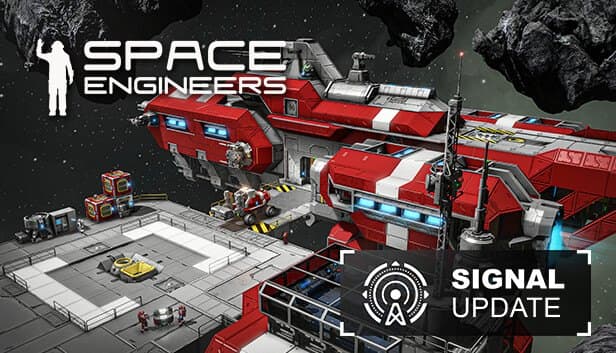
Choose your Game Server
Select from our wide range of optimized game servers. Each server is configured for maximum performance and comes with DDoS protection.
1. Plan Type
2. Location
3. Choose Plan

Gold 8GB
Platinum 10GB
Diamond 12GB
Emerald 16GB
Xtreme 32GB
Which Space Engineers Plan Is Right for You?
Compare recommended use, plan hardware and monthly prices.
| Plan | Recommended for | Hardware | Monthly price |
|---|---|---|---|
| Gold 8GB | 2–6 players, empty space or one planetRecommended minimum; enough for small groups running a light mod list. | 4 vCore Ryzen 9950X · 8 GB DDR5 6000MHz · 70 GB NVMe SSD Samsung 990 PRO | ₺440.00/mo |
| Platinum 10GB | 4–8 players, planetary survivalExtra memory for planet voxels and bases that keep growing. | 4 vCore Ryzen 9950X · 10 GB DDR5 6000MHz · 100 GB NVMe SSD Samsung 990 PRO | ₺530.00/mo |
| Diamond 12GB | 6–10 players, mid-sized mod listA comfortable pick for star system worlds and plenty of Workshop mods. | 4 vCore Ryzen 9950X · 12 GB DDR5 6000MHz · 110 GB NVMe SSD Samsung 990 PRO | ₺617.50/mo |
| Emerald 16GB | 10–16 players, busy communityMore memory and 6 vCores balance worlds full of grids and factions. | 6 vCore Ryzen 9950X · 16 GB DDR5 6000MHz · 120 GB NVMe SSD Samsung 990 PRO | ₺840.00/mo |
| Xtreme 32GB | 16+ players, large heavily modded worldMemory stops being a concern, but sim speed still depends on grid design and PCU limits. | 12 vCore Ryzen 9950X · 32 GB DDR5 6000MHz · 200 GB NVMe SSD Samsung 990 PRO | ₺1520.00/mo |
Why TheCrewHost for Space Engineers?
Hardware and access chosen to keep a physics-heavy sandbox running smoothly.
High Clocks for Sim Speed
Grid physics, collisions and rotor or piston contraptions lean heavily on per-core speed. The Ryzen 9 9950X helps busy bases keep sim speed close to 1.0.
Workshop Mod Support
Add mods to your world's mod list by Workshop ID; the server pulls them from Steam at startup, and connecting players download whatever they are missing.
Full Session Settings Access
Edit MaxPlayers, AutoSaveInMinutes, TotalPCU, BlockLimitsEnabled, SyncDistance and production speed multipliers through the file manager or SFTP.
NVMe for Big Worlds
Planetary worlds and crowded grid data make save files grow fast. NVMe SSD storage speeds up loading the world at startup and writing autosaves.
World Folder Backups
On top of the game's own autosaves, the panel automatically backs up the world folder, so you can recover after a lost base or a corrupted save.
24/7 Support
A world that will not load, an incompatible mod or collapsing sim speed: reach our team by ticket, Discord, WhatsApp, phone or live chat.
Renting the official Space Engineers dedicated server from TheCrewHost costs $11.00 (₺440.00) a month to start, and our 5 plans range from 8 GB to 32 GB, each running a Ryzen 9 9950X with DDR5 memory and NVMe storage. This page is for anyone who wants Keen Software House's official dedicated server as it ships, without a plugin layer. You get full access to SpaceEngineers-Dedicated.cfg and the world's Sandbox.sbc, and you add Steam Workshop mods by their Workshop IDs. Space Engineers' physics engine is very sensitive to per-core speed, and high-clocked cores help protect your sim speed. Hosting in İstanbul gives engineers in Türkiye low latency.
Who should pick a vanilla Space Engineers server?
We offer two separate Space Engineers pages, and the difference is how the server runs. The plans on this page run Keen's official dedicated server with no plugin layer. When a game update lands, you do not wait for third-party software to catch up; the version Keen publishes simply runs.
That makes vanilla the lowest-maintenance route for a shared survival world with a few friends, a creative build server, or a small community enriched with Workshop mods. Mod support is complete; the only thing missing is server-side plugins.
If you want automated cleanup commands, advanced block limiters, a Discord bridge or tools that freeze distant grids to win back sim speed, those come from Torch plugins, and our Space Engineers Torch server page covers exactly that. Crowded, public and PvP-focused servers usually go that way, while small private groups spend far less time on upkeep with vanilla. World files are the same in both setups, so moving to Torch later is always an option.
How much RAM and what kind of CPU does a Space Engineers server need?
Our Space Engineers plans start at Gold 8GB, because the dedicated server uses a serious amount of memory on its own and planets push that up quickly. A small group in an empty-space scenario is comfortable on 8 GB; in a star system with several planets, crowded bases and a longer mod list, Diamond 12GB or Emerald 16GB is the safer choice.
The real bottleneck is usually the CPU, not memory. Server health in Space Engineers is measured by sim speed: 1.0 means everything runs in real time, while 0.6 means the game is crawling in slow motion. Grid physics, nested subgrids, rotor and piston builds, floating objects and voxel changes all drag that number down. Much of that work depends on per-core speed, which is why a high-clocked processor like the Ryzen 9 9950X makes a difference.
More RAM will not fix the physics load of a badly designed base. If sim speed drops, look at PCU limits, the number of grids in the world and constantly moving mechanisms first; upgrading comes after that.
Editing Workshop mods and world settings
Server settings live in SpaceEngineers-Dedicated.cfg, while world-specific settings sit in Sandbox.sbc inside the world folder. Both are XML files and should be edited with the server stopped. Keeping values consistent across the two files prevents the classic problem of changing a setting that never shows up in game.
For an existing world, the mod list is stored in the world files, and each mod is defined by a ModItem entry carrying the PublishedFileId from its Steam Workshop page. The server downloads mods from Steam at startup, and players receive anything they are missing as they connect. Heavy mods that add scripts or many blocks can hurt sim speed, so grow the list gradually and watch performance after each addition.
Commonly tuned session settings include TotalPCU and BlockLimitsEnabled (none, global, per faction or per player), MaxFloatingObjects, TrashRemovalEnabled, and the assembler and refinery speed multipliers. Lowering SyncDistance and ViewDistance reduces network and server load, at the cost of players seeing distant grids only at closer range.
Admin rights, saves and updates
To become admin, add your Steam64 ID to the Administrators list in SpaceEngineers-Dedicated.cfg. In game, the admin screen opened with Alt+F10 gives you the entity list, cleanup tools and player management; that is where you delete ownerless grids or kick a player. For a closed community, put a Steam group's ID in the GroupID field of the config so only members of that group can join.
AutoSaveInMinutes controls how often the world saves, and PauseGameWhenEmpty decides whether the world pauses while nobody is connected. Space Engineers can pause briefly while saving, so on big worlds avoid setting the interval too short, or players will notice the hitch often. Beyond the game's autosaves, panel backups protect the world folder separately, which is the most reliable way to bring back a base deleted by accident or a save that went bad.
When Keen releases an update, players move to the new version and the server has to follow; different versions cannot connect to each other. Before major updates, take a manual backup, confirm your Workshop mods work with the new version, and then restart the server.
How do players connect to a Space Engineers server?
Players open Join Game from the main menu and search for your server by name on the servers tab. Modded servers may only appear if the matching filter option is enabled. Anyone who wants a direct route can add the IP:port to favorites in Steam's server browser. The dedicated server's default game port is UDP 27016; use whichever port your panel shows.
The server name and description are the first things players see in the list. Listing your PCU limit, game mode and core rules there attracts the right people and heads off arguments from day one.
The first connection can take a few minutes while mods download and the world loads, depending on how many mods you run. That is normal on planetary and modded worlds, and telling players to be patient on first join cuts down on needless support requests. With the server in İstanbul, mining, welding and flight input from players in Türkiye is processed with low latency.
How to Set Up a Space Engineers Server
- 1
Pick a plan for your world
Gold 8GB for a small group in empty space; Diamond or Emerald for a planetary star system, a long mod list or a community of more than 10.
- 2
Wait for installation to finish
Setup begins automatically after payment. The dedicated server files are large, so the first install and first boot take a little longer than most games.
- 3
Edit the configuration
Stop the server; set the server name, MaxPlayers, game mode and PCU limits in SpaceEngineers-Dedicated.cfg, and add your Steam64 ID to Administrators.
- 4
Add Workshop mods
Add each mod's Workshop ID (PublishedFileId) to your world's mod list; the server downloads them from Steam by itself on its next start.
- 5
Upload your own world (optional)
Copy your single-player world into the server's saves folder over SFTP and point LoadWorld in SpaceEngineers-Dedicated.cfg at that folder.
- 6
Invite your players
Share the server name or IP:port; players connect from the Join Game screen or through the Steam server browser.
Frequently Asked Questions
The most common questions about the official Space Engineers dedicated server.
How much does Space Engineers server hosting cost?
Should I choose vanilla or Torch?
Which plan suits me?
How do I add Workshop mods?
How long does setup take?
How do players connect?
Why does sim speed drop?
How do I make myself admin?
How is my world backed up?
What about DDoS attacks on a listed server, and upgrading later?
İstanbul Location,
Maximum Performance
Our İstanbul datacenter runs on Ryzen 9 hardware, delivering low latency to players in Türkiye and good connectivity to Europe, the Middle East and the Caucasus.
Turkey

İstanbul
Turkey
Explore Our Other Services
Everything your project needs — from game servers to VPS, dedicated servers, web hosting and Discord bot hosting.
Connect with our community of gamers and developers
Get instant support, share experiences, and stay updated with the latest news
