 Carrier Command 2 Server Hosting
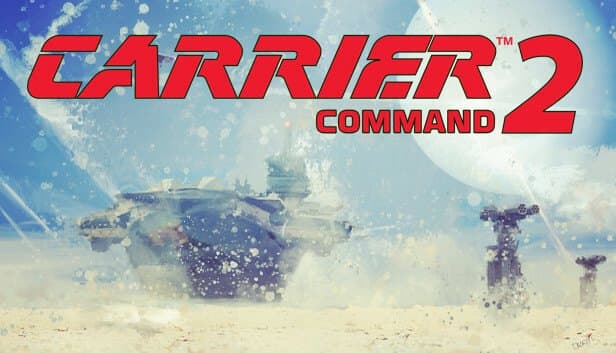
Host Carrier Command 2 matches where you pick the islands, teams and difficulty, and your crew runs aircraft, helicopters and amphibious landings from the bridge.
Choose your Game Server
Select from our wide range of optimized game servers. Each server is configured for maximum performance and comes with DDoS protection.
1. Plan Type
2. Location
3. Choose Plan

Bronze 4GB
Silver 6GB
Gold 8GB
Platinum 10GB
Diamond 12GB
Emerald 16GB
Xtreme 32GB
Which Carrier Command 2 Plan Is Right for You?
Compare recommended use, plan hardware and monthly prices.
| Plan | Recommended for | Hardware | Monthly price |
|---|---|---|---|
| Bronze 4GB | 2–4 players, single-carrier co-opEnough for co-op runs with the default island count and a few AI opponents. | 4 vCore Ryzen 9950X · 4 GB DDR5 6000MHz · 50 GB NVMe SSD Samsung 990 PRO | ₺240.00/mo |
| Silver 6GB | Full carrier crewComfortable headroom for a crew of up to nine plus several AI opponents. | 4 vCore Ryzen 9950X · 6 GB DDR5 6000MHz · 60 GB NVMe SSD Samsung 990 PRO | ₺345.00/mo |
| Gold 8GB | Two-team PvP matchesOur recommended tier for two human teams, more islands and extra AI carriers. | 4 vCore Ryzen 9950X · 8 GB DDR5 6000MHz · 70 GB NVMe SSD Samsung 990 PRO | ₺440.00/mo |
| Platinum 10GB | Large maps, many AI teamsExtra margin for long matches with a high island_count and crowded AI teams. | 4 vCore Ryzen 9950X · 10 GB DDR5 6000MHz · 100 GB NVMe SSD Samsung 990 PRO | ₺530.00/mo |
| Diamond 12GB | Regular community eventsA comfortable tier for weekly operations with mod folders and full rosters. | 4 vCore Ryzen 9950X · 12 GB DDR5 6000MHz · 110 GB NVMe SSD Samsung 990 PRO | ₺617.50/mo |
| Emerald 16GB | Intense, crowded battles6 vCores give extra CPU room when large numbers of units fight at once. | 6 vCore Ryzen 9950X · 16 GB DDR5 6000MHz · 120 GB NVMe SSD Samsung 990 PRO | ₺840.00/mo |
| Xtreme 32GB | Unnecessary for most uses12 vCores and 32 GB; usually far beyond what one Carrier Command 2 match needs. | 12 vCore Ryzen 9950X · 32 GB DDR5 6000MHz · 200 GB NVMe SSD Samsung 990 PRO | ₺1520.00/mo |
Why TheCrewHost for Carrier Command 2?
Infrastructure built around Carrier Command 2's match-based design and what its dedicated server needs.
Match Design in server_config.xml
Shape every match with island_count, team_count_human, team_count_ai, base_difficulty, loadout_type and blueprints, edited right in the file manager.
Power for Unit Simulation
Aircraft in the air, armored vehicles coming ashore, island defenses and AI carriers are all simulated on the server, and the Ryzen 9 9950X keeps heavy fights stable.
Correct Port Setup
The server uses four consecutive UDP ports from the configured start port; with the listing port reachable, your server appears by name with an accurate ping.
Password-Protected Matches
Use the password attribute to keep the server for your own crew, then drop it on public PvP nights to recruit new players from the list.
Backed-Up Configuration
Automatic panel backups include server_config.xml and your mod folders, so you can experiment with match settings and roll back if you do not like the result.
Round-the-Clock Support
Ports, server listing or a version mismatch after a patch: reach our team 24/7 by ticket, Discord, WhatsApp, phone or live chat.
Carrier Command 2 server hosting at TheCrewHost opens at ₺240.00 ($6.00) a month, and each of the 7 plans from 4 GB to 32 GB uses a Ryzen 9 9950X with DDR5 memory and NVMe SSD storage. Your server runs Geometa's dedicated server software, and you design every match in server_config.xml: island count, human and AI teams, island defense difficulty, starting loadout and blueprint unlocks are all under your control. The server sits in İstanbul, so a crew in Türkiye coordinates launches and amphibious assaults with low latency. More islands and AI carriers mean more CPU work, and you can upgrade your plan whenever your matches get bigger.
What kind of experience does a Carrier Command 2 server offer?
A Carrier Command 2 server hosts matches where players run an aircraft carrier together or fight each other in teams. In Geometa's game, released on PC in 2021, the goal is to capture islands, turn their resources into weapons and equipment, and defeat the opposing carrier.
What makes it special is the crew system. Up to nine players can operate a single carrier: one manages strategy from the monitors on the bridge while others fly aircraft such as the Albatross or Manta, pilot Razorbill and Petrel helicopters, or storm beaches in Seal, Walrus and Bear amphibious vehicles. Units can be flown by hand or handed automatic orders.
With your own server you decide the match format. Run a co-op campaign against AI carriers with friends, set two human teams against each other for a PvP night, or open a low-difficulty training match with full loadouts so new players can learn the ropes.
How do you design a match with server_config.xml?
Every Carrier Command 2 dedicated server setting lives as an attribute on the data element in server_config.xml. The server creates a basic version of the file the first time it runs, and you edit it in the file manager or over SFTP.
For the server's identity, server_name is the name shown in the list, password gates entry, and max_players sets how many people can connect at once. The port value is the first UDP port the server uses and must match the port assigned to your server.
The settings that define a match: island_count is the number of islands on the map, and values above 64 are reported to crash players' clients when they zoom the map. team_count_human sets the number of human teams and team_count_ai the number of AI carriers. base_difficulty sets the islands' starting defense level. loadout_type uses 0 for default, 1 for minimal and 2 for complete starting gear, while blueprints uses 0 for default, 1 for none and 2 for all unlocked. The file also contains a permissions block and an active_mod_folders list.
How much RAM and CPU does a Carrier Command 2 server need?
The Bronze plan with 4 GB is enough for a standard co-op match; the real load comes from the number of units on the map rather than the number of players. The server calculates movement and combat for every aircraft, helicopter, amphibious vehicle, island defense and AI carrier.
That is why requirements rise as you raise island_count and team_count_ai. Long matches with many islands and several AI carriers push the CPU, especially when everyone launches units at the same moment. In PvP between two full human teams, the number of units in the air also multiplies quickly.
Our practical guidance: Bronze or Silver for single-carrier co-op, Gold 8GB for two-team PvP and busier maps, and Platinum or above if you want high island counts with many AI teams. The CPU is the same Ryzen 9 9950X across the range; what scales is the vCore allocation, 4 on Bronze through Diamond, 6 on Emerald, 12 on Xtreme. For a single match, Xtreme is usually more than needed.
How do ports, the server list and player connections work?
The Carrier Command 2 dedicated server uses four consecutive UDP ports starting from the port value in server_config.xml. The first carries game data and the second answers server info queries; the third goes unused and the fourth is needed to register with the master server list. Because your server's ports are set up with the service, do not change the port value without checking with support.
Players join from the in-game server browser or by direct IP. If the listing port is not reachable, the server may show up in the list as a bare IP address with an inflated ping; if that happens, just message us.
Anyone joining a passworded match is asked for it at the connection screen. With the server in İstanbul, players in Türkiye connect with low latency, and players across Europe, the Middle East and the Caucasus usually get a good connection too. For a crew timing aircraft landings with simultaneous beach assaults, that consistency directly affects how much fun the match is.
Saves, mods and updates
The Carrier Command 2 dedicated server is built around matches. It can be started from an existing save, but based on server operators' experience you should not rely on it writing match progress back when it shuts down. Planning matches that finish in a single session is the simplest way to avoid surprises.
If you want mods, the active_mod_folders list inside server_config.xml defines which mod folders the server loads. Upload mod files over SFTP or with the file manager, and back up your configuration before making changes.
When the game updates, the server files must be brought to the same version or players may not be able to connect. If you are not sure how to run the update, message our support team. The panel's automatic backups also cover config files and mod folders, so you can try different match settings and restore the previous state if you prefer it.
How to Set Up a Carrier Command 2 Server
- 1
Pick a plan that suits your match format
Bronze 4GB covers single-carrier co-op; for two-team PvP and busier maps, choose Gold 8GB or higher.
- 2
Complete payment and let setup finish automatically
Once payment is confirmed your Carrier Command 2 server installs on its own, and you manage it through gamepanel.hostingmerkezi.net.
- 3
Set the server identity in server_config.xml
Stop the server and fill in server_name, password and max_players; leave the port value unchanged unless support advises otherwise.
- 4
Choose islands, teams and difficulty
Keep island_count at 64 or below, pick a format with team_count_human and team_count_ai, and tune base_difficulty and loadout_type.
- 5
Start the server and check the console
Press start in the panel, confirm the console shows no errors, and verify that the server appears in the list under its name.
- 6
Call your crew in through the server browser
Send friends the server name and password; they join from the in-game browser or by IP and take their stations aboard the carrier.
Frequently Asked Questions
Common questions about renting a Carrier Command 2 server and setting up matches.
How much does Carrier Command 2 server hosting cost?
Which plan should I choose?
How soon will my server be ready?
How do players connect to the server?
Why does my server show an IP address instead of its name in the list?
How many islands and AI carriers should I set?
Is match progress saved?
Can I use mods?
Is there DDoS protection, and can I upgrade?
İstanbul Location,
Maximum Performance
Our İstanbul datacenter runs on Ryzen 9 hardware, delivering low latency to players in Türkiye and good connectivity to Europe, the Middle East and the Caucasus.
Turkey

İstanbul
Turkey
Explore Our Other Services
Everything your project needs — from game servers to VPS, dedicated servers, web hosting and Discord bot hosting.
Connect with our community of gamers and developers
Get instant support, share experiences, and stay updated with the latest news
