 Avorion Server Hosting
Grow ships, stations and alliances in an always-on Avorion galaxy while your crew pushes together toward the core.
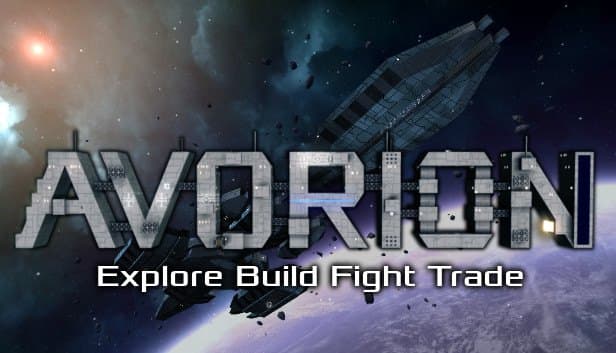
Choose your Game Server
Select from our wide range of optimized game servers. Each server is configured for maximum performance and comes with DDoS protection.
1. Plan Type
2. Location
3. Choose Plan

Gold 8GB
Platinum 10GB
Diamond 12GB
Emerald 16GB
Xtreme 32GB
Which Avorion Plan Is Right for You?
Compare recommended use, plan hardware and monthly prices.
| Plan | Recommended for | Hardware | Monthly price |
|---|---|---|---|
| Gold 8GB | 2–6 players, vanilla galaxyOur recommended floor; enough for small crews and a light mod list. | 4 vCore Ryzen 9950X · 8 GB DDR5 6000MHz · 70 GB NVMe SSD Samsung 990 PRO | ₺440.00/mo |
| Platinum 10GB | 5–10 players, fleets and stationsExtra memory for active groups running captained fleets and station networks. | 4 vCore Ryzen 9950X · 10 GB DDR5 6000MHz · 100 GB NVMe SSD Samsung 990 PRO | ₺530.00/mo |
| Diamond 12GB | 10–15 players, moderate mod listHandles the growing number of live sectors as players spread out. | 4 vCore Ryzen 9950X · 12 GB DDR5 6000MHz · 110 GB NVMe SSD Samsung 990 PRO | ₺617.50/mo |
| Emerald 16GB | 15–25 players, modded community6 vCores let you raise workerThreads and use parallel simulation at peak hours. | 6 vCore Ryzen 9950X · 16 GB DDR5 6000MHz · 120 GB NVMe SSD Samsung 990 PRO | ₺840.00/mo |
| Xtreme 32GB | 25+ players, large public galaxy12 vCores and 32 GB for busy servers with many sectors alive at once. | 12 vCore Ryzen 9950X · 32 GB DDR5 6000MHz · 200 GB NVMe SSD Samsung 990 PRO | ₺1520.00/mo |
Why TheCrewHost for Avorion?
Tools and hardware chosen for the way an Avorion galaxy grows, one sector at a time.
Parallel Sector Simulation
workerThreads spreads sector updates across cores, and the Ryzen 9 9950X keeps players in different corners of the galaxy running smoothly at the same time.
Workshop Mods via modconfig.lua
Add Workshop IDs to modconfig.lua in your galaxy folder; the server downloads the mods from Steam itself and connecting players receive what they need.
Complete server.ini Control
Tune maxPlayers, saveInterval, aliveSectorsPerPlayer, difficulty and PvP in the file manager; stop the server first, because it rewrites the file on startup.
Fast Sector Loading
Every jump reads a sector from disk or generates a new one, and Samsung 990 EVO Plus NVMe drives keep those loading moments short.
Whole-Galaxy Backups
On top of the game's own saveInterval saves, the panel backs up the entire galaxy folder automatically, and you can take a manual snapshot before testing a new mod.
24/7 Help from People Who Know It
Mod conflicts, version mismatches or a server missing from the list: reach our team day or night by ticket, Discord, WhatsApp, phone or live chat.
Renting an Avorion server from TheCrewHost costs ₺440.00 ($11.00) a month at the entry tier, and every one of the 5 plans, 8 GB through 32 GB, runs on a Ryzen 9 9950X with DDR5 memory and NVMe storage. The Avorion galaxy server simulates occupied sectors across parallel worker threads, so vCores matter here more than in most games. You get direct access to server.ini, admin.xml and modconfig.lua, and you can add Steam Workshop mods to your galaxy. The server runs in İstanbul, so a fleet in Türkiye fights, mines and trades with low latency. The galaxy keeps growing as it is explored, and you can upgrade your plan whenever your player base needs more room.
What is an Avorion server actually doing in the background?
An Avorion server simulates one shared galaxy made of sectors for every player on it. Players design ships block by block, mine asteroids, salvage wrecks, trade, found stations and form alliances while working toward the galaxy core beyond the Barrier.
The server-side detail that matters most: besides the sector a player is in, the server keeps extra sectors alive in memory according to aliveSectorsPerPlayer, which defaults to 5. As more players hand their fleets to captains for mining or trade runs, the amount of work the server tracks keeps climbing. With weakUpdate enabled, sectors without players get a simplified simulation, which is a big performance win on large galaxies.
This is what sets Avorion apart from many games. When players scatter across the map, load does not pile up in one place; it spreads over many sectors at once. That is why both memory and core count decide whether the server stays pleasant to play on.
How much RAM and how many cores does an Avorion server need?
Our recommended floor for Avorion is 8 GB, which is why plans start at Gold 8GB. Memory use rises with player count, live sectors, stations and ships, and especially with huge high-block-count builds. On servers that stay up for long stretches, memory use can creep upward over time, so scheduled restarts are a sensible habit.
On the CPU side, Avorion's strength is that it can run sector updates in parallel through workerThreads. That value should never exceed the number of virtual cores: Gold, Platinum and Diamond have 4 vCores, Emerald has 6 and Xtreme has 12. generatorThreads handles generating new sectors and loading them from disk, while scriptBackgroundThreads handles asynchronous script work.
On disk, the galaxy folder grows with every sector explored. Because sectors are read from disk whenever a player jumps, NVMe SSD storage shortens the wait after jumping into a distant sector.
Which server.ini settings are worth changing?
Avorion keeps its server settings in server.ini inside the galaxy folder, and the server rewrites that file when it starts. Always stop the server before editing or your changes will be lost.
Start here. maxPlayers caps simultaneous players and defaults to 10. saveInterval is the autosave interval in seconds, 600 by default, which is ten minutes. Dropping aliveSectorsPerPlayer from 5 to 3 gives busy servers noticeable breathing room, at the cost of less detailed simulation for fleets in distant sectors.
Set workerThreads to match the vCores in your plan. With both isListed and useSteam on, your server shows up in the public list. For rules, difficulty runs from -3 to 3, and toggles such as player-versus-player damage, collision damage and infinite resources let you shape anything from a competitive galaxy to a relaxed creative sandbox.
How do you add Workshop mods to an Avorion server?
Mods on an Avorion server are enabled through a modconfig.lua file placed in the galaxy folder. The file holds a mods table, and each Steam Workshop mod gets its own line with a workshopid value. When modLocation is an empty string, the server downloads the mods from Steam on its own; mods from outside the Workshop can be added with a path entry pointing to their folder.
Players connecting to the server receive the Workshop mods it requires automatically. If forceEnabling is on, every client must have matching mods, which keeps mismatched setups out. Workshop updates are generally pulled when the server restarts.
Back up before adding or removing a gameplay-changing mod on a running galaxy. Some mods write scripts or objects into the world, so removing them later can cause trouble. Watch the commas between entries in the table, since a single missing comma can stop every mod from loading. You can edit the file in the panel's file manager or over SFTP.
Admins, saves and how players connect
Admins on an Avorion server are defined in admin.xml inside the galaxy folder, and you will need the player's Steam64 ID. Once you are an admin, chat commands handle the basics: /save writes the galaxy immediately and /stop shuts the server down cleanly. Running /save and then /stop before a shutdown is a good habit that reduces the risk of a damaged galaxy.
After game updates, the server and players must be on the same version, because a mismatch blocks connections. Take a manual backup from the panel before big patches; the panel's automatic backups run independently of the game's own saves and cover the whole galaxy folder.
Players connect from Avorion's multiplayer menu. With isListed on, your server appears in the public list; with it off, friends can still join through their Steam friends list or favorites. Avorion's default game port is 27000. Since the server is in İstanbul, players in Türkiye get low latency and those in Europe and the Middle East generally connect well.
How to Set Up a Avorion Server
- 1
Pick a plan based on your galaxy's size
Gold 8GB handles a small crew in a vanilla galaxy; for a crowded or modded server, look at Emerald or Xtreme for the extra vCores.
- 2
Check out and let the server install itself
After payment your Avorion server installs automatically and creates the galaxy folder on first start; manage it at gamepanel.hostingmerkezi.net.
- 3
Stop the server and edit server.ini
Set maxPlayers, saveInterval, difficulty and workerThreads, keeping workerThreads at or below the vCore count of your plan.
- 4
Add yourself as an admin in admin.xml
Put your Steam64 ID in admin.xml so you join with admin rights; if you are unsure about the format, support will edit it with you.
- 5
Add mods with modconfig.lua if you want them
Create modconfig.lua in the galaxy folder, list Workshop IDs in the mods table and restart; the server fetches the mods itself.
- 6
Start the server and invite your players
Check the console to confirm the galaxy loads cleanly, then share the server name so friends can find it in the multiplayer list.
Frequently Asked Questions
What people usually ask about renting and running an Avorion server.
How much does Avorion server hosting cost?
Which plan is right for my Avorion server?
What should I set workerThreads to?
How long does setup take?
How do players connect to my server?
Can I use Steam Workshop mods?
Why does my server get slower over time?
How is my galaxy backed up?
Is my galaxy DDoS-protected, and can I move up a plan later?
İstanbul Location,
Maximum Performance
Our İstanbul datacenter runs on Ryzen 9 hardware, delivering low latency to players in Türkiye and good connectivity to Europe, the Middle East and the Caucasus.
Turkey

İstanbul
Turkey
Explore Our Other Services
Everything your project needs — from game servers to VPS, dedicated servers, web hosting and Discord bot hosting.
Connect with our community of gamers and developers
Get instant support, share experiences, and stay updated with the latest news
