 Operation Harsh Doorstop Server Hosting
Operation: Harsh Doorstop Server Hosting
Your own server for the free milsim sandbox: AAS rotations, AI bots that fill empty slots and Workshop mods, hosted in İstanbul for your unit.
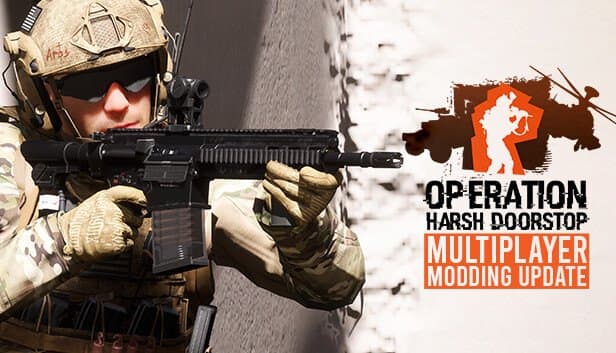
Choose your Game Server
Select from our wide range of optimized game servers. Each server is configured for maximum performance and comes with DDoS protection.
1. Plan Type
2. Location
3. Choose Plan

Bronze 4GB
Silver 6GB
Gold 8GB
Platinum 10GB
Diamond 12GB
Emerald 16GB
Xtreme 32GB
Which Operation Harsh Doorstop Plan Is Right for You?
Compare recommended use, plan hardware and monthly prices.
| Plan | Recommended for | Hardware | Monthly price |
|---|---|---|---|
| Bronze 4GB | Recommended: up to 16 players, no bots or modsA good entry point for a private training server or a small group of friends. | 4 vCore Ryzen 9950X · 4 GB DDR5 6000MHz · 50 GB NVMe SSD Samsung 990 PRO | ₺240.00/mo |
| Silver 6GB | 16–32 players, public AASComfortable memory headroom for a UE4 server running a full vanilla match. | 4 vCore Ryzen 9950X · 6 GB DDR5 6000MHz · 60 GB NVMe SSD Samsung 990 PRO | ₺345.00/mo |
| Gold 8GB | 32 players plus bot autofillThe balanced pick for public servers carrying the extra load of AI bots. | 4 vCore Ryzen 9950X · 8 GB DDR5 6000MHz · 70 GB NVMe SSD Samsung 990 PRO | ₺440.00/mo |
| Platinum 10GB | 32+ players, bots and Workshop modsSafe headroom with 100 GB NVMe when mod packs push memory use up. | 4 vCore Ryzen 9950X · 10 GB DDR5 6000MHz · 100 GB NVMe SSD Samsung 990 PRO | ₺530.00/mo |
| Diamond 12GB | Busy, heavily modded milsim serverMore memory for total conversions and a long map rotation. | 4 vCore Ryzen 9950X · 12 GB DDR5 6000MHz · 110 GB NVMe SSD Samsung 990 PRO | ₺617.50/mo |
| Emerald 16GB | Event scale, many bots plus heavy modsSix vCores and 16 GB absorb bot and mod load on big operation nights. | 6 vCore Ryzen 9950X · 16 GB DDR5 6000MHz · 120 GB NVMe SSD Samsung 990 PRO | ₺840.00/mo |
| Xtreme 32GB | Large community events, heaviest mod setsMore than most OHD servers need; worth it only for the most demanding modded scenarios. | 12 vCore Ryzen 9950X · 32 GB DDR5 6000MHz · 200 GB NVMe SSD Samsung 990 PRO | ₺1520.00/mo |
Why TheCrewHost for Operation Harsh Doorstop?
OHD's Unreal Engine 4 server works the CPU hard once bots and mods enter the picture, and our plans are sized with that load in mind.
Strong cores for bot AI
With autofill on, every AI soldier adds pathfinding and targeting work to the server. The Ryzen 9 9950X's high clock speed keeps the server frame rate up when the firefight gets heavy.
Game.ini and Engine.ini access
Edit the server name, join password, bBalanceTeams, bBotAutofill, RoundTimeLimit and WarmupTime directly in the file manager, then restart and see the effect immediately.
Remote control over RCON
Once the RCON password and port are set, you can list players, kick or ban rule breakers, switch maps and broadcast messages to the whole server without being in-game.
Steam Workshop mod support
OHD supports custom factions, vehicles, weapons, game modes and total conversions through the Workshop. Upload mod files over SFTP and build your own scenario on the server.
DDoS-protected address
Public milsim servers sometimes draw attacks from rival communities. Free DDoS protection filters that traffic and helps keep your unit connected in the middle of an operation.
NVMe space and backups for mods
Large mod packs and maps load quickly from NVMe. Automatic backups plus on-demand panel backups keep Game.ini, Admins.cfg and MapCycle.cfg safe between changes.
Starting at $6.00 per month (₺240.00), Operation: Harsh Doorstop server hosting at TheCrewHost gives your unit an Unreal Engine 4 dedicated server on a Ryzen 9 9950X with DDR5 memory and NVMe storage in our İstanbul datacenter. Drakeling Labs' milsim sandbox is free to play, so recruits can join your server without buying anything, which makes it one of the easiest games to build a unit around. Control team balance and bot autofill in Game.ini, build an AAS rotation in MapCycle.cfg, grant admin rights through Admins.cfg and shape the server with Steam Workshop mods, all with full SFTP access.
What can you build on an Operation: Harsh Doorstop server?
Operation: Harsh Doorstop is an open-ended milsim sandbox built in Unreal Engine 4 by Drakeling Labs, and the developer has stated the game will stay free forever. It entered Early Access on Steam in February 2023. On your own server you can run PvP operations with real players, co-op engagements against bots, or a mix of both where AI fills the empty slots.
OHD servers are known for AAS maps, short for Advance and Secure, where teams push through objectives in sequence. The developer says the bots are trained with machine learning to behave more realistically, which keeps a server playable even during quiet hours.
The biggest draw is Steam Workshop support. The community builds custom factions, equipment, vehicles, weapons, new game modes and full total conversions, so an OHD server can become a training ground for a unit focused on a specific era or scenario. And because the game costs nothing, recruiting never stalls on someone needing to buy a copy first.
What do Game.ini, Admins.cfg and MapCycle.cfg control?
Your OHD server settings live in Game.ini, inside HarshDoorstop/Saved/Config under a folder named for the server's operating system. The [/Script/DonkehFramework.DFGameSession] section holds the server name and join password, and [/Script/RCON.RCONServerSystem] holds the RCON password and connection limit. Under [/Script/DonkehFramework.DFBaseGameMode] you control automatic team balance with bBalanceTeams, bot autofill with bBotAutofill, and match pacing with RoundTimeLimit, WarmupTime and TimeBetweenMatches.
MapCycle.cfg lists the maps the server loads in order; adding a map name on its own line puts it in rotation. Admins.cfg defines who gets admin rights, and Bans.cfg stores banned players. Engine.ini is for engine-level tuning, and it is safest to leave lines you are unsure about alone.
The server starts from a map and option string such as AAS-TestMap?MaxPlayers=32, which is where the player cap is set. Back up from the panel before editing any of these files, then restart and read the console output to confirm everything loaded.
How much RAM does an OHD server need?
The right plan depends more on bots and mods than on raw player count. A private, bot-free and unmodded server for up to 16 players runs fine on Bronze 4GB. For a public 32-player AAS server we recommend Silver 6GB. If you fill empty slots with bots, Gold 8GB is the balanced choice, because every bot runs as an AI that handles pathfinding, target selection and shooting on the server.
On Unreal Engine 4 servers, most gameplay logic runs on the main thread, so single-core speed matters more than core count. The Ryzen 9 9950X gives you a strong foundation there.
If you run large Workshop packs, especially total conversions that add vehicles and maps, Platinum 10GB or Diamond 12GB leaves safe memory headroom. Emerald 16GB and Xtreme 32GB are for event-scale servers that combine many bots with heavy mods. You can always start small and upgrade to a higher plan once you see how the server behaves.
Running Workshop mods on your server: what should you watch for?
The first rule of a modded OHD server is version matching. If the mod files on the server do not match the version players pulled from the Workshop, expect connection problems or in-game errors. After every mod update, update the server side too.
Upload mod files with SFTP or the file manager, and follow the server setup notes on each mod's Workshop page, since creators may describe different installation steps. Total conversions can raise memory use noticeably, so load a new pack on an empty server first and read the console and log output before your unit logs on for operation night.
A practical approach for milsim units is to keep two configurations, one modded and one vanilla, saved as separate backups. Switch to the modded setup before an event and roll back to the public vanilla rotation afterward. A manual backup before each switch turns the rollback into a few minutes of work instead of an evening of guesswork.
How do players join, and how do you run the server day to day?
Players open OHD, search for your server name in the in-game browser and join from there. Listing works through the query port that reports to Steam, and the game, query and RCON ports are all shown in your panel's connection details. For a closed unit server, fill in the password line in Game.ini and share it with members only.
RCON is your main admin tool. With a strong RCON password set, you can see the player list, kick or ban anyone breaking the rules, change the map and broadcast messages server-wide. Some of these actions are also available straight from the panel console.
Team balance is a constant topic on milsim servers. Leaving bBalanceTeams enabled and tuning BalanceTimerInterval to your community's habits cuts down on one-sided matches. For players in Türkiye, the İstanbul location means low latency in firefights where coordination and timing decide the outcome, and players elsewhere in Europe and the Middle East connect comfortably too.
How to Set Up a Operation Harsh Doorstop Server
- 1
Choose a plan based on bots and mods
Start with Bronze 4GB for a private unmodded server, Silver 6GB for a public 32-player AAS server, or Gold 8GB if you plan to use bot autofill.
- 2
Let automatic setup finish
The server installs itself once payment is confirmed. To reach Game.ini, use the file manager at gamepanel.hostingmerkezi.net or connect an SFTP client with the credentials listed in the panel.
- 3
Set identity and rules in Game.ini
Enter the server name, an optional join password and a strong RCON password, then set bBalanceTeams and bBotAutofill to fit your community.
- 4
Fill in MapCycle.cfg and Admins.cfg
List the AAS maps you want in MapCycle.cfg, add your unit's admins to Admins.cfg and restart the server to apply everything.
- 5
Test mods, then call in your unit
Try any Workshop mods on the empty server first. When everything checks out, share the server name with your unit and launch the first operation.
Frequently Asked Questions
The questions we hear most before people launch an OHD server: price, bots, mods, config files and connecting.
How much does Operation: Harsh Doorstop server hosting cost?
How much RAM does an OHD server need?
Do players need to buy OHD?
Can bots fill empty slots?
Can I install Steam Workshop mods on the server?
When will my server be ready?
How do players connect to my server?
How are my backups handled?
Is DDoS protection included?
Can I move to a bigger plan later?
İstanbul Location,
Maximum Performance
Our İstanbul datacenter runs on Ryzen 9 hardware, delivering low latency to players in Türkiye and good connectivity to Europe, the Middle East and the Caucasus.
Turkey

İstanbul
Turkey
Explore Our Other Services
Everything your project needs — from game servers to VPS, dedicated servers, web hosting and Discord bot hosting.
Connect with our community of gamers and developers
Get instant support, share experiences, and stay updated with the latest news
