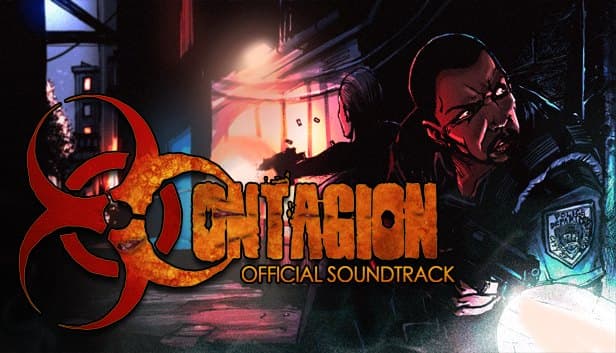
 Contagion Server Hosting
Co-op escapes, rescue runs and Hunted PvP for Contagion, the Source engine zombie survival game, with AngelScript plugins putting the rules in your hands.
Choose your Game Server
Select from our wide range of optimized game servers. Each server is configured for maximum performance and comes with DDoS protection.
1. Plan Type
2. Location
3. Choose Plan

Bronze 4GB
Silver 6GB
Gold 8GB
Platinum 10GB
Diamond 12GB
Emerald 16GB
Xtreme 32GB
Which Contagion Plan Is Right for You?
Compare recommended use, plan hardware and monthly prices.
| Plan | Recommended for | Hardware | Monthly price |
|---|---|---|---|
| Bronze 4GB | 8-player co-op Escape/Extraction (recommended)The server runs on well under a few GB; comfortable for a co-op team. | 4 vCore Ryzen 9950X · 4 GB DDR5 6000MHz · 50 GB NVMe SSD Samsung 990 PRO | ₺240.00/mo |
| Silver 6GB | 16-player Hunted, heavy FlatlineExtra memory for big zombie waves and several plugins. | 4 vCore Ryzen 9950X · 6 GB DDR5 6000MHz · 60 GB NVMe SSD Samsung 990 PRO | ₺345.00/mo |
| Gold 8GB | Plugin-heavy community, large map archive70 GB disk and more RAM; the practical ceiling for Contagion. | 4 vCore Ryzen 9950X · 8 GB DDR5 6000MHz · 70 GB NVMe SSD Samsung 990 PRO | ₺440.00/mo |
| Platinum 10GB | More than Contagion needsOne server process will not use the extra RAM; 100 GB is rarely needed. | 4 vCore Ryzen 9950X · 10 GB DDR5 6000MHz · 100 GB NVMe SSD Samsung 990 PRO | ₺530.00/mo |
| Diamond 12GB | More than Contagion needsSame 4 vCores as Bronze; zombie load is solved by clock speed, not memory. | 4 vCore Ryzen 9950X · 12 GB DDR5 6000MHz · 110 GB NVMe SSD Samsung 990 PRO | ₺617.50/mo |
| Emerald 16GB | Not recommendedExtra cores do not lighten AI work running on the main thread. | 6 vCore Ryzen 9950X · 16 GB DDR5 6000MHz · 120 GB NVMe SSD Samsung 990 PRO | ₺840.00/mo |
| Xtreme 32GB | Not recommended12 vCores and 32 GB are far beyond what a Contagion server needs. | 12 vCore Ryzen 9950X · 32 GB DDR5 6000MHz · 200 GB NVMe SSD Samsung 990 PRO | ₺1520.00/mo |
Why TheCrewHost for Contagion?
On a Contagion server, zombie AI and plugins decide most of the work, so we picked features around both.
AngelScript plugin support
Upload .as plugins to contagion/data/scripts/plugins, then enable them for every server start with default_plugins.json or on demand with the as_loadplugin command.
Separate configs per mode
Add as_loadplugin and as_unloadplugin lines to the mode files in contagion/cfg/gamemodes to run one plugin in Hunted and a different one in Escape.
Clock speed for zombie AI
The server calculates every zombie's movement and attacks, and on the Source engine that load lands on the main thread. The Ryzen 9 9950X's high clocks keep things smooth during big waves.
Tune plugins from the console
List plugin settings that start with as_ using as_showcommands, then change them from the panel console with ascmd without restarting the server.
Free DDoS protection
Nobody wants to drop at the final door of a long Escape mission. Free DDoS protection comes standard on every plan and handles attack traffic at the network layer.
NVMe and automatic backups
Map transitions are quick on NVMe storage. Plugin configs live under data/custom, so automatic backups keep those settings safe as well.
Hosting a Contagion server with TheCrewHost costs from ₺240.00 ($6.00) a month, and it gets you a dedicated server on Ryzen 9 9950X hardware in İstanbul built to carry big zombie hordes. Your server can run co-op Escape and Extraction missions, Hunted matches for up to 16 players and the wave-based Flatline mode. Contagion's server side is extended with AngelScript: upload .as plugins to the data/scripts/plugins folder and enable them through default_plugins.json or the as_loadplugin command. You reach every file through the web panel and over SFTP.
What game modes can a Contagion server run?
Contagion is Monochrome's zombie survival game on the Source engine, and your server can run all four of its modes. Escape is a co-op mode for up to eight players: the team fights through zombies, completes objectives in order and tries to escape the map. Extraction is co-op too, but here the goal is to find AI-controlled survivors on the map and lead them to the border for extraction.
Hunted is a free-for-all for up to 16 players. Zombies roam as an environmental hazard; a player who dies comes back as a zombie and starts hunting those still alive, and the last survivor wins. Flatline is a wave-based survival mode: the team starts in one spot and new parts of the map open up every few waves.
Escape and Extraction are natural picks for an evening of co-op with friends, Hunted suits a competitive community, and Flatline fits long sessions that keep getting harder. One server can rotate through all of them, with separate rules for each through the mode files.
How do you install and manage AngelScript plugins?
Contagion server plugins are written in AngelScript and distributed as .as files. To install one, upload the file to the contagion/data/scripts/plugins folder, using either the panel's file manager or SFTP.
There are two ways to enable a plugin. The first is contagion/default_plugins.json: plugins listed there load automatically on every server started from that install. The second is your cfg files: add an as_loadplugin "Plugin.as" line to contagion/cfg/server.cfg or to a mode-specific file, and use as_unloadplugin to turn it off.
Many plugins create their own config file under contagion/data/custom on first run; edit it and restart the server. Settings you can change while running are variables prefixed with as_. In the console, as_showcommands lists every plugin variable, and on a dedicated server console you change one with ascmd "as_variable" "value". If you want to write your own, the official AngelScript API docs are at contagion-game.com/api.
Applying different rules to different modes
In Contagion, each mode has its own config file in the contagion/cfg/gamemodes folder, and the server runs that file when the mode loads. That is the key to building very different experiences on a single server.
For example, you can add as_loadplugin for a balance plugin to the Hunted file and as_unloadplugin for the same plugin to the Escape file, so a rule that works in PvP never interferes with a co-op session. A common approach is to give co-op modes plugins that help the team and give Flatline settings that make the waves tougher.
We recommend taking a panel backup before editing these files, since one bad line can stop a mode from loading at all. After a change, restarting the server and loading the mode once while watching the console lets you catch problems before players arrive. Remember that AngelScript also supports map scripts, and some custom maps bring their own logic that way.
Which plan does a Contagion server need?
Bronze 4GB is enough for an eight-player co-op Escape or Extraction server. A Source engine Contagion server usually uses well under a few gigabytes of memory, and 4 GB of RAM with 50 GB of NVMe leaves comfortable room at that scale.
In Contagion, the zombies create the real load. The server computes pathfinding, movement and attacks for every zombie, and on the Source engine that work mostly runs on one main thread. If you run 16-player Hunted matches, heavy Flatline waves or several AngelScript plugins, Silver 6GB gives more headroom, and Gold 8GB is a sensible ceiling for communities keeping a large custom map archive.
The first five plans all share the same 4 vCores. Because the extra cores on Emerald and Xtreme do not speed up a single server's main thread, those plans are more than Contagion needs. Starting small and upgrading from the panel as your player count grows is the right approach.
How do players connect to a Contagion server?
Players can find your server by name in Contagion's server browser and join from there. Console users can connect directly with connect IP:port; the default Source port is 27015, but always share the IP and port shown in your panel. Adding IP:port under Game Servers > Favorites in the Steam client is an easy way to save the server for good.
On co-op servers the team is usually set in advance, so a server password stops strangers from dropping in mid-mission. On open PvP servers such as Hunted, putting the mode in the server name draws the right players from the browser.
With your server in İstanbul, players in Türkiye get low latency, and it is generally a balanced location for friends joining from Europe, the Middle East and the Caucasus. In a game where you have to land shots through a crowd of zombies, low latency matters most in the final moments of an escape.
How to Set Up a Contagion Server
- 1
Choose a plan for your player count and mode
Bronze 4GB covers eight-player co-op Escape or Extraction. For 16-player Hunted or a plugin-heavy server, start on Silver 6GB.
- 2
Wait for automatic setup after payment
Once your payment is confirmed, your Contagion server installs itself and appears in gamepanel.hostingmerkezi.net, with the contagion folder ready in the file manager.
- 3
Configure server.cfg and the mode files
Put the server name and general settings in contagion/cfg/server.cfg, and mode-specific rules in the matching files inside contagion/cfg/gamemodes.
- 4
Install AngelScript plugins
Upload .as files to data/scripts/plugins, enable them through default_plugins.json or as_loadplugin, and check their settings with as_showcommands.
- 5
Test the server and call your team
Load each mode once and check the console, then share the IP:port or server name with your group. Consider a password for a co-op server.
Frequently Asked Questions
Questions from people setting up a Contagion server: modes, AngelScript plugins, plans and connecting.
How much does it cost to host a Contagion server?
How much RAM does a Contagion server need?
Which modes can I run on my server?
How do I install an AngelScript plugin?
Can I run a plugin only in certain modes?
How long does setup take?
How do my friends join my server?
Are backups and DDoS protection included?
Can I upgrade if my player count grows?
İstanbul Location,
Maximum Performance
Our İstanbul datacenter runs on Ryzen 9 hardware, delivering low latency to players in Türkiye and good connectivity to Europe, the Middle East and the Caucasus.
Turkey

İstanbul
Turkey
Explore Our Other Services
Everything your project needs — from game servers to VPS, dedicated servers, web hosting and Discord bot hosting.
Connect with our community of gamers and developers
Get instant support, share experiences, and stay updated with the latest news
