 Black Mesa Server Hosting
A deathmatch arena for Black Mesa, the Source engine remake of Half-Life, or a co-op server where SourceCoop lets your group play the whole campaign together.
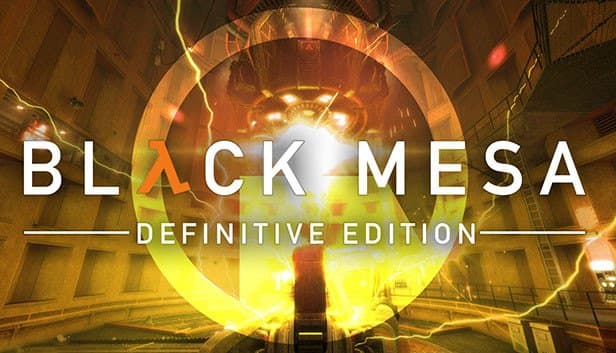
Choose your Game Server
Select from our wide range of optimized game servers. Each server is configured for maximum performance and comes with DDoS protection.
1. Plan Type
2. Location
3. Choose Plan

Bronze 4GB
Silver 6GB
Gold 8GB
Platinum 10GB
Diamond 12GB
Emerald 16GB
Xtreme 32GB
Which Black Mesa Plan Is Right for You?
Compare recommended use, plan hardware and monthly prices.
| Plan | Recommended for | Hardware | Monthly price |
|---|---|---|---|
| Bronze 4GB | 8–16 player deathmatch (recommended)srcds runs on well under a few GB; plenty for a DM arena. | 4 vCore Ryzen 9950X · 4 GB DDR5 6000MHz · 50 GB NVMe SSD Samsung 990 PRO | ₺240.00/mo |
| Silver 6GB | 4–8 player SourceCoop campaignExtra memory for NPCs, SourceMod and SourceCoop running together. | 4 vCore Ryzen 9950X · 6 GB DDR5 6000MHz · 60 GB NVMe SSD Samsung 990 PRO | ₺345.00/mo |
| Gold 8GB | Co-op community with addons, big archive70 GB disk and extra RAM for optional addons and a large map archive. | 4 vCore Ryzen 9950X · 8 GB DDR5 6000MHz · 70 GB NVMe SSD Samsung 990 PRO | ₺440.00/mo |
| Platinum 10GB | More than Black Mesa needsThe extra RAM goes unused; the disk only matters for a huge map archive. | 4 vCore Ryzen 9950X · 10 GB DDR5 6000MHz · 100 GB NVMe SSD Samsung 990 PRO | ₺530.00/mo |
| Diamond 12GB | More than Black Mesa needsSame 4 vCores as Bronze; a single srcds process cannot use the extra memory. | 4 vCore Ryzen 9950X · 12 GB DDR5 6000MHz · 110 GB NVMe SSD Samsung 990 PRO | ₺617.50/mo |
| Emerald 16GB | Not recommendedExtra cores do not noticeably speed up single-threaded srcds. | 6 vCore Ryzen 9950X · 16 GB DDR5 6000MHz · 120 GB NVMe SSD Samsung 990 PRO | ₺840.00/mo |
| Xtreme 32GB | Not recommended12 vCores and 32 GB are far beyond what a Black Mesa server needs. | 12 vCore Ryzen 9950X · 32 GB DDR5 6000MHz · 200 GB NVMe SSD Samsung 990 PRO | ₺1520.00/mo |
Why TheCrewHost for Black Mesa?
A Black Mesa server has two sides, fast deathmatch and long co-op campaigns, and these features were chosen with both in mind.
Campaign co-op with SourceCoop
The open-source SourceCoop plugin lets several players run through Black Mesa's single-player campaign together, carrying players and their equipment across map changes.
Deathmatch rules in server.cfg
Set mp_timelimit, mp_fraglimit, mp_forcerespawn, mp_flashlight and mp_warmup_time in bms/cfg/server.cfg, and control the map order with mapcycle.txt.
Metamod:Source and SourceMod
SourceMod adds map voting, a ban system, an admin menu and reserved slots. Upload plugins to the addons folder over SFTP and check them from the panel console with sm plugins list.
Single-core speed for NPC load
In co-op the server simulates soldiers, headcrabs and scripted events. srcds carries that load on its main thread, so the Ryzen 9 9950X's high clock speed makes a direct difference.
DDoS protection on every plan
Community servers get targeted now and then. Free DDoS protection is standard on every plan, which lowers the risk of an attack cutting a long co-op session short.
NVMe and automatic backups
Black Mesa's detailed maps load quickly from NVMe storage. Automatic backups make it easy to roll back to your last working setup after trying a plugin or map.
For ₺240.00 ($6.00) a month, TheCrewHost's Black Mesa server hosting puts your own Black Mesa Dedicated Server on Ryzen 9 9950X hardware in İstanbul. Your server can host classic Half-Life deathmatch on maps like dm_gasworks, dm_bounce or dm_stalkyard, and with Metamod:Source, SourceMod and the community-built SourceCoop plugin it can run the single-player Black Mesa campaign as a co-op game for your friends. You get to server.cfg, mapcycle.txt and plugin files through the web panel or over SFTP and manage the server from your browser.
What can you play on a Black Mesa server?
Black Mesa is Crowbar Collective's ground-up remake of Half-Life on the Source engine, and on the server side it offers two very different experiences. The first is the game's own multiplayer mode, Black Mesa: Deathmatch. Maps such as dm_bounce, dm_gasworks, dm_crossfire, dm_stalkyard and dm_undertow bring back well-known Half-Life deathmatch arenas with modern visuals.
The second is playing the campaign together. The game has no official co-op mode; that gap is filled by SourceCoop, an open-source plugin built on SourceMod. SourceCoop restores single-player functionality, supports campaign maps and handles carrying players and their equipment from one map to the next.
These two uses call for different server profiles. A deathmatch server wants short rounds, fast map changes and a rotation, while a co-op server has to handle long sessions, persistence and the CPU load of NPC AI. Which one you build shapes your plan and settings.
How do you configure a Black Mesa dedicated server?
Black Mesa Dedicated Server downloads through SteamCMD under app ID 346680 with an anonymous login, uses bms as its game folder and starts with the -game bms parameter. At TheCrewHost this install runs automatically after your payment.
bms/cfg/server.cfg is the center of your settings. hostname sets the server name, mp_timelimit and mp_fraglimit control match length and the win condition, and mp_warmup_time sets pre-match warmup. mp_forcerespawn makes players respawn without waiting, mp_flashlight toggles flashlights and mp_friendlyfire toggles team damage. Define rcon_password for remote administration. Note that values in server.cfg override launch parameters.
The map rotation comes from bms/cfg/mapcycle.txt, one map name per line without the extension. The player limit is set by +maxplayers at launch. Edit any of these in the panel's file manager and restart the server to apply them.
How do you play the Black Mesa campaign in co-op with SourceCoop?
To run SourceCoop, the server first needs Metamod:Source and then SourceMod installed. After that you add the latest SourceCoop release into the same folder structure, and the three together turn the server into a co-op campaign server. Upload the files over SFTP, then use meta list and sm plugins list in the console to confirm everything loaded.
SourceCoop's real value is persistence: when a map ends, players and the gear they collected carry over to the next map, so the campaign flows without breaking apart. The plugin can also be extended with optional addons, and it lets mappers convert single-player maps into co-op.
Many supported co-op maps are gathered in an official Workshop collection. Players have to subscribe to Workshop maps themselves before joining; the server does not push those files automatically like regular content. Sharing the collection link with your group before a session prevents missing-map problems at the door.
Which plan does a Black Mesa server need?
Bronze 4GB is enough for a deathmatch server. A srcds-based Black Mesa server usually uses well under a few gigabytes of memory, and an 8 to 16 player deathmatch arena fits comfortably inside this plan.
Co-op is heavier. The server simulates soldiers, alien creatures, scripted sequences and map transitions, with SourceMod and SourceCoop running alongside. That is why we recommend Silver 6GB for a co-op group of four to eight, and Gold 8GB for a co-op community running optional addons and a large map archive. Even so, single-core CPU speed is the deciding resource, because srcds runs on one main thread.
Every plan from Bronze to Diamond has 4 vCores, and the extra cores on Emerald and Xtreme do not speed up a single srcds process. Platinum and above are more than Black Mesa needs; only consider them if a very large map archive really requires the disk space.
How do players join, and how do you add custom maps?
Players find your server in the server list of Black Mesa's online play menu and double-click to join; co-op servers appear in that list like any other server. Anyone with the console open can connect directly with connect IP:port. The default Source port is 27015, but always share the IP and port shown in your panel.
Upload custom BSP maps you made or downloaded into the bms/maps folder, then add them to mapcycle.txt by name without the extension. For Workshop maps, players must subscribe to the Workshop item themselves, so on a server that uses custom maps it is a good habit to pin the map links in your Discord.
With your server in İstanbul, players connecting from Türkiye get low latency. In Half-Life deathmatch, where movement is fast and reactions are everything, that difference shows most in tau cannon and crossbow duels.
How to Set Up a Black Mesa Server
- 1
Pick a plan for deathmatch or co-op
Bronze 4GB is enough for 8 to 16 player deathmatch. For a SourceCoop campaign choose Silver 6GB, and for a large plugin and map archive go with Gold 8GB.
- 2
Let setup finish after payment
Once your payment is confirmed, Black Mesa Dedicated Server installs itself and appears in gamepanel.hostingmerkezi.net. The bms folder is right there in the file manager.
- 3
Edit server.cfg and mapcycle.txt
Put settings like hostname, rcon_password, mp_timelimit and mp_fraglimit in bms/cfg/server.cfg, and build your map order in mapcycle.txt.
- 4
Install Metamod, SourceMod and SourceCoop for co-op
Upload the three components in order over SFTP, restart the server and confirm they loaded with meta list and sm plugins list in the console.
- 5
Share map links and your server name
If you use Workshop maps, send players the collection link so they can subscribe ahead of time. Then announce the server name or IP:port on your Discord.
Frequently Asked Questions
Questions about deathmatch, co-op and choosing a plan from people setting up a Black Mesa server.
What does Black Mesa server hosting cost?
How much RAM does a Black Mesa server need?
Can I play the Black Mesa campaign in co-op with friends?
Does SourceMod work on a Black Mesa server?
How do I use Workshop maps on my server?
How soon will my server be ready?
How do my friends connect to my server?
Are backups and DDoS protection provided?
Is it possible to upgrade my plan?
İstanbul Location,
Maximum Performance
Our İstanbul datacenter runs on Ryzen 9 hardware, delivering low latency to players in Türkiye and good connectivity to Europe, the Middle East and the Caucasus.
Turkey

İstanbul
Turkey
Explore Our Other Services
Everything your project needs — from game servers to VPS, dedicated servers, web hosting and Discord bot hosting.
Connect with our community of gamers and developers
Get instant support, share experiences, and stay updated with the latest news
