 Mordhau Server Hosting
64-player castle sieges in Frontline, blade work in Skirmish: a native Linux, mod.io-ready Mordhau server hosted in Istanbul.
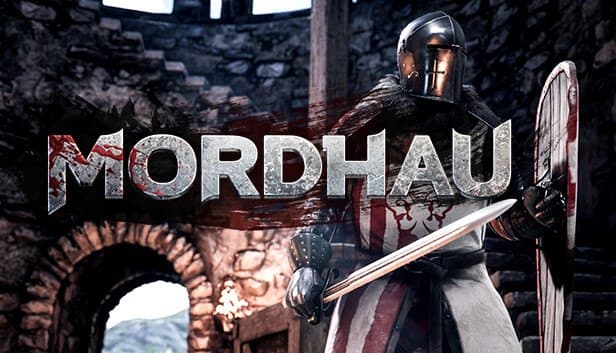
Choose your Game Server
Select from our wide range of optimized game servers. Each server is configured for maximum performance and comes with DDoS protection.
1. Plan Type
2. Location
3. Choose Plan

Silver 6GB
Gold 8GB
Platinum 10GB
Diamond 12GB
Emerald 16GB
Xtreme 32GB
Which Mordhau Plan Is Right for You?
Compare recommended use, plan hardware and monthly prices.
| Plan | Recommended for | Hardware | Monthly price |
|---|---|---|---|
| Silver 6GB | 16–24 players Skirmish, TDM, duelsSmallest Mordhau plan; comfortable for small-team modes and FFA duel servers. | 4 vCore Ryzen 9950X · 6 GB DDR5 6000MHz · 60 GB NVMe SSD Samsung 990 PRO | ₺345.00/mo |
| Gold 8GB | 32–48 players Frontline or InvasionSiege engines and destructibles add memory; 8 GB handles mid-sized battles. | 4 vCore Ryzen 9950X · 8 GB DDR5 6000MHz · 70 GB NVMe SSD Samsung 990 PRO | ₺440.00/mo |
| Platinum 10GB | 48–64 players with a few mod.io modsSafe headroom for full Frontline and a light mod load; where most communities land. | 4 vCore Ryzen 9950X · 10 GB DDR5 6000MHz · 100 GB NVMe SSD Samsung 990 PRO | ₺530.00/mo |
| Diamond 12GB | 64 slots plus server actor modsExtra memory for 64-player servers running admin and gameplay mods together. | 4 vCore Ryzen 9950X · 12 GB DDR5 6000MHz · 110 GB NVMe SSD Samsung 990 PRO | ₺617.50/mo |
| Emerald 16GB | 64 slots, heavy mods, higher tick tests6 vCores help with mod downloads and map loads; single-core speed still decides tick. | 6 vCore Ryzen 9950X · 16 GB DDR5 6000MHz · 120 GB NVMe SSD Samsung 990 PRO | ₺840.00/mo |
| Xtreme 32GB | Tournaments and events; overkill for most12 vCores and 32 GB; a single Mordhau server will not use all of it. | 12 vCore Ryzen 9950X · 32 GB DDR5 6000MHz · 200 GB NVMe SSD Samsung 990 PRO | ₺1520.00/mo |
Why TheCrewHost for Mordhau?
The settings and hardware you touch every week as a Mordhau server admin.
mod.io Mods in One Line
Add a Mods= line with the mod.io ID for each mod under [/Script/Mordhau.MordhauGameSession] in Game.ini. The server downloads them on boot, and server actor mods load through SpawnServerActorsOnMapLoad.
Server Rules in Game.ini
MaxSlots, ServerName, ServerPassword, AdminPassword and MapRotation lines control capacity, passwords and map order. BannedPlayers and MutedPlayers lists live in the same file.
Tickrate in Engine.ini
The default 60 tick can be raised with NetServerMaxTickRate. Higher tick depends on single-core power and player count, which is where the Ryzen 9 9950X's clock speed pays off.
Native Linux Server
This edition runs Mordhau's official Linux server with no compatibility layer in between, so it uses fewer resources than the Wine edition at the same player count.
Free DDoS Protection
Full Frontline servers draw attention and sometimes attacks. Free DDoS protection on every plan filters hostile traffic and reduces the risk of a 64-player siege dropping mid-battle.
NVMe Storage and Auto Backups
Mods from mod.io and map changes load quickly from NVMe. Automatic backups let you return to your last working setup if a Game.ini experiment backfires.
TheCrewHost Mordhau server hosting starts at ₺345.00 per month and runs the game's native Linux dedicated server on a Ryzen 9 9950X with DDR5 memory and NVMe storage. Host Frontline, Invasion, Skirmish, Team Deathmatch, Horde and Battle Royale with up to 64 players. The server sits in our İstanbul datacenter, so parries and ripostes from players in Türkiye and nearby regions register with low latency, which is everything in a melee game. Set slots, passwords and map rotation in Game.ini and add mod.io mods with a Mods line. For communities playing on official maps, this is the leanest and most direct option.
What game modes can a Mordhau server run?
Your Mordhau server can run every official mode in Triternion's medieval melee game. Frontline is the large-scale battle mode where two armies capture points and destroy objectives with up to 64 players, on maps such as Grad, Camp, Mountain Peak, Taiga and Feitoria. In Invasion, one side attacks objectives in sequence while the other defends. Skirmish is small-team rounds with no respawns and a favorite of competitive players. Team Deathmatch and free-for-all Deathmatch cover quick warm-ups, Horde is co-op against AI waves, and Battle Royale is every fighter for themselves.
With your own server, you set the rules: friendly fire scale, respawn timers, slot count and map rotation are all yours. The servers communities build most often are duel-focused FFA servers, password-locked Skirmish servers for clan scrims, and Frontline servers that fill up every evening.
This page covers the native Linux server. If you plan to play on official maps and use server-side mods, it is the right pick; if you want to run community-made custom maps, take a look at our Mordhau Wine page.
How much RAM does a Mordhau server need?
Silver 6GB is the smallest plan we offer for Mordhau, and it comfortably handles 16 to 24 player Skirmish, Team Deathmatch or duel servers. As player count rises, both memory use and CPU load grow: in a 64-player Frontline match, every weapon swing, horse, siege engine and destructible structure is simulated at once. That is why we recommend Gold 8GB for 32 to 48 player Frontline or Invasion, and Platinum 10GB for 48 to 64 players with a few mod.io mods.
On the CPU side, single-core speed is the deciding factor. The Unreal Engine server runs most game logic on one thread, and every plan from Silver to Diamond gets the same 4 vCore Ryzen 9 9950X allocation. The 6 vCore Emerald 16GB gives heavily modded 64-slot servers breathing room for mod downloads, map loading and background work.
If you want to raise tickrate from 60 to 120, the CPU pays for it, not RAM. A full server may not hold 120 tick consistently, so settle your player count at 60 tick first and then step up gradually.
How do you configure Game.ini, Engine.ini and mod.io mods?
On the Linux build, Mordhau's settings live in Game.ini and Engine.ini inside Mordhau/Saved/Config/LinuxServer. Edit them only while the server is stopped; Mordhau writes its in-memory settings back to disk on shutdown, so changes made to a running server can be lost.
Under [/Script/Mordhau.MordhauGameSession] in Game.ini, MaxSlots sets capacity, ServerName the listed name, ServerPassword the join password and AdminPassword the admin password. Build your rotation by adding one MapRotation= line per map. Mods go in the same section, one Mods= line per mod.io ID, and the server downloads them at startup. Some mods, such as admin tools that add chat commands, run as a server-side actor and need a SpawnServerActorsOnMapLoad line under [/Script/Mordhau.MordhauGameMode]; the exact value is listed on the mod's page.
Engine.ini holds network settings, and NetServerMaxTickRate under [/Script/OnlineSubsystemUtils.IpNetDriver] defaults to 60. Once in game, log in as admin with your AdminPassword to use kick, ban and map change commands.
Native Linux server or Mordhau Wine?
Mordhau has two server builds, and TheCrewHost offers each as a separate product. The edition on this page runs the game's official Linux server directly. Mordhau Wine instead runs the Windows server build on Linux through the Wine compatibility layer.
The difference shows up with custom maps. Community mappers almost always package, or cook, their maps for Windows. On the Linux server such a map may load, but its collision data can come through missing or broken, and players falling through the floor is the most familiar symptom. The Windows server runs those maps correctly.
So the choice comes down to your community. If you are building a Frontline, Skirmish or duel server on official maps with server-side mods, the native Linux server is lighter and has fewer moving parts, which makes it the better fit. If you picture a server rotating community maps, the Wine edition runs them properly at the cost of somewhat higher resource use. Not sure yet? Start on Linux, and if custom maps become a need, talk to our support team about moving over.
How do players join your Mordhau server?
Players find your server by searching the in-game server browser for the name you set in ServerName. Prefixing the name with your community tag and the mode, such as FL or Duel, makes it easier to find and attracts the right crowd. Players who use the console can also connect directly by typing open followed by the server's IP:port, which you will find in your panel.
If you set a ServerPassword, the server shows as locked and asks for the password on connect, which is handy for clan practice. The first time a player joins a server running mod.io mods, they may wait while the required mods download.
When a player cannot see the server, check the version first: after Triternion ships an update, the server needs updating too. Because the server is in Istanbul, players in Türkiye connect with low latency, and those in Europe, the Middle East and the Caucasus generally get good connections as well. If problems persist, send the server log to our 24/7 support team.
How to Set Up a Mordhau Server
- 1
Choose a plan for your player count
Start with Silver 6GB for Skirmish and duels, Gold 8GB for 32 to 48 player Frontline, or Platinum 10GB for 64 slots with mods.
- 2
Let automatic provisioning finish
The Mordhau Linux server files install on their own, and your server appears in gamepanel.hostingmerkezi.net with its IP and port.
- 3
Stop the server and edit Game.ini
In the LinuxServer folder, set MaxSlots, ServerName, AdminPassword and MapRotation lines in Game.ini while the server is stopped.
- 4
Add mod.io mods
Add a Mods= line for each mod, enter the SpawnServerActorsOnMapLoad value for mods that need a server actor, then start and let downloads finish.
- 5
Tune tickrate if needed
NetServerMaxTickRate in Engine.ini defaults to 60; if you raise it, step up gradually on a full server and watch the console output.
- 6
Call your players to battle
Share the server name and any password; players join from the server browser or with open and the IP:port in the console.
Frequently Asked Questions
The questions people ask most before renting a Mordhau server.
How much does Mordhau server hosting cost?
Which plan fits my player count?
How do I add mod.io mods?
What is the difference between this and Mordhau Wine?
Can I raise the tickrate to 120?
How long does setup take?
How do players connect?
How do backups and DDoS protection work?
Can I upgrade my plan later?
İstanbul Location,
Maximum Performance
Our İstanbul datacenter runs on Ryzen 9 hardware, delivering low latency to players in Türkiye and good connectivity to Europe, the Middle East and the Caucasus.
Turkey

İstanbul
Turkey
Explore Our Other Services
Everything your project needs — from game servers to VPS, dedicated servers, web hosting and Discord bot hosting.
Connect with our community of gamers and developers
Get instant support, share experiences, and stay updated with the latest news
