 Midnight Ghost Hunt Server Hosting
Possess a lamp or hunt before the clock strikes twelve: a password-locked Midnight Ghost Hunt server with your own rules, hosted in Istanbul.
Choose your Game Server
Select from our wide range of optimized game servers. Each server is configured for maximum performance and comes with DDoS protection.
1. Plan Type
2. Location
3. Choose Plan

Bronze 4GB
Silver 6GB
Gold 8GB
Platinum 10GB
Diamond 12GB
Emerald 16GB
Xtreme 32GB
Which Midnight Ghost Hunt Plan Is Right for You?
Compare recommended use, plan hardware and monthly prices.
| Plan | Recommended for | Hardware | Monthly price |
|---|---|---|---|
| Bronze 4GB | One 4v4 lobby, small friend groupWorks, but the compatibility layer's memory overhead leaves thin margins. | 4 vCore Ryzen 9950X · 4 GB DDR5 6000MHz · 50 GB NVMe SSD Samsung 990 PRO | ₺240.00/mo |
| Silver 6GB | Recommended: Hunt or Darkness + botsComfortable headroom for the Windows build and Unreal server; enough for most groups. | 4 vCore Ryzen 9950X · 6 GB DDR5 6000MHz · 60 GB NVMe SSD Samsung 990 PRO | ₺345.00/mo |
| Gold 8GB | All-day community lobbyExtra safety margin for long uptimes, log files and frequent updates. | 4 vCore Ryzen 9950X · 8 GB DDR5 6000MHz · 70 GB NVMe SSD Samsung 990 PRO | ₺440.00/mo |
| Platinum 10GB | More than a single lobby needsThe game sets the lobby size; extra memory does not mean more players. | 4 vCore Ryzen 9950X · 10 GB DDR5 6000MHz · 100 GB NVMe SSD Samsung 990 PRO | ₺530.00/mo |
| Diamond 12GB | Not recommended, MGH will not use itSame 4 vCores; makes no difference to a ghost hunting lobby. | 4 vCore Ryzen 9950X · 12 GB DDR5 6000MHz · 110 GB NVMe SSD Samsung 990 PRO | ₺617.50/mo |
| Emerald 16GB | Not recommended for one server6 vCores and 16 GB; a single 4v4 lobby uses a small fraction of this. | 6 vCore Ryzen 9950X · 16 GB DDR5 6000MHz · 120 GB NVMe SSD Samsung 990 PRO | ₺840.00/mo |
| Xtreme 32GB | Not recommended, pair with other projects32 GB and 12 vCores have no meaningful payoff for Midnight Ghost Hunt. | 12 vCore Ryzen 9950X · 32 GB DDR5 6000MHz · 200 GB NVMe SSD Samsung 990 PRO | ₺1520.00/mo |
Why TheCrewHost for Midnight Ghost Hunt?
Everything you need to run a private ghost hunt for your own crew.
Map and Mode Selection
Use the -Map and -Gamemode parameters to pick maps like Asylum, Mansion, Carnival or Ghost Ship, and choose between classic Hunt and the pitch-black Darkness mode.
Custom Rules via CustomRules.ini
Create a CustomRules.ini following the ReadMe_CustomRules.txt guide that ships with the server files and tune match rules for your group. Admins are set in the same file with AdminPUIds.
Bots Fill the Empty Slots
The -BotDifficulty parameter sets bots to Easy, Normal, Hard or Auto. Even with only three friends online, bots round out the teams so the hunt can start.
Passwords and DDoS Protection
Lock the lobby with -password so only invited players get in. Free DDoS protection on every plan filters attack traffic so the midnight showdown is not cut short.
Built for the Windows Server Build
The game's official server software ships for Windows. Installation is automated, so you start a ready server from the panel without wrestling with game, query and beacon ports.
NVMe Storage and Auto Backups
Maps load quickly from NVMe storage. Automatic backups make it painless to undo a CustomRules.ini experiment that broke your lobby.
TheCrewHost Midnight Ghost Hunt server hosting starts at ₺240.00 per month and gives you your own dedicated server on a Ryzen 9 9950X with NVMe storage. In this four Hunters versus four Ghosts hide-and-seek brawl, you own the lobby: set the map, game mode, bot difficulty and password through launch parameters, and reshape match rules with a CustomRules.ini file. The server runs in our İstanbul datacenter, so your group in Türkiye or nearby regions gets responsive shots at that suspicious vase. Setup is automatic after payment, and free DDoS protection and automatic backups are included with every plan.
What is a Midnight Ghost Hunt dedicated server good for?
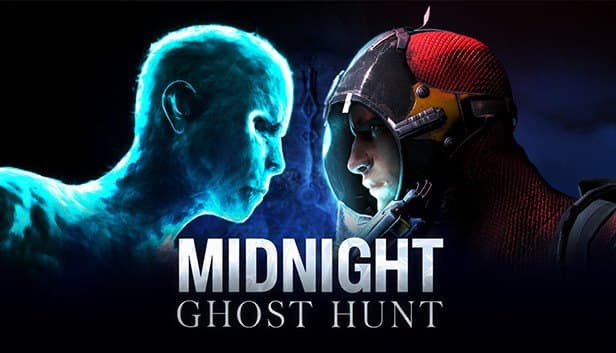
Midnight Ghost Hunt is an asymmetric multiplayer hide-and-seek game developed by Vaulting Mind and published by Coffee Stain. Ghosts possess everyday objects to hide, while Hunters sweep rooms with ghost-hunting gear. When the clock strikes midnight the tables turn, and any surviving Ghosts go after the Hunters.
With your own dedicated server, you stop relying on matchmaking to drop you into a random lobby. Lock it with a password for your Discord group, pick the map and mode ahead of time, and fill missing players with bots. Darkness mode is the slow-burn alternative: flashlights matter, Hunter ammo is scarce and the countdown to midnight stretches longer, which makes it a great change of pace for groups that have played classic Hunt to death.
Location is the other win. If the official server pool is not close to you, a server in Istanbul makes a real difference both to Hunter hit registration and to how snappy it feels when a Ghost hops from object to object. For friend groups in Türkiye and small streamer communities, a private server is simply the most practical way to play.
How much RAM does a Midnight Ghost Hunt server need?
Bronze 4GB runs a single 4v4 lobby, but we recommend Silver 6GB for most communities. The reason is the server build rather than the game itself: Midnight Ghost Hunt's dedicated server ships officially for Windows, and on Linux-based hosting it runs through a compatibility layer such as Proton. That layer needs memory on top of what the Unreal Engine server uses, and 4 GB leaves little margin.
The game sets the lobby size, so a larger plan will not add players. Every plan from Bronze to Diamond gets the same 4 vCore Ryzen 9 9950X allocation, and higher tiers only add RAM and disk. Bots do add work, since the server runs their AI when they fill empty slots, but for a single lobby that load sits comfortably within 4 vCores.
Gold 8GB gives extra breathing room to communities that keep the server up all day and see frequent updates. Platinum and above are more than one Midnight Ghost Hunt server needs; start on Silver and upgrade only if you have a concrete reason.
How do you set maps, modes and custom rules?
The core settings of a Midnight Ghost Hunt server are passed as launch parameters. -Map sets the starting map, -Gamemode the mode, -Gamename the name shown in the server list, -Region the region label, -BotDifficulty the bot skill and -password the lobby password. The game, query and beacon ports are launch parameters too; they are assigned to your server in the panel, so you do not need to touch them.
To change match rules, create a CustomRules.ini file in the server folder. The ReadMe_CustomRules.txt file that comes with the server files explains which rules are supported, and reading it before adding a new line saves you from a typo that gets silently ignored.
Admins are defined in the same file. Put the PUIDs of the players you want as admins on the AdminPUIds line. A PUID is the player's in-game ID, and it appears in the server logs when that player connects; copy it from the panel console or from the log files in the file manager. Restart the server after editing the file so the changes take effect.
Updates, logs and common problems
The most common issue is a version mismatch. When the developer ships a game update, the server files must be updated as well; if players are on the new version while the server sits on the old one, they cannot join. Whenever you hear about a patch, restart the server and confirm the files were refreshed before anything else.
The second classic is rules that do not apply. A mistyped line in CustomRules.ini is usually skipped without an error, so reading the startup output in the panel console right after a change is the fastest way to confirm the rule actually loaded.
The third involves names and passwords. Watch your quoting when the server name or password contains spaces or special characters; if the launch line splits in the wrong place, the server may come up with a default name. Taking a manual backup in the panel before experimenting with rules lets you return to the last working setup in one step. If you get stuck, send the log file to our support team, available around the clock.
How do players join your server?
Players find your server by searching the game's server list for the name you set with -Gamename. Keeping the name short and distinctive, for example leading with your group's name, makes it easy to spot. If you set a password, players enter it on the way into the lobby; sharing it in a private Discord channel keeps strangers out.
Getting four Hunters and four Ghosts online every night is not always realistic. On those evenings, leave bot difficulty on Auto or Normal and let bots fill the gaps; Easy suits newcomers, while Hard makes for a better match with a seasoned group.
Because the server is in Istanbul, players connecting from Türkiye get low latency, and friends in Europe, the Middle East and the Caucasus generally connect well too. If someone cannot see the lobby, have them check that their game is up to date first, then that they are searching for the exact server name.
How to Set Up a Midnight Ghost Hunt Server
- 1
Start with Silver 6GB
Bronze 4GB runs one lobby, but the Windows server build's extra memory needs make Silver 6GB the more comfortable starting point.
- 2
Let setup finish after checkout
The server files download and install automatically, and your server appears in gamepanel.hostingmerkezi.net with its ports once ready.
- 3
Set map, mode and password
In the startup settings, adjust -Map, -Gamemode, -Gamename, -BotDifficulty and -password to suit your group.
- 4
Add CustomRules.ini and admins
Write your rules following ReadMe_CustomRules.txt, add PUIDs copied from the logs to the AdminPUIds line, then restart the server.
- 5
Invite your friends
Share the server name and password on Discord; players search the server list for the name, and bots cover any missing slots.
Frequently Asked Questions
What to know before renting a Midnight Ghost Hunt server.
How much does a Midnight Ghost Hunt server cost?
Which plan should I choose?
How do I set custom rules?
How do I add admins to my server?
Can I play with bots?
How long does setup take?
How do my friends connect?
Are backups and DDoS protection included?
Can I upgrade my plan later?
İstanbul Location,
Maximum Performance
Our İstanbul datacenter runs on Ryzen 9 hardware, delivering low latency to players in Türkiye and good connectivity to Europe, the Middle East and the Caucasus.
Turkey

İstanbul
Turkey
Explore Our Other Services
Everything your project needs — from game servers to VPS, dedicated servers, web hosting and Discord bot hosting.
Connect with our community of gamers and developers
Get instant support, share experiences, and stay updated with the latest news
