 Half-Life 2: Deathmatch Server Hosting
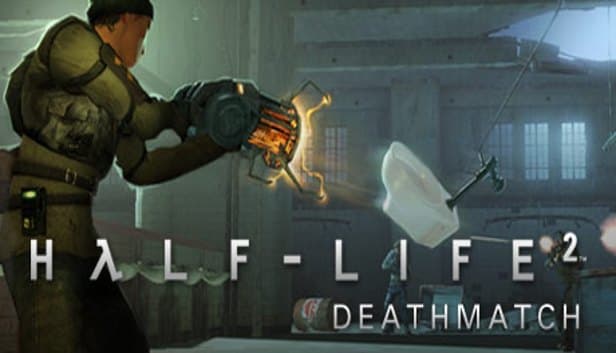
Barrels launched by the gravity gun, AR2 orbs bouncing off walls and pure reflex: a SourceMod-ready HL2DM server hosted in Istanbul.
Choose your Game Server
Select from our wide range of optimized game servers. Each server is configured for maximum performance and comes with DDoS protection.
1. Plan Type
2. Location
3. Choose Plan

Bronze 4GB
Silver 6GB
Gold 8GB
Platinum 10GB
Diamond 12GB
Emerald 16GB
Xtreme 32GB
Which Half-Life 2: Deathmatch Plan Is Right for You?
Compare recommended use, plan hardware and monthly prices.
| Plan | Recommended for | Hardware | Monthly price |
|---|---|---|---|
| Bronze 4GB | Up to 32 players, deathmatch + SourceMod (recommended)Low memory needs, and the single-core speed that drives physics is identical on every plan. | 4 vCore Ryzen 9950X · 4 GB DDR5 6000MHz · 50 GB NVMe SSD Samsung 990 PRO | ₺240.00/mo |
| Silver 6GB | Plugin-heavy community server with a databaseExtra room when many SourceMod plugins and a stats system run side by side. | 4 vCore Ryzen 9950X · 6 GB DDR5 6000MHz · 60 GB NVMe SSD Samsung 990 PRO | ₺345.00/mo |
| Gold 8GB | More than HL2DM needsExtra RAM does not improve physics performance; the real gain is disk space for maps. | 4 vCore Ryzen 9950X · 8 GB DDR5 6000MHz · 70 GB NVMe SSD Samsung 990 PRO | ₺440.00/mo |
| Platinum 10GB | Not recommendedSame 4 vCores as Bronze; HL2DM's single-threaded load shows no difference. | 4 vCore Ryzen 9950X · 10 GB DDR5 6000MHz · 100 GB NVMe SSD Samsung 990 PRO | ₺530.00/mo |
| Diamond 12GB | Not recommendedAn HL2DM server uses only a tiny share of this much memory. | 4 vCore Ryzen 9950X · 12 GB DDR5 6000MHz · 110 GB NVMe SSD Samsung 990 PRO | ₺617.50/mo |
| Emerald 16GB | Not recommended, core count does not matterSource runs physics and game logic on one core, so six vCores bring no advantage. | 6 vCore Ryzen 9950X · 16 GB DDR5 6000MHz · 120 GB NVMe SSD Samsung 990 PRO | ₺840.00/mo |
| Xtreme 32GB | Far too large for HL2DMMeant for heavily modded survival games; nearly everything would sit idle here. | 12 vCore Ryzen 9950X · 32 GB DDR5 6000MHz · 200 GB NVMe SSD Samsung 990 PRO | ₺1520.00/mo |
Why TheCrewHost for Half-Life 2: Deathmatch?
The familiar Source toolkit plus a fast single core, which is what a physics-heavy HL2DM server really needs.
A Fast Core for the Physics Engine
Every barrel, saw blade and radiator in HL2DM is simulated on the server. The Ryzen 9 9950X's strong single-core speed helps each tick finish on time during physics-heavy moments.
server.cfg and mp_teamplay
Set the server name, password, mp_timelimit and mp_fraglimit in hl2mp/cfg/server.cfg, and switch on Combine versus Rebels teams with mp_teamplay 1.
Metamod:Source and SourceMod
Upload SourceMod under hl2mp/addons for an admin menu, map voting, announcements and stats plugins, then grant admin rights by Steam ID.
FastDL for Quick Map Downloads
Serve custom .bsp maps and sounds from a web address with sv_downloadurl so players grab them quickly instead of waiting on the slow in-game transfer.
Panel Console and RCON
Send changelevel, mp_restartgame or SourceMod commands from the panel console instantly, and use rcon_password to manage the server from inside the game.
Free DDoS Protection
In competitive deathmatch communities, the losing side occasionally lashes out at the server, so free DDoS protection and unlimited traffic are built into every plan.
Half-Life 2: Deathmatch server hosting at TheCrewHost starts at ₺240.00 per month ($6.00), and the 4 GB Bronze plan runs HL2DM smoothly even on maps packed with physics props. The server installs automatically once payment is confirmed; you set the hostname, time and frag limits and mp_teamplay in hl2mp/cfg/server.cfg. Add Metamod:Source and SourceMod over SFTP for an admin menu, map voting and stats plugins. Our Istanbul datacenter gives players in Türkiye low ping, and in a game where a radiator caught mid-air decides the round, every server tick counts.
What can you play on a Half-Life 2: Deathmatch server?
A Half-Life 2: Deathmatch server runs classic free-for-all deathmatch or, with mp_teamplay 1, Combine versus Rebels team deathmatch, and what makes it special is the physics the server simulates. In Valve's Source-engine shooter the gravity gun is not just another weapon but the centerpiece: you grab barrels, saw blades, toilets and radiators and hurl them at opponents. The AR2's energy orb ricochets off walls, SMG grenades clear corners, and the crossbow ends fights in a single shot down long corridors.
The stock maps are dm_lockdown, dm_overwatch, dm_powerhouse, dm_resistance, dm_runoff, dm_steamlab, dm_underpass and halls3. Competitive players favor 1v1 duels on maps like dm_lockdown, while public servers lean into crowded, chaotic deathmatch. Community maps and SourceMod-powered game modes let every server develop its own personality. The game's system requirements are low, so even a friend on an old laptop can join your server without trouble.
How much RAM and CPU does an HL2DM server need?
The 4 GB Bronze plan is enough for an HL2DM server; even with 32 players, memory use stays at a small fraction of the plan. The factor that really drives resource needs is not RAM but physics simulation.
In the Source engine, game logic and physics are processed on a single core. When dozens of props are thrown, land and collide with players at the same moment, the server has to finish every tick on time; when it cannot, players see rubber-banding, delayed hits and objects sliding in place. The Ryzen 9 9950X's high clock speed is well suited to exactly that load. Steering clear of custom maps stuffed with thousands of props or exaggerated physics also protects performance. For a community server running many SourceMod plugins, database-backed stats and extra game-mode plugins, Silver adds a safety margin. Plans above that make no measurable difference in HL2DM, because the single core doing the physics runs at the same speed on every tier.
How do you set up SourceMod and admin rights?
HL2DM is one of the Source games that runs Metamod:Source and SourceMod. Upload Metamod:Source first, then SourceMod, into the hl2mp folder; both packages settle into the addons directory. After a restart, run meta list and sm plugins list in the console to confirm everything loaded.
To add an admin, write your Steam ID and permission flags into addons/sourcemod/configs/admins_simple.ini; the z flag grants full access. In-game, the sm_admin menu opens kick, ban, slay and map-change tools, and commands such as sm_map and sm_kick work from chat as well. Common plugin categories include map voting (RTV), welcome and announcement messages, spawn protection and player stats. When Valve updates the game you need matching versions of SourceMod and Metamod, so if plugins start throwing errors after an update, version compatibility is the first thing to check.
Server config, map cycle and FastDL
Server settings live in hl2mp/cfg/server.cfg. hostname is the name shown in the server list; sv_password is the join password, rcon_password the remote admin password, and mp_timelimit and mp_fraglimit decide when a match ends. mp_teamplay 1 turns on team deathmatch and mp_friendlyfire controls team damage. The map order sits in mapcycle.txt, where you can blend stock and community maps into a balanced rotation.
Custom maps go into hl2mp/maps as .bsp files. Because the game's built-in file transfer is slow, setting a FastDL address with sv_downloadurl lets players fetch maps and custom content much faster. The address can point to web space hosting the files compressed as .bz2, and TheCrewHost web hosting plans are a good fit for that job. Adjust sv_allowdownload and sv_allowupload to suit your needs. For the server to be listed on Steam, sv_lan must be set to 0.
How do players connect to an HL2DM server?
HL2DM players can pick your server from Steam's server browser or the game's Find Servers screen, or connect straight from the console by typing connect with the IP and port. The Source default is port 27015, but the panel shows the exact port your server was given, so share that one. The Join Game option in the Steam friends list works too.
For a 1v1 duel or a clan match, set sv_password and share it with your opponents, then remove it afterward to reopen the server to everyone. If the server is missing from the list, first confirm in the console that it started without errors, then check sv_lan. In a game full of flying props, latency is felt immediately: nobody enjoys dying to a barrel they never saw coming. From Istanbul, the server gives players in Türkiye low ping, and those connecting from Europe, the Middle East and the Caucasus play smoothly as well.
How to Set Up a Half-Life 2: Deathmatch Server
- 1
Start with Bronze
HL2DM is a light Source game; the 4 GB Bronze plan handles a busy deathmatch server and the usual SourceMod plugins with ease.
- 2
Complete payment and let setup run
After checkout the HL2DM server sets itself up. Open the console at gamepanel.hostingmerkezi.net and watch it boot cleanly.
- 3
Prepare hl2mp/cfg/server.cfg
Enter hostname, rcon_password, mp_timelimit, mp_fraglimit and mp_teamplay if you want teams, then arrange the map order in mapcycle.txt.
- 4
Install SourceMod and make yourself admin
Upload Metamod:Source and SourceMod into the hl2mp folder over SFTP, add your Steam ID with the z flag to admins_simple.ini and restart.
- 5
Set up custom maps and FastDL
Upload maps to hl2mp/maps, place the same files on web space, and point sv_downloadurl at it so players download quickly.
- 6
Share the address and start the first match
Post the server name and IP:port in your Discord; players join from the Steam server browser or with the connect command.
Frequently Asked Questions
What people want to know before opening an HL2DM server: price, RAM, SourceMod, maps and connecting.
How much does Half-Life 2: Deathmatch server hosting cost?
How much RAM does HL2DM need?
Can I install SourceMod and plugins?
When does the server go live?
How do players join the server?
How do I enable team deathmatch?
How do custom maps reach players?
Are backups included?
How does DDoS protection work?
Can I upgrade my plan?
İstanbul Location,
Maximum Performance
Our İstanbul datacenter runs on Ryzen 9 hardware, delivering low latency to players in Türkiye and good connectivity to Europe, the Middle East and the Caucasus.
Turkey

İstanbul
Turkey
Explore Our Other Services
Everything your project needs — from game servers to VPS, dedicated servers, web hosting and Discord bot hosting.
Connect with our community of gamers and developers
Get instant support, share experiences, and stay updated with the latest news
