 Foundry Server Hosting
 – FOUNDRY Dedicated Server
An always-online FOUNDRY world for your co-op crew: the official dedicated server, configured through app.cfg, running on Ryzen 9 9950X in İstanbul.
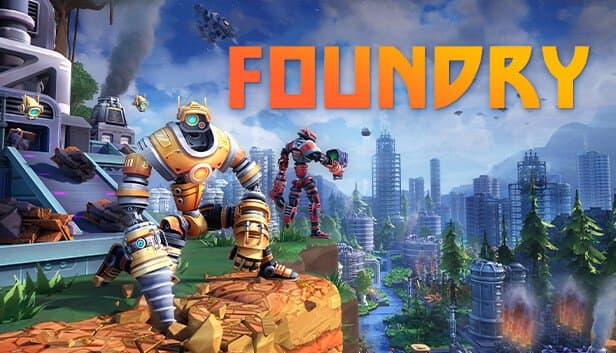
Choose your Game Server
Select from our wide range of optimized game servers. Each server is configured for maximum performance and comes with DDoS protection.
1. Plan Type
2. Location
3. Choose Plan

Gold 8GB
Platinum 10GB
Diamond 12GB
Emerald 16GB
Xtreme 32GB
Which Foundry Plan Is Right for You?
Compare recommended use, plan hardware and monthly prices.
| Plan | Recommended for | Hardware | Monthly price |
|---|---|---|---|
| Gold 8GB | 2–4 players, early gameOur recommended floor, in line with FOUNDRY's own 8 GB requirement. | 4 vCore Ryzen 9950X · 8 GB DDR5 6000MHz · 70 GB NVMe SSD Samsung 990 PRO | ₺440.00/mo |
| Platinum 10GB | 3–6 players, growing factoryExtra headroom as explored area and machine count climb. | 4 vCore Ryzen 9950X · 10 GB DDR5 6000MHz · 100 GB NVMe SSD Samsung 990 PRO | ₺530.00/mo |
| Diamond 12GB | 5–8 players, long production linesComfortably holds a world kept active by a crew spread in several directions. | 4 vCore Ryzen 9950X · 12 GB DDR5 6000MHz · 110 GB NVMe SSD Samsung 990 PRO | ₺617.50/mo |
| Emerald 16GB | 8+ players, sprawling large factoryA safe choice for big groups and long-running, very wide worlds. | 6 vCore Ryzen 9950X · 16 GB DDR5 6000MHz · 120 GB NVMe SSD Samsung 990 PRO | ₺840.00/mo |
| Xtreme 32GB | Beyond most co-op worlds' needsPick it if memory climbed on a smaller plan; otherwise the extra goes unused. | 12 vCore Ryzen 9950X · 32 GB DDR5 6000MHz · 200 GB NVMe SSD Samsung 990 PRO | ₺1520.00/mo |
Why TheCrewHost for Foundry?
Shaped around how FOUNDRY's dedicated server is actually configured and joined.
Everything in app.cfg
Name, password, world name, max players, ports, autosave interval, public listing and pause behavior are plain key=value lines in app.cfg next to the server executable.
Official FOUNDRY Server Build
We run the developer's own FOUNDRY: Dedicated Server tool, so nobody has to keep a Windows PC switched on at home for the world to stay up.
Two Ports, Clearly Split
Game traffic uses port 3724 by default and Steam server-browser queries use 27015; both can be changed in app.cfg to match the ports assigned in your panel.
Ryzen Power for Busy Factories
Conveyors and machines are processed on the server; high-clocked Zen 5 cores keep production lines responsive as the factory spreads across the voxel world.
Autosaves on Your Terms
autosave_interval is set in seconds; NVMe storage writes each save of a growing world quickly, and panel backups keep copies outside the game's own save folder.
Password or Public
Keep the world private with server_password, or set server_is_public to show it in the Steam browser; free DDoS protection guards the game port either way.
Foundry server hosting at TheCrewHost starts at ₺440.00 ($11.00) a month on Gold 8GB and runs FOUNDRY: Dedicated Server, the official server for Channel 3 Entertainment's voxel factory game, on Ryzen 9 9950X hardware in İstanbul. Everything is set in app.cfg: server name and password, world name, player limit, ports, autosave interval, public listing and whether the world pauses when empty. Your factory stays reachable for co-op partners while you're offline, and players join through the Steam server browser or by direct IP. One note up front: this is FOUNDRY the factory game, not Foundry Virtual Tabletop, which has its own page with us.
What is a Foundry dedicated server, and which Foundry is this?
This page is about FOUNDRY, Channel 3 Entertainment's first-person factory builder set in an infinite voxel world, where you mine, harvest resources and automate production lines. It has nothing to do with Foundry Virtual Tabletop, the browser-based tabletop RPG software; that product has a separate hosting page with us.
FOUNDRY supports online co-op, and its developers publish an official dedicated server for it. In a Steam library with Tools shown, it is listed as FOUNDRY: Dedicated Server. Running it on a hosted server means the world is no longer tied to whoever started the co-op session: anyone in the group can log in, keep the production lines supplied, log off again, and the factory is still there for the next person.
At TheCrewHost the dedicated server is installed for you after payment and managed through gamepanel.hostingmerkezi.net. The official server is published as a Windows program, yet you don't need a Windows machine of your own; the console, file manager and backups are all in your browser. If you have tried running it from your own PC, the difference is that the world no longer disappears when you shut down.
How do you configure app.cfg?
app.cfg sits in the same folder as the server executable and consists of simple key=value lines. The keys you'll touch most are server_name, server_password, server_world_name, server_max_players, server_is_public, pause_server_when_empty and autosave_interval.
server_world_name also names the folder the world's save files are written to, so changing it effectively switches to a different world. autosave_interval is given in seconds. pause_server_when_empty halts the simulation while nobody is connected, so nothing changes while the crew is away. server_port (3724 by default) and server_query_port (27015 by default) set the game and Steam query ports, and there is a key for the map seed too. server_persistent_data_override_folder lets you move logs and saves to an absolute path of your choosing.
If a value you edited in app.cfg keeps reverting after every restart, it is being set from a panel variable, so change it in the panel instead. Restart the server after each change so the new values are read.
How much RAM does a Foundry server need?
We start Foundry at 8 GB, and that is the smallest plan offered for it. FOUNDRY's own system requirements list 8 GB of RAM for the game, and a server holding a shared, growing voxel world plus every machine the crew has built is not the place to cut corners. Gold 8GB suits a small group in the early game.
What pushes memory up is the world rather than the head count: how far people have explored, how many areas carry terrain changes and how large the factory has become. A crew spreading out in several directions keeps more of the world active than one building in a single area. Platinum 10GB and Diamond 12GB give an expanding factory room to grow, and Emerald 16GB suits large groups with sprawling production.
Xtreme 32GB goes beyond what most FOUNDRY co-op worlds need; pick it only if you have watched memory use climb on a smaller plan. Disk space is generous on every tier, and NVMe keeps save times short as the world file grows.
How do saves, autosaves and backups work on a Foundry server?
The dedicated server writes its saves into a folder named after server_world_name. That means one server can keep several worlds side by side and switch between them by changing a single key. autosave_interval controls how often the running world is written to disk: a shorter interval means less lost progress after a crash, while a longer one means the server spends less time writing a large world.
On top of the game's own saves, the panel takes automatic backups of the server files, and you can create a manual backup before risky changes such as a game update or a new seed. Every backup can be downloaded over SFTP.
FOUNDRY is still being developed, and updates can change how worlds behave, so treat each game update as a moment to back up first. Keep the server on the same version as your players; when Steam updates the game on their side, the server needs the matching update before they can join again.
How do players join a Foundry server?
There are two ways in. With server_is_public enabled, the server shows up in FOUNDRY's Steam server browser through the query port. Otherwise, or if the list is slow to refresh, players use IP Direct Connect from the main menu and type the address and game port shown in your panel. If you set server_password, share it along with the address.
The official default game port is 3724, but your server may be assigned a different one. Make sure server_port and server_query_port in app.cfg match the ports in the panel; otherwise the listing and the real connection can end up pointing at different ports.
With the server in İstanbul, players in Türkiye connect with low latency, and co-op partners in Europe, the Middle East and the Caucasus generally get a solid connection. Because the world stays online between sessions, the group no longer has to plan around one host's schedule.
How to Set Up a Foundry Server
- 1
Choose a plan from Gold 8GB upward
Gold 8GB is enough for a small crew in the early game; if you plan a sprawling factory or a large group, look at Diamond 12GB or Emerald 16GB.
- 2
Complete payment and let the server install
After payment is confirmed, FOUNDRY: Dedicated Server installs automatically, and you reach the console, file manager and backups through gamepanel.hostingmerkezi.net.
- 3
Set name, password and world in app.cfg
Fill in server_name, server_password, server_world_name and server_max_players; the world name doubles as the name of the save folder.
- 4
Match the ports and choose public or private
Set server_port and server_query_port to the ports shown in the panel, and set server_is_public to true if you want a Steam browser listing.
- 5
Configure autosave and pausing
Choose autosave_interval in seconds, and leave pause_server_when_empty on if the world should stand still while the crew is offline.
- 6
Start the server and invite your crew
Check the console until the server reports it is ready, then send friends the server name, or the address, port and password for IP Direct Connect.
Frequently Asked Questions
What people most want to know before renting a dedicated server for FOUNDRY.
How much does Foundry server hosting cost?
Which plan should I choose for Foundry?
Is this Foundry Virtual Tabletop?
Can I use mods on a Foundry server?
How long does the FOUNDRY dedicated server take to set up?
How do players join my FOUNDRY world?
Does the world keep ticking while nobody is connected?
How are FOUNDRY saves backed up?
Does a Foundry server include DDoS protection?
Can I upgrade as the factory grows?
İstanbul Location,
Maximum Performance
Our İstanbul datacenter runs on Ryzen 9 hardware, delivering low latency to players in Türkiye and good connectivity to Europe, the Middle East and the Caucasus.
Turkey

İstanbul
Turkey
Explore Our Other Services
Everything your project needs — from game servers to VPS, dedicated servers, web hosting and Discord bot hosting.
Connect with our community of gamers and developers
Get instant support, share experiences, and stay updated with the latest news
