 Fortresscraft Evolved Server Hosting
FortressCraft Evolved Server Hosting
An always-on FCE world for your crew, with deep mines, conveyor lines and defenses, and world rules you set yourself in firstrun.ini.
Choose your Game Server
Select from our wide range of optimized game servers. Each server is configured for maximum performance and comes with DDoS protection.
1. Plan Type
2. Location
3. Choose Plan

Silver 6GB
Gold 8GB
Platinum 10GB
Diamond 12GB
Emerald 16GB
Xtreme 32GB
Which Fortresscraft Evolved Plan Is Right for You?
Compare recommended use, plan hardware and monthly prices.
| Plan | Recommended for | Hardware | Monthly price |
|---|---|---|---|
| Silver 6GB | 1–3 players, new worldOur recommended floor; the community guide suggests over 8 GB for a comfortable server. | 4 vCore Ryzen 9950X · 6 GB DDR5 6000MHz · 60 GB NVMe SSD Samsung 990 PRO | ₺345.00/mo |
| Gold 8GB | 2–6 players, typical co-opThe start we suggest for most groups, with room for deep mines and long conveyor lines. | 4 vCore Ryzen 9950X · 8 GB DDR5 6000MHz · 70 GB NVMe SSD Samsung 990 PRO | ₺440.00/mo |
| Platinum 10GB | 6–10 players, widely explored worldCovers the growing loaded area as players spread to different depths. | 4 vCore Ryzen 9950X · 10 GB DDR5 6000MHz · 100 GB NVMe SSD Samsung 990 PRO | ₺530.00/mo |
| Diamond 12GB | 10–15 players or Workshop modsComfortable memory headroom for modded worlds and busy sessions. | 4 vCore Ryzen 9950X · 12 GB DDR5 6000MHz · 110 GB NVMe SSD Samsung 990 PRO | ₺617.50/mo |
| Emerald 16GB | Public, busy communityA safe pick for a publicly listed, constantly full and very large world. | 6 vCore Ryzen 9950X · 16 GB DDR5 6000MHz · 120 GB NVMe SSD Samsung 990 PRO | ₺840.00/mo |
| Xtreme 32GB | Well beyond typical FCE needsUsually more than one FCE world uses; only for very large modded communities. | 12 vCore Ryzen 9950X · 32 GB DDR5 6000MHz · 200 GB NVMe SSD Samsung 990 PRO | ₺1520.00/mo |
Why TheCrewHost for Fortresscraft Evolved?
Features that matter for an FCE world you dig, build and defend together with friends.
World Generation in firstrun.ini
Resource richness, conveyor speed, power generation and day cycle are set in firstrun.ini before a new world exists; once a world is found, the file is ignored.
serveroverrides.ini on Every Start
Server port, max players, the world to load, pause-when-empty and public listing are read from this file at each launch; edit it and restart.
Workshop Mods
Copy the Steam Workshop mods you subscribe to into the server's WorkshopMods folder; uploading through the file manager or SFTP takes just a few minutes.
You Decide Who Builds
Grant build rights player by player with builderlist add, or open them to everyone with autopromote; on a public server that protects your world from unwanted digging.
NVMe for a Growing World
As players tunnel underground, saved world segments pile up; NVMe storage reads and writes both the large server files and the expanding Worlds folder quickly.
Help With the INI Files
Stuck in firstrun.ini or serveroverrides.ini? Message our support team any hour by ticket, Discord, WhatsApp, phone or live chat.
FortressCraft Evolved server hosting at TheCrewHost starts at ₺345.00 ($8.63) a month on Silver 6GB and runs the game's Linux dedicated server on Ryzen 9 9950X, DDR5 and NVMe hardware in İstanbul. You control the two files that shape an FCE server: firstrun.ini, which sets resource richness, conveyor speed, power generation and the day cycle for a new world, and serveroverrides.ini, read on every start for port, player cap, world name, pausing and public listing. Worlds get heavier the deeper players dig into the voxel terrain, so fast storage pays off here. Plans range from 6 GB to 32 GB, and you can upgrade whenever your underground base spreads.
What is a FortressCraft Evolved dedicated server?
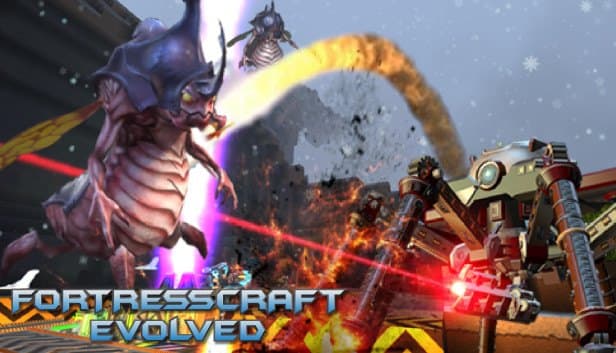
A dedicated server keeps your FCE world online as a standalone Linux process, independent of the host's PC, so your co-op partners can keep mining, building and defending while you are away. Released by ProjectorGames in 2015, FortressCraft Evolved combines voxel terrain, deep mining, conveyor logistics, power networks, research, assembly lines and tower defense in one game, and its multiplayer side is built around online co-op.
The server runs the game's Linux build with the -batchmode flag, which means no graphical interface. Worlds live in the Worlds folder, Workshop mods in the WorkshopMods folder, and settings are split across two INI files. You reach all of them through the panel's file manager or over SFTP.
The server files weigh several gigabytes and are downloaded during the first install. Once that is done, most of the work comes down to choosing world rules, deciding who may build and keeping regular backups. If you have tried hosting FCE from a home PC, the difference here is a world that stays up day and night.
How do firstrun.ini and serveroverrides.ini work?
The two files have different jobs. firstrun.ini is only read when the server cannot find a world to load, and it decides how that new world is generated: resource richness (options such as rapid, plentiful and scarce), whether conveyors are fast or slow, whether power is plentiful or scarce, and whether the day cycle is normal, eternal day or permanent night. The world's name is set there too. Once the world exists, changing this file has no effect on it.
serveroverrides.ini is read on every start. It holds ServerPort (27012 by default), MaxPlayers (65 by default), WorldName, which picks the world to load, AutoPause, which lets the server sleep when nobody is on, and IsPublic, which controls listing on the public server list. RCONPort and RCONPassword live there as well; if you won't use a remote console, still don't leave the password at its default.
The practical order is simple: edit firstrun.ini to the difficulty you want, set WorldName in serveroverrides.ini to the same name, then start the server for the first time. If you plan a public server, sort out build permissions before switching IsPublic on.
How much RAM does a FortressCraft Evolved server need?
6 GB works for a small group on a new world, but 8 GB is the comfortable starting point for most crews. A community-written dedicated server guide recommends more than 8 GB of RAM for the server machine and roughly 1–2 megabits per second of bandwidth per player. That is why we suggest Silver 6GB for fresh worlds with a few people and Gold 8GB for typical co-op groups.
Memory depends more on how much of the world is explored than on player count. Each player keeps the area around them loaded, so as people spread to different depths and directions, the area the server holds in memory at once grows. Long conveyor lines, large machine counts and Workshop mods add to that load.
On disk there are two items: the multi-gigabyte server files and a Worlds folder that swells over time. Every plan leaves plenty of room for both, and NVMe shortens the hitch while a save is written. Xtreme 32GB is far above what a typical FCE server needs; it only makes sense for a large, modded and busy community.
How are mods, build rights and admin commands handled?
Mods come from the Steam Workshop. You copy the mods you subscribe to in your own game into the server's WorkshopMods folder, and connecting players need the same mods. Always take a backup before adding a new mod to a running world.
In FCE, a player needs builder rights to change the world. In the server console, type builderlist add followed by the player's name to grant them one by one. For a small group you trust, the autopromote command hands those rights to everyone who connects. On a public server, adding people individually keeps digging and demolition in the hands of players you know.
To shut the server down, use the Quit command in the console; it makes sure the world is saved cleanly before the process exits. The panel console is already wired straight into the server, so you only need to enable RCON if you want to manage it from a separate tool.
How do players join, and can you bring an existing world?
Players join from the game's multiplayer menu by entering the server's IP address and port. FCE's default port is 27012, but your server may be assigned a different one, so share the address exactly as the panel shows it and make sure ServerPort in serveroverrides.ini matches. With IsPublic on, the server also appears on the public list.
Moving an existing world is possible. Compress the world folder on your own PC, upload it over SFTP into the server's Worlds folder, extract it, and set WorldName in serveroverrides.ini to the folder's name. Because the server now finds an existing world, firstrun.ini is skipped and your world picks up where it left off.
The server is in İstanbul, so players in Türkiye connect with low latency, and those joining from Europe, the Middle East and the Caucasus usually get a good connection too. Keep AutoPause on if you would rather the world freezes while nobody is around.
How to Set Up a Fortresscraft Evolved Server
- 1
Choose a plan that fits your group
A fresh world for a few people runs on Silver 6GB; we recommend Gold 8GB for a typical co-op crew and Diamond or higher for modded, crowded servers.
- 2
Pay and let the server files download
Setup starts automatically once payment is confirmed; because the server files run to several gigabytes, the first install can take a little longer than for smaller games.
- 3
Edit firstrun.ini before the first start
Pick resource richness, conveyor speed, power generation, day cycle and the world name; these values only apply while a new world is being created.
- 4
Configure serveroverrides.ini
Match WorldName to the name in firstrun.ini, set MaxPlayers, AutoPause and IsPublic, and check that ServerPort equals the port assigned in the panel.
- 5
Upload mods or your old world
Copy Workshop mods into WorkshopMods and any world you are moving into Worlds over SFTP, then point WorldName at that world's folder name.
- 6
Start, grant build rights, invite friends
Start the server, give your crew build rights with builderlist add in the console, and send players the IP address and port.
Frequently Asked Questions
What to know before renting a FortressCraft Evolved server and running your world on it.
How much does FortressCraft Evolved server hosting cost?
How much RAM does an FCE server need, and which plan fits?
Can I change resource richness after the world exists?
What do I need to do so my friends can build?
Can I use Workshop mods?
How long does installing the FCE server files take?
How do players connect to an FCE server?
How is my FCE world backed up?
Is an FCE server protected from DDoS attacks?
Can I upgrade as the world grows?
İstanbul Location,
Maximum Performance
Our İstanbul datacenter runs on Ryzen 9 hardware, delivering low latency to players in Türkiye and good connectivity to Europe, the Middle East and the Caucasus.
Turkey

İstanbul
Turkey
Explore Our Other Services
Everything your project needs — from game servers to VPS, dedicated servers, web hosting and Discord bot hosting.
Connect with our community of gamers and developers
Get instant support, share experiences, and stay updated with the latest news
