 Sunkenland Server Hosting
Upload the world you built in-game, start it by its GUID and let your crew keep diving the drowned cities even when you are offline.
Choose your Game Server
Select from our wide range of optimized game servers. Each server is configured for maximum performance and comes with DDoS protection.
1. Plan Type
2. Location
3. Choose Plan

Gold 8GB
Platinum 10GB
Diamond 12GB
Emerald 16GB
Xtreme 32GB
Which Sunkenland Plan Is Right for You?
Compare recommended use, plan hardware and monthly prices.
| Plan | Recommended for | Hardware | Monthly price |
|---|---|---|---|
| Gold 8GB | Recommended: 3–15 players, standard worldThe server process uses a few GB, so this comfortably covers the game's 15-player cap. | 4 vCore Ryzen 9950X · 8 GB DDR5 6000MHz · 70 GB NVMe SSD Samsung 990 PRO | ₺440.00/mo |
| Platinum 10GB | Recommended: 10–15 players, big basesExtra room for saves in worlds swollen by multi-level bases and full storage. | 4 vCore Ryzen 9950X · 10 GB DDR5 6000MHz · 100 GB NVMe SSD Samsung 990 PRO | ₺530.00/mo |
| Diamond 12GB | Full 15-player server, very old worldSafety margin for worlds played for months; not required for most groups. | 4 vCore Ryzen 9950X · 12 GB DDR5 6000MHz · 110 GB NVMe SSD Samsung 990 PRO | ₺617.50/mo |
| Emerald 16GB | More than Sunkenland needsWith the 15-player cap, most of this memory would sit idle; not recommended. | 6 vCore Ryzen 9950X · 16 GB DDR5 6000MHz · 120 GB NVMe SSD Samsung 990 PRO | ₺840.00/mo |
| Xtreme 32GB | Not recommendedA single Sunkenland server cannot use this much; Gold or Platinum is enough. | 12 vCore Ryzen 9950X · 32 GB DDR5 6000MHz · 200 GB NVMe SSD Samsung 990 PRO | ₺1520.00/mo |
Why TheCrewHost for Sunkenland?
Run Sunkenland's official server tool in a ready-made environment, including world transfer and launch parameters.
Official dedicated server tool
Your server runs the free Sunkenland Dedicated Server app from Steam, so nobody has to leave their gaming PC switched on overnight to keep the world alive.
Bring your own world
Create the world in-game and upload its folder from Worlds over SFTP. The GUID after the ~ in the folder name tells the server exactly which world to load.
Launch parameters you control
-worldGuid, -region, -maxPlayerCapacity and -password decide which world starts, where it is listed, how many can join and what password they need.
Room for up to 15 players
Sunkenland's dedicated server caps out at 15 players. The default capacity is only 3, so raise it or your fourth friend will be stuck at the join screen.
Roll back when things break
Automatic backups plus on-demand panel snapshots let you restore the world folder after a bad update or an accidental demolition of your main base.
24/7 human support
Can't find the world GUID or the server missing from the list? Reach our team by live chat, ticket, WhatsApp, phone or Discord at any hour.
For ₺440.00 ($11.00) a month, TheCrewHost's Sunkenland server hosting gives you 8 GB of RAM running the official Sunkenland Dedicated Server tool. The base, storage chests and salvage your group pulls from Vector3 Studio's flooded world no longer depend on whoever launched the session. Your server runs in our İstanbul datacenter: you create the world in-game, upload its folder over SFTP, and set the world GUID, region, password and player cap of up to 15 in the launch parameters. A Ryzen 9 9950X CPU and NVMe SSD storage keep world loads and saves short.
What is a Sunkenland dedicated server and why rent one?
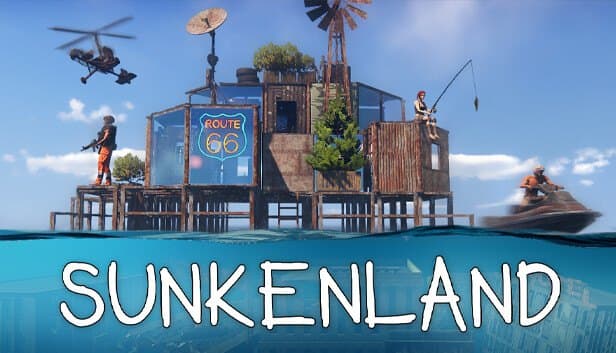
Sunkenland is a survival game set in a flooded world where you dive into sunken cities for loot, build a base above the waterline and fight off raids. By default one player hosts the multiplayer session, and everybody drops out the moment that player quits.
Vector3 Studio solved this with a separate, free tool called Sunkenland Dedicated Server. It runs headless in the background, loads the world you specify and publishes it to the server list of the region you choose. Hosted in İstanbul, it keeps running so the friend who fills the chests at night and the one who goes diving in the morning share the same world.
The game is still in Early Access, which means frequent updates. Applying those updates, backing up the world folder and rolling back if needed is far less hassle on a hosted server than on someone's home PC.
How do you move your in-game world to the server?
The Sunkenland server does not generate worlds, so you create one in the game first. Choices you make at creation travel with the world folder to the server.
On Windows, worlds live under AppData\LocalLow\Vector3 Studio\Sunkenland\Worlds. Each folder is named WorldName~GUID, and the long identifier after the ~ is what tells the server which world to load. Upload the entire folder to the Worlds directory on your server with the file manager or any SFTP client, and copy the GUID.
Next, paste that identifier into the -worldGuid launch parameter. If the parameter is empty the server will not start, and if it contains a typo the server looks for a world that does not exist, so it is the first thing to check when startup fails. Swapping worlds later works the same way: upload the new folder, update the GUID and restart.
Setting region, capacity and password, and how players join
The server needs the -batchmode and -nographics flags; without them startup fails. A handful of parameters handle everything else.
-region picks the regional server list your world appears in. Valid values are asia, cn, jp, eu, sa, kr, us and usw, and eu is the sensible choice for groups in Türkiye and nearby countries. -maxPlayerCapacity accepts 3 to 15 and defaults to 3. -password sets a join password of up to 8 characters and accepts plain ASCII only, so accented or non-Latin letters will make verification fail. Add -makeSessionInvisible if you want the server hidden from the public list.
For players the flow is simple: open the join screen, choose the same region as the server, filter for dedicated servers and search for your server name. They are prompted for the password if one is set. An empty list almost always means a region mismatch or a version difference between the game client and the server.
Which plan does a Sunkenland server need?
The Sunkenland server process runs in a few gigabytes of RAM, and the 15-player cap limits demand from the start. That is why Gold 8GB with 8 GB covers most setups, from a small group all the way to a full 15-player server.
What really grows memory use is the age of the world: sprawling multi-level bases, thousands of building pieces, stuffed chests and a large explored area inflate the save and lengthen load times. For worlds a busy crew has played for months, Platinum 10GB or Diamond 12GB leaves extra headroom during saves.
We do not recommend Emerald or Xtreme for Sunkenland; a single server cannot use that much memory, so you would be paying for idle RAM. On the CPU side, the high single-thread speed of the Ryzen 9 9950X handles world loading and busy raid moments with ease, and NVMe storage reduces stutter during saves.
Updates, backups and common problems
The most frequent Early Access issue is a version gap between client and server. When the game updates, the server tool must be updated too, otherwise players cannot see or join the server. Back up the world folder before updating so you can return to a working state if the new build has trouble with your save.
The panel keeps automatic backups and lets you create extra ones whenever you like. Downloading the world folder to your own PC over SFTP is another good habit, and it means you can open the same world in single-player later.
If the server will not boot, check the -worldGuid value and confirm the world folder sits in the right directory. If the password is rejected, look for non-ASCII characters or a password longer than 8 characters. If no more than three people can join, capacity is still at its default. For anything else, our 24/7 support team will read through the logs with you.
How to Set Up a Sunkenland Server
- 1
Choose a plan for your group
Gold 8GB is enough for most Sunkenland servers up to the 15-player cap. For a long-running world packed with structures, consider Platinum or Diamond.
- 2
Complete checkout and let setup finish
Setup starts automatically after payment, and your server appears at gamepanel.hostingmerkezi.net along with the console, file manager and SFTP details.
- 3
Create your world in-game and locate it
Start a new world in Sunkenland, enter it once and quit. Find the WorldName~GUID folder under AppData\LocalLow\Vector3 Studio\Sunkenland\Worlds.
- 4
Upload the folder and copy the GUID
Upload the whole folder to the Worlds directory on the server. Copy the identifier after the ~ in its name to use as the -worldGuid value.
- 5
Set region, capacity and password
Use eu for -region, a value between 3 and 15 for -maxPlayerCapacity and, if you like, a -password of up to 8 ASCII characters. Then start the server.
- 6
Have friends find the server and join
Players pick the eu region on the join screen, list dedicated servers, search for your server name and enter the password. The whole crew is now in one flooded world.
Frequently Asked Questions
Common questions about Sunkenland hosting, from moving your world to regions and player limits.
How much does Sunkenland server hosting cost?
Is there an official Sunkenland dedicated server?
Can I create a brand-new world directly on the server?
How many players can join my server?
How much RAM do I need?
How do players connect, and why is my password rejected?
How is my world backed up?
Is DDoS protection included?
How long does setup take?
Can I upgrade my plan later?
İstanbul Location,
Maximum Performance
Our İstanbul datacenter runs on Ryzen 9 hardware, delivering low latency to players in Türkiye and good connectivity to Europe, the Middle East and the Caucasus.
Turkey

İstanbul
Turkey
Explore Our Other Services
Everything your project needs — from game servers to VPS, dedicated servers, web hosting and Discord bot hosting.
Connect with our community of gamers and developers
Get instant support, share experiences, and stay updated with the latest news
