 ARK: Survival Ascended Server Hosting
Host the Unreal Engine 5 rebuild of ARK for PC, PS5 and Xbox players together, with CurseForge mods and plans sized for UE5.
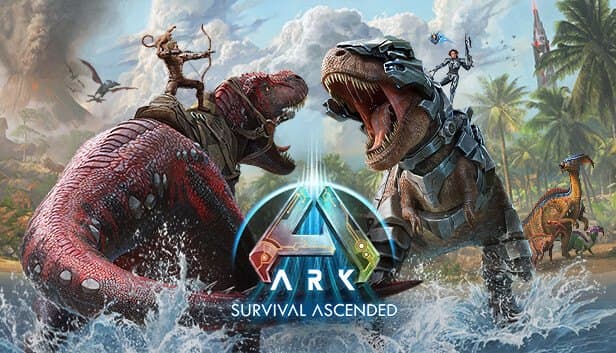
Choose your Game Server
Select from our wide range of optimized game servers. Each server is configured for maximum performance and comes with DDoS protection.
1. Plan Type
2. Location
3. Choose Plan

Which ARK: Survival Ascended Plan Is Right for You?
Compare recommended use, plan hardware and monthly prices.
| Plan | Recommended for | Hardware | Monthly price |
|---|---|---|---|
| Emerald 16GB | 10–25 players, one map, light modsMeets the official 16 GB minimum; a starting point for friend groups and small communities. | 6 vCore Ryzen 9950X · 16 GB DDR5 6000MHz · 120 GB NVMe SSD Samsung 990 PRO | ₺840.00/mo |
| Xtreme 32GB | 25–70 players, large maps and many mods12 vCores and 32 GB for crowded crossplay servers and long-lived worlds. | 12 vCore Ryzen 9950X · 32 GB DDR5 6000MHz · 200 GB NVMe SSD Samsung 990 PRO | ₺1520.00/mo |
Why TheCrewHost for ARK: Survival Ascended?
Hardware and tools sized for what an Unreal Engine 5 ARK server really demands.
Plans sized for UE5
ASA is offered only on 16 GB and 32 GB plans. Emerald brings 6 vCores and Xtreme 12, and the Ryzen 9 9950X with DDR5 keeps tick rate steady in busy scenes.
PC and console crossplay
The -ServerPlatform parameter decides which platforms may join, so PC, PS5 and Xbox Series players can all play in the same tribe.
CurseForge mod support
ASA mods are published on CurseForge rather than the Steam Workshop. Add them by putting the IDs from each project page, comma-separated, in the -mods parameter.
A launch line that works
In ASA the port goes in -port= and ?ServerAdminPassword must be the last question-mark option. Those two rules prevent most broken setups.
Room on NVMe, plus backups
ASA's install and saves are much larger than ASE's. 120 GB or 200 GB of NVMe space, together with automatic backups, keeps your save files safe.
Free DDoS protection
A public ASA server with crossplay on is visible to a very wide audience. Free DDoS protection helps against the attack risk that visibility brings.
ARK: Survival Ascended server hosting at TheCrewHost starts with 16 GB of RAM at $21.00 per month on Ryzen 9 9950X hardware in Istanbul, Türkiye, and scales to 32 GB when your community grows. ASA rebuilds ARK in Unreal Engine 5, and its server needs far more memory and disk than the old ASE did, which is why we do not offer it below 16 GB. The -ServerPlatform parameter lets PC, PS5 and Xbox Series players share the same map, and mods from CurseForge are added by listing their IDs in the -mods parameter.
Why does an ASA server need so many resources?
ARK: Survival Ascended is the 2023 release that rebuilds the game from the ground up in Unreal Engine 5. The visual upgrades are the player's PC's problem, but the server still has to carry the new engine's heavier world data along with creature and structure simulation. In practice, even an empty ASA server starts well above the memory an ASE server runs comfortably in.
That is why, in line with the official minimum, we offer ASA only on Emerald 16GB and Xtreme 32GB. Sixteen gigabytes covers a reasonable player count on a single map with a light mod list; 32 GB gives crowded crossplay servers, large maps and long-lived worlds the headroom they need.
Memory also grows over time, with every tame, building piece and storage box adding load. On disk, ASA's game files and saves are considerably larger than ASE's. The ASA server program is released for Windows only, which is another factor behind its higher hardware needs.
Who should choose ASA over ASE?
If anyone in your group plays on PS5 or Xbox Series, the answer is simple: ASA is the version that brings PC and consoles onto the same private server. In ASE, console players cannot connect to PC servers.
The second reason is current content. ASA is the version the developers actively build on. After remakes of The Island, Scorched Earth, The Center, Aberration and Extinction, maps such as Ragnarok, Valguero and Lost Colony arrived too, and the CurseForge mod scene for ASA keeps growing.
On the other hand, if your group depends on older Workshop mods or content not yet available in ASA, or if players' PCs struggle with UE5, ASE may be the better fit. Saves cannot be carried between the two; an ASE world cannot be moved to ASA, so you start fresh. If you are undecided, the comparison on our ARK: Survival Evolved page may help.
How do you set up CurseForge mods and crossplay?
In ASA, mods come from CurseForge instead of the Steam Workshop. Take the numeric ID from the mod's CurseForge project page and add it to the -mods parameter on the server's launch line, separating multiple IDs with commas. When adding several, try them one at a time first; if one prevents the server from starting, finding the culprit is much easier.
Crossplay is controlled with the -ServerPlatform parameter. A value like PC+XSX+PS5 admits PC, Xbox Series and PS5 players together, and you can narrow the list if you only want PC. If console players will join, it is a good habit to check each mod's CurseForge page for console support before adding it.
BattlEye is on by default; add -NoBattlEye if you want it off. Because it is an extra layer against cheating, we recommend leaving it enabled on public servers.
What should you watch for in the launch line and ini files?
An ASA server starts with a map name, and map names carry a _WP suffix: TheIsland_WP, ScorchedEarth_WP, TheCenter_WP, Aberration_WP, Extinction_WP and so on. Question-mark options such as ?SessionName and ?MaxPlayers follow the map, then the dash parameters.
There are two ASA-specific traps. The first is the port: ?Port= is ignored and the server comes up on 7777, so use -port= instead. The second is the admin password: ?ServerAdminPassword has to be the final question-mark option, otherwise everything after it is read as part of the password.
Persistent settings live in GameUserSettings.ini and Game.ini under ShooterGame/Saved/Config/WindowsServer, where you manage multipliers, breeding speeds and difficulty. In game, enablecheats gives you admin rights for admincheat commands, and turning RCON on opens up remote administration too.
Saves, performance and how players connect
World saves are kept under ShooterGame/Saved/SavedArks, using the map name with its _WP suffix. Before a big game patch, a new mod or a map change, run admincheat SaveWorld and take a panel backup so you can roll back if something breaks. Automatic backups are on for every plan as well.
Memory use rises on ASA servers that stay up for long stretches. A regular restart, clearing out abandoned structures and keeping creature limits sensible will keep things smooth. If you plan to link maps with -clusterid, remember that every map is a separate server, and therefore a separate plan.
Players join from the Join Game screen by switching to the Unofficial list and searching your server name. PC, PS5 and Xbox players all use the same list, and if you set a password, they are prompted for it on the way in.
How to Set Up a ARK: Survival Ascended Server
- 1
Pick Emerald 16GB or Xtreme 32GB
Emerald suits a smaller community on one map with light mods; Xtreme is for busy crossplay servers or long mod lists.
- 2
Wait for the automatic install to finish
After payment, the ASA files download to your server automatically. The game is large, so this can take a bit; then manage everything at gamepanel.hostingmerkezi.net.
- 3
Set the map and the launch line
Choose a _WP map, fill in ?SessionName and ?MaxPlayers, set the port with -port= and place ?ServerAdminPassword at the very end.
- 4
Add crossplay and mods
Define allowed platforms with -ServerPlatform, list CurseForge mod IDs in -mods separated by commas, then restart the server.
- 5
Tune multipliers in the ini files
Use GameUserSettings.ini and Game.ini to set XP, taming, harvesting and breeding rates to match your community's pace.
- 6
Invite players through the Unofficial list
Friends on PC, PS5 or Xbox look up your session name under Unofficial on the Join Game screen and hop in.
Frequently Asked Questions
What to know before launching an ARK: Survival Ascended server.
How much does an ARK: Survival Ascended server cost?
Why is there no ASA plan below 16 GB?
Which plan is right for me?
How do I add mods to an ASA server?
Can PS5 and Xbox players join my server?
How long does setup take?
How do players connect to my server?
Are my saves backed up?
Is there DDoS protection, and can I go from Emerald to Xtreme?
I set ?Port, but the server still starts on 7777. Why?
İstanbul Location,
Maximum Performance
Our İstanbul datacenter runs on Ryzen 9 hardware, delivering low latency to players in Türkiye and good connectivity to Europe, the Middle East and the Caucasus.
Turkey

İstanbul
Turkey
Explore Our Other Services
Everything your project needs — from game servers to VPS, dedicated servers, web hosting and Discord bot hosting.
Connect with our community of gamers and developers
Get instant support, share experiences, and stay updated with the latest news
