 7 Days To Die Server Hosting
7 Days to Die Server Hosting
A 24/7 7 Days to Die world that holds up on blood moon night, with SandboxCode, modlets and admin tools fully under your control.
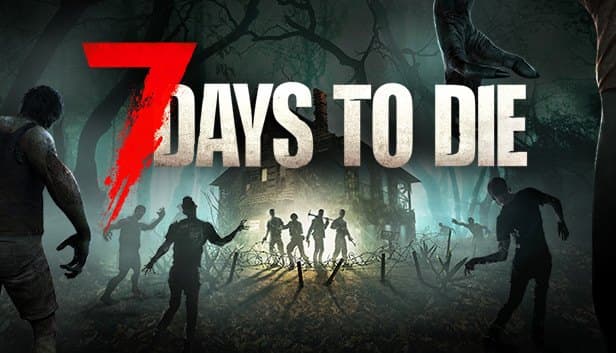
Choose your Game Server
Select from our wide range of optimized game servers. Each server is configured for maximum performance and comes with DDoS protection.
1. Plan Type
2. Location
3. Choose Plan

Silver 6GB
Gold 8GB
Platinum 10GB
Diamond 12GB
Emerald 16GB
Xtreme 32GB
Which 7 Days To Die Plan Is Right for You?
Compare recommended use, plan hardware and monthly prices.
| Plan | Recommended for | Hardware | Monthly price |
|---|---|---|---|
| Silver 6GB | 2–6 players, vanilla, NavezganeMeets the official 6 GB minimum; a starting point for a small group on an unmodded world. | 4 vCore Ryzen 9950X · 6 GB DDR5 6000MHz · 60 GB NVMe SSD Samsung 990 PRO | ₺345.00/mo |
| Gold 8GB | 6–8 players, vanilla or crossplayMatches the eight-player crossplay cap and leaves memory headroom for horde night. | 4 vCore Ryzen 9950X · 8 GB DDR5 6000MHz · 70 GB NVMe SSD Samsung 990 PRO | ₺440.00/mo |
| Platinum 10GB | 8–12 players, a few modletsComfortable room for a mid-sized RWG map and lightweight XML modlets. | 4 vCore Ryzen 9950X · 10 GB DDR5 6000MHz · 100 GB NVMe SSD Samsung 990 PRO | ₺530.00/mo |
| Diamond 12GB | 12–16 players, or a small group on an overhaulEnough memory for the extra zombies, items and blocks that overhaul mods bring in. | 4 vCore Ryzen 9950X · 12 GB DDR5 6000MHz · 110 GB NVMe SSD Samsung 990 PRO | ₺617.50/mo |
| Emerald 16GB | 16–24 players, modded community serverSix vCores add CPU headroom for crowded horde nights; a fit for public servers. | 6 vCore Ryzen 9950X · 16 GB DDR5 6000MHz · 120 GB NVMe SSD Samsung 990 PRO | ₺840.00/mo |
| Xtreme 32GB | 24+ players, heavy overhaul, large map12 vCores and 32 GB for big communities on large maps with heavy mod loads. | 12 vCore Ryzen 9950X · 32 GB DDR5 6000MHz · 200 GB NVMe SSD Samsung 990 PRO | ₺1520.00/mo |
Why TheCrewHost for 7 Days To Die?
Hardware and tools that matter when your group is trying to live through the next horde.
A CPU built for horde night
High single-core clocks on the Ryzen 9 9950X help the server keep up when blood moon spawns, block damage and structural collapse calculations all pile up at once.
SandboxCode and serverconfig.xml
Since V3, difficulty, loot and blood moon rules live in a single SandboxCode value. Generate it in the in-game Sandbox Options menu and paste it through the file manager.
Modlets and overhaul mods
Upload XML modlets or full overhauls to the Mods folder over SFTP. Code mods built on DLLs or Harmony need EACEnabled set to false before they will load.
Crossplay with console players
Turn on ServerAllowCrossplay, keep EAC enabled, stay at eight slots or fewer and run no mods, and PS5 and Xbox Series players can find your server.
World and region file backups
Automatic backups cover the world and region files in your Saves folder, and you can trigger a manual backup from the panel before any risky update or mod install.
Free DDoS protection
Public PvP worlds listed in the server browser attract attacks. DDoS protection is included on every plan to help keep players connected through a raid.
Our 7 Days to Die server hosting starts at $8.63 per month and gives you a dedicated server on Ryzen 9 9950X hardware in Istanbul, Türkiye, with 6 GB to 32 GB of RAM and full access to serverconfig.xml. You decide between Navezgane and a random-generated (RWG) map, paste in your V3 SandboxCode, manage the Mods folder and hand out permissions in serveradmin.xml. When dozens of zombies are pathing toward your base on horde night, strong single-core speed is what keeps the server responsive. Stay within the crossplay rules and PS5 and Xbox Series players can join the same world.
What can you run on a 7 Days to Die server?
A dedicated 7 Days to Die server keeps your world online whether or not you are playing, so friends can log in, loot and reinforce the base on their own schedule. Common setups include a co-op PvE crew preparing for the blood moon horde that arrives every seventh night by default, a PvP community governed by land claim rules, or a server running a large overhaul mod that turns the game into something else entirely.
For the world itself you have two options: the handcrafted Navezgane map, or random world generation (RWG) with a seed and size you choose. RWG maps are generated on first startup, and larger sizes take longer to build, take up more disk and use more memory as players explore.
The default ServerMaxPlayerCount in serverconfig.xml is 8. You can raise it if your plan has the headroom, but a server that should accept console players has to stay at eight.
How much RAM does a 7 Days to Die server need?
The official minimum is 6 GB, which is why our lineup starts at Silver 6GB; that covers a small group on an unmodded world. Player count matters less than how spread out players are. Every player loads the chunks around them, so when four people head off in four directions, memory usage climbs quickly.
The second pressure point is the blood moon. Horde night spawns extra zombies per player, and pathfinding plus block damage lands squarely on the CPU. Most plans come with 4 vCores; Emerald 16GB moves you to 6 and Xtreme 32GB to 12, which makes a real difference for busy horde nights.
As a rule of thumb: Gold 8GB for up to eight players on vanilla or crossplay, Platinum or Diamond for mid-sized servers running modlets, and Emerald or above for overhaul mods or communities past 16 players. If you picked a large RWG size, start one tier higher.
How do SandboxCode, serverconfig.xml and serveradmin.xml fit together?
The V3.0 Dead Hot Summer update removed settings such as GameDifficulty, XPMultiplier, LootAbundance and BloodMoonFrequency from serverconfig.xml and folded them into a single SandboxCode property. You build your ruleset in the in-game Sandbox Options menu, copy the generated code and paste it into the SandboxCode line. If you are continuing a V2.6 world, recreate your old settings there first.
Server-level values stay in serverconfig.xml as before: server name, password, player slots, ports, EAC, the crossplay switch, world seed and size, land claim settings, telnet and the web dashboard.
Admins are stored in serveradmin.xml. Once you have added yourself, open the console with F1 and use admin add, whitelist add, kick and ban add; permission level 0 is the highest. Running saveworld before a restart is a good habit that makes sure the latest state is on disk.
Can you run mods and crossplay on the same server?
No, you have to pick one. For console players to see your server, ServerAllowCrossplay must be true, EACEnabled true, IgnoreEOSSanctions false and ServerMaxPlayerCount no higher than 8. No mods can be installed, and sandbox values such as XP, loot and block damage must stay inside the ranges the developers publish. PC players can join regardless; consoles simply stop listing a server that falls outside those rules.
On the mod side there are two kinds. XML modlets patch game data through XPath and usually work with EAC on. Code mods that ship DLLs or use Harmony need EACEnabled set to false. Large overhauls add new zombies, items and blocks, so every player also has to install the same mod.
Overhauls are built against a specific game version. Before you update the server to a new release, confirm the mod supports it, or the world may refuse to load.
Wipes, performance and getting players connected
On RWG maps, points of interest are placed when the world is generated, so seeing the new POIs a major update brings usually means generating a fresh world. Plenty of communities treat big version jumps as a planned wipe. If you would rather keep the old world, take a backup first.
Region files in the Saves folder grow as players explore, and disk and memory usage grow with them. On servers that stay up for weeks, a regular restart keeps memory usage in check. If a server struggles on horde night, start by looking at the per-player horde size and the world size before anything else.
Players can search for your server name on the Join a Game screen or connect directly with your IP and the default port 26900. If you set a password, share it only with people you invite, and use the whitelist when you want the server closed to everyone else.
How to Set Up a 7 Days To Die Server
- 1
Pick a plan for your player count and mod plans
Gold 8GB covers vanilla or crossplay servers up to eight players; modded worlds and large RWG maps call for a higher tier.
- 2
Let the automatic setup finish after checkout
Once payment clears, the server installs automatically and you get access to the console, file manager and backups at gamepanel.hostingmerkezi.net.
- 3
Edit serverconfig.xml and paste your SandboxCode
Set the server name, password, world choice and slot count, then paste the code generated in the in-game Sandbox Options menu into the SandboxCode line.
- 4
Make yourself admin in serveradmin.xml
Add your Steam ID with permission level 0, or use admin add after your first login, then manage the whitelist and ban list from there.
- 5
Upload mods or switch on crossplay
Drop modlets into the Mods folder over SFTP. If console friends are joining, stay unmodded, keep EAC on and set ServerAllowCrossplay to true.
- 6
Share the server name or IP with your group
Players find you by name in the server list or connect with your IP and port 26900. Pick a base spot together before the first blood moon.
Frequently Asked Questions
Quick answers for anyone about to launch a 7 Days to Die server.
How much does a 7 Days to Die server cost?
Which plan and how much RAM should I get?
Can I install mods and modlets?
Can PS5 and Xbox players join my server?
Where did my settings go after the V3 update?
How long does setup take?
How do my friends connect?
Is my world backed up?
How do DDoS protection and plan upgrades work?
What should I do if blood moon nights lag?
İstanbul Location,
Maximum Performance
Our İstanbul datacenter runs on Ryzen 9 hardware, delivering low latency to players in Türkiye and good connectivity to Europe, the Middle East and the Caucasus.
Turkey

İstanbul
Turkey
Explore Our Other Services
Everything your project needs — from game servers to VPS, dedicated servers, web hosting and Discord bot hosting.
Connect with our community of gamers and developers
Get instant support, share experiences, and stay updated with the latest news
