 Abiotic Factor Server Hosting
Keep the GATE Cascade facility open around the clock, with sandbox rules and moderators you set yourself.
Choose your Game Server
Select from our wide range of optimized game servers. Each server is configured for maximum performance and comes with DDoS protection.
1. Plan Type
2. Location
3. Choose Plan

Silver 6GB
Gold 8GB
Platinum 10GB
Diamond 12GB
Emerald 16GB
Xtreme 32GB
Which Abiotic Factor Plan Is Right for You?
Compare recommended use, plan hardware and monthly prices.
| Plan | Recommended for | Hardware | Monthly price |
|---|---|---|---|
| Silver 6GB | 1–6 players, standard co-op worldA solid base for the six-person team the developers design around. | 4 vCore Ryzen 9950X · 6 GB DDR5 6000MHz · 60 GB NVMe SSD Samsung 990 PRO | ₺345.00/mo |
| Gold 8GB | 6 players, long-running loot-heavy worldExtra memory for bases and stockpiles that keep growing over months of play. | 4 vCore Ryzen 9950X · 8 GB DDR5 6000MHz · 70 GB NVMe SSD Samsung 990 PRO | ₺440.00/mo |
| Platinum 10GB | 7–10 players, testing past sixMore than six is not officially recommended; this gives a safe buffer if you try it. | 4 vCore Ryzen 9950X · 10 GB DDR5 6000MHz · 100 GB NVMe SSD Samsung 990 PRO | ₺530.00/mo |
| Diamond 12GB | 10–16 players, busy communityHandles the extra simulation when players spread out across different sectors. | 4 vCore Ryzen 9950X · 12 GB DDR5 6000MHz · 110 GB NVMe SSD Samsung 990 PRO | ₺617.50/mo |
| Emerald 16GB | 16–24 players, parameter ceilingSix vCores for servers pushing toward the 24-player -MaxServerPlayers limit. | 6 vCore Ryzen 9950X · 16 GB DDR5 6000MHz · 120 GB NVMe SSD Samsung 990 PRO | ₺840.00/mo |
| Xtreme 32GB | More than Abiotic Factor needsWith a 24-player cap, most of the 32 GB and 12 vCores would sit idle. | 12 vCore Ryzen 9950X · 32 GB DDR5 6000MHz · 200 GB NVMe SSD Samsung 990 PRO | ₺1520.00/mo |
Why TheCrewHost for Abiotic Factor?
What you need to keep the facility running when the host is not around.
Full sandbox control
Edit SandboxSettings.ini in your world folder to change hunger rate, enemy spawn rate, item durability and death penalties straight from the file manager.
Launch parameters, your way
Server name, password, player cap and world folder are set through -SteamServerName, -ServerPassword, -MaxServerPlayers and -WorldSaveName.
Moderators and platform limits
Add Steam IDs under Moderators in Admin.ini, and use -PlatformLimited if you want the server open only to PC or a single console family.
Save migration and backups
Upload a Steam single-player or co-op world into the Worlds folder and keep playing. Automatic backups protect it before every major game update.
Strong single-thread speed
The Ryzen 9 9950X with DDR5 memory helps the server stay responsive in busy sectors where enemy AI and physics pile up.
Around-the-clock support
Stuck on launch parameters, save migration or crossplay? Reach us 24/7 through tickets, Discord, WhatsApp, phone or live chat.
Abiotic Factor server hosting at TheCrewHost starts at $8.63 per month for a dedicated server on Ryzen 9 9950X hardware in Istanbul, Türkiye, with 6 GB to 32 GB of RAM. Unlike a player-hosted session that shuts down when the host logs off, your facility stays online, so the science team can drop in and keep researching whenever they like. Tune hunger, enemy spawns and death penalties in SandboxSettings.ini, list moderators in Admin.ini, and thanks to the crossplay added in 1.0, PC, PS5 and Xbox Series players can share the same server.
Why run a dedicated Abiotic Factor server?
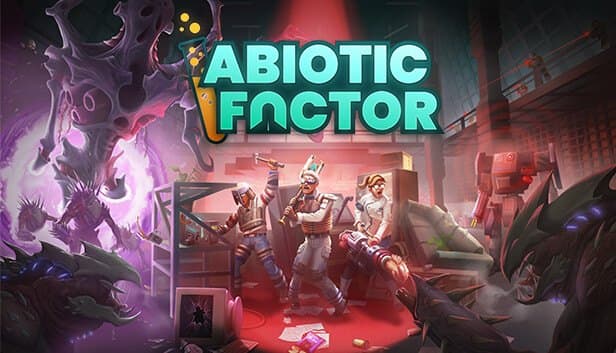
In Abiotic Factor your group plays scientists trapped inside the GATE Cascade Research Facility, turning office supplies into weapons, exploring labs and dealing with whatever comes through from other dimensions. The game's built-in co-op depends on the host's PC: when that person quits, everyone gets dropped.
A dedicated server removes that dependency. The world lives on the server, so whoever is free can log in, unlock recipes at the research bench, expand the base or push into the next sector. For groups spread across different schedules, it changes the pace of the whole playthrough.
Version 1.0 launched on July 22, 2025, bringing the game to PS5 and Xbox Series along with crossplay. Dedicated servers accept every platform by default, and the -PlatformLimited parameter lets you restrict access to Steam, PlayStation or Xbox players only.
How many players and how much RAM?
Abiotic Factor is designed for 1–6 player co-op. The -MaxServerPlayers parameter accepts values up to 24, but the developer's own documentation says going above six is not recommended for most worlds, because enemy balance and server load both shift as the group grows.
Memory use depends on how many parts of the facility players occupy at once and how many items, structures and enemies accumulate in the world. A group that moves together keeps the load low; four players in four different sectors means the server simulates all of them at the same time.
That is why Silver 6GB is a sensible start for a standard six-person team, and Gold 8GB gives a long-running, loot-heavy world more breathing room. Communities that want to push past six should look at Platinum or Diamond. Launching with -useperfthreads tells the server to use the CPU's performance threads.
How do you edit SandboxSettings.ini and Admin.ini?
Gameplay rules live in SandboxSettings.ini inside your world folder under AbioticFactor/Saved/SaveGames/Server/Worlds, and the file has to begin with the [SandboxSettings] header. HungerSpeedMultiplier and ThirstSpeedMultiplier control survival pressure, EnemySpawnRate and EnemyHealthMultiplier set enemy difficulty, DeathPenalties decides what you lose on death, and ItemDurabilityMultiplier governs how long tools last. PowerSocketsOffAtNight toggles the nightly power cut across the facility, and LootRespawnEnabled decides whether loot comes back. To point at a different file, use -SandboxIniPath.
There are two routes to admin rights. Set a password with -AdminPassword and elevate yourself in game, or add Steam IDs under [Moderators] in Saved/SaveGames/Server/Admin.ini. Changes take effect after a restart, so make a panel backup part of the routine before each edit.
Can you move your existing co-op save to the server?
Yes, single-player and player-hosted worlds from Steam can be moved over. On Windows they sit under %LocalAppData%\AbioticFactor\Saved\SaveGames, in the Worlds directory inside the folder named after your Steam ID.
Upload that world folder over SFTP into Saved/SaveGames/Server/Worlds on the server. The server loads a folder called Cascade by default, so either rename your upload to Cascade or put your own folder name in the -WorldSaveName parameter. Back up the existing Cascade folder before overwriting it.
There is one hard limit: according to the developer's documentation, PS5, Xbox and Windows Game Pass saves are not supported on dedicated servers. A group that started on console should begin a fresh world on the server.
Connecting players and handling updates
Players find your server by name in the in-game server browser; the name shown there comes from -SteamServerName. If you set a password, they are asked for it when joining. Console players only need crossplay switched on in their game settings to see you.
Abiotic Factor gets regular updates, and the client and server need to be on the same version. If friends suddenly cannot connect after a patch, first check whether the server has been updated too, and take a world backup before restarting it from the panel.
For performance, the two settings that matter most are the player cap and enemy spawn rate. If a busy session is struggling, bring -MaxServerPlayers back to 6 first, then lower EnemySpawnRate. If you expect the group to keep growing, you can upgrade your plan at any time.
How to Set Up a Abiotic Factor Server
- 1
Choose a plan for your team size
Silver 6GB covers a standard team of up to six; long-running worlds or groups larger than six should look at higher tiers.
- 2
Wait for automatic setup, then open the panel
Once payment is confirmed the server installs automatically, and you can use the console, file manager and backups at gamepanel.hostingmerkezi.net.
- 3
Set the server name, password and player cap
Fill in -SteamServerName, -ServerPassword and -MaxServerPlayers; this decides what shows up in the browser and who can get in.
- 4
Tune the rules in SandboxSettings.ini
Adjust hunger, enemy spawns, death penalties and the nightly power cut in your world folder, then restart the server to apply them.
- 5
Add moderators and upload an old save if you have one
Put Steam IDs in Admin.ini. To continue an existing Steam world, upload it to Worlds and name it Cascade or set -WorldSaveName.
- 6
Invite the team through the server browser
Friends search for your server name in the in-game browser; console players just need crossplay turned on.
Frequently Asked Questions
Common questions before you open the facility doors.
How much does an Abiotic Factor server cost?
Which plan should I pick and how much RAM is enough?
Can I have more than six players?
Can I install mods?
Can console players join my server?
How long does setup take?
How do friends find my server?
Is my world backed up?
Is DDoS protection included, and can I upgrade later?
Can I bring over a console save?
İstanbul Location,
Maximum Performance
Our İstanbul datacenter runs on Ryzen 9 hardware, delivering low latency to players in Türkiye and good connectivity to Europe, the Middle East and the Caucasus.
Turkey

İstanbul
Turkey
Explore Our Other Services
Everything your project needs — from game servers to VPS, dedicated servers, web hosting and Discord bot hosting.
Connect with our community of gamers and developers
Get instant support, share experiences, and stay updated with the latest news
