 Core Keeper Server Hosting
An underground world that stays open when the host logs off: your Core Keeper save runs 24/7 on our İstanbul hardware and anyone on the crew can drop in and keep digging.
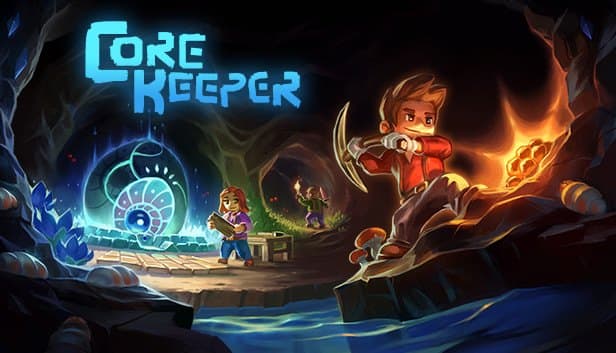
Choose your Game Server
Select from our wide range of optimized game servers. Each server is configured for maximum performance and comes with DDoS protection.
1. Plan Type
2. Location
3. Choose Plan

Silver 6GB
Gold 8GB
Platinum 10GB
Diamond 12GB
Emerald 16GB
Xtreme 32GB
Which Core Keeper Plan Is Right for You?
Compare recommended use, plan hardware and monthly prices.
| Plan | Recommended for | Hardware | Monthly price |
|---|---|---|---|
| Silver 6GB | 1–8 players, vanilla or light modsCore Keeper is a light server; this is plenty of memory for full eight-player co-op. | 4 vCore Ryzen 9950X · 6 GB DDR5 6000MHz · 60 GB NVMe SSD Samsung 990 PRO | ₺345.00/mo |
| Gold 8GB | 8 players with a long mod listThe extra 2 GB leaves a safe margin as mods pile up and the explored map grows. | 4 vCore Ryzen 9950X · 8 GB DDR5 6000MHz · 70 GB NVMe SSD Samsung 990 PRO | ₺440.00/mo |
| Platinum 10GB | Long-running, heavily automated worldExtra headroom for months-old worlds packed with conveyors and drills. | 4 vCore Ryzen 9950X · 10 GB DDR5 6000MHz · 100 GB NVMe SSD Samsung 990 PRO | ₺530.00/mo |
| Diamond 12GB | Event server with a heavy mod packMore than most crews need; suits groups testing very large mod lists. | 4 vCore Ryzen 9950X · 12 GB DDR5 6000MHz · 110 GB NVMe SSD Samsung 990 PRO | ₺617.50/mo |
| Emerald 16GB | Rarely needed; adds 6 vCoresCore Keeper uses a small share of this; only worth it for unusual setups. | 6 vCore Ryzen 9950X · 16 GB DDR5 6000MHz · 120 GB NVMe SSD Samsung 990 PRO | ₺840.00/mo |
| Xtreme 32GB | Not recommended for Core Keeper32 GB and 12 vCores would sit idle here; start small and upgrade only if needed. | 12 vCore Ryzen 9950X · 32 GB DDR5 6000MHz · 200 GB NVMe SSD Samsung 990 PRO | ₺1520.00/mo |
Why TheCrewHost for Core Keeper?
Hosting built around how the Core Keeper dedicated server actually works: world files, Game IDs and mods stay fully under your control.
Game ID and Direct Connect
The server prints its Game ID to the console on startup, and friends paste it into Join Game. Set the gameId field to a fixed code of 28+ characters so it never changes.
World Mode and Seed Control
Pick Normal, Hard, Casual or Creative with worldMode and reproduce a specific map with worldSeed. Keep in mind a Creative world can never be converted back into a regular one.
Bring Your mod.io Mods
Each mod downloaded from mod.io goes into its own folder under StreamingAssets/Mods with a ModManifest.json inside. Everyone joining must run the exact same mod versions as the server.
World File Backups
Your world lives as a .world.gzip file in the worlds folder. Automatic backups plus manual snapshots from the panel make it painless to roll back after a broken mod or a bad explosion.
Ryzen 9 9950X and DDR5
Drills, conveyor lines and swarms of enemies all tax the simulation thread. High single-core clocks on the 9950X help heavily automated bases keep running smoothly.
DDoS Protection, 24/7 Help
Free DDoS protection filters attack traffic before it reaches your world. Our support team is reachable around the clock by ticket, Discord, WhatsApp, phone or live chat.
Core Keeper server hosting at TheCrewHost starts at ₺345.00 ($8.63) per month and gets you a private dedicated server with 6 GB of DDR5, Ryzen 9 9950X cores and NVMe storage. It runs the official Core Keeper Dedicated Server build from our datacenter in İstanbul, which keeps latency low for players in Türkiye and nearby regions. You choose the world name, the seed and Normal, Hard, Casual or Creative mode in ServerConfig.json, then hand friends the Game ID the server generates. Nobody has to forward ports on a home router, and the world no longer disappears when the person who created it goes to bed.
What does a Core Keeper dedicated server give you?
A Core Keeper dedicated server is a standalone program that keeps your world running without anyone's gaming PC acting as host. In regular co-op, everyone gets kicked the moment the host quits. On a rented server the map stays live in İstanbul, so whoever is online can go hunting in Azeos' Wilderness, fish the Sunken Sea or keep expanding the base around the Core.
The game is built for up to eight players in online co-op, and that is the sweet spot for a server: a persistent world where a handful of friends log in on their own schedules and share chests, farms and machinery. Discord communities also use servers for seasonal event worlds; the seasonOverride setting lets you force themes such as Halloween or Christmas regardless of the calendar.
There is a quieter benefit too. With a dedicated server, the world file lives in exactly one place, so there are no more arguments about whose copy of the save is the latest one.
How much RAM does a Core Keeper server need?
For an eight-player Core Keeper server, the Silver 6GB plan with 6 GB of RAM is comfortably enough. The server itself is light, and memory mostly grows with how much of the map has been explored and how much automation is running. A fresh world uses very little; weeks later, with the map opened up and drills and conveyor belts everywhere, the server is tracking far more objects.
Gold 8GB gives useful headroom for groups running a long mod list or building sprawling factory bases. Anything larger is rarely necessary for this game, and we would rather you spend the difference on something else.
On the CPU side, single-thread speed matters most. You feel it during crowded boss fights or when hundreds of automated machines tick at once, which is where the high clock speed of the Ryzen 9 9950X helps. Storage is a non-issue: .world.gzip files are small, so 60 GB of NVMe leaves plenty of room for worlds and backups.
Which settings live in ServerConfig.json?
Most of a Core Keeper server's behavior is controlled from ServerConfig.json. Stop the server in the panel before editing it, otherwise the file can be rewritten with old values on shutdown.
worldName is the name players see. The world field selects which world slot loads, so you can keep several worlds on one server and switch between them. Leave worldSeed at zero for a random map, or enter a specific number to recreate the same layout a friend has in single player.
For worldMode, 0 means Normal, 1 Hard, 2 Creative and 4 Casual. Hard makes death more punishing, Casual is more forgiving, and Creative is a build-focused world with unlimited materials that can never be converted to a normal one. maxNumberPlayers caps the player count, and gameId stores a permanent join code.
The port, bind IP and server password are read from launch parameters rather than the file. If you need any of those changed, just open a ticket and our team will handle it.
How do you run a modded Core Keeper server?
Core Keeper's official mod support runs through mod.io, but while the game client installs mods in a click, the server needs them placed by hand. Use the manual download link on each mod page, extract the zip into its own named subfolder under CoreKeeperServer_Data/StreamingAssets/Mods, and upload it with SFTP or the panel's file manager.
Every mod folder must contain a ModManifest.json, or the server will not recognize it. Do not install client-only mods such as UI tweaks on the server; they do nothing there and can stop it from starting. Everyone who connects needs the exact same mod versions as the server, so pin your mod list in Discord.
After a big game update, mods can stay broken for a while until their authors catch up. When that happens, take a backup first, then re-enable mods one at a time to find the one causing trouble.
How do friends join a Core Keeper server?
Friends join by opening Join Game from the main menu and entering the server's Game ID. The server writes that ID to the console every time it starts, so copy it from the panel console and pin it in your Discord channel. If you do not want it to change after a reinstall, put a permanent value in the gameId field of ServerConfig.json.
By default the connection is routed through Steam's relay network, which means nobody needs to open ports on their own router. When the server is launched with a specific port, direct connections by IP:port become possible as well, which some communities prefer for faster joins.
The dedicated server works most reliably with the Steam version of the game. If some of your friends play a different storefront version, do a quick connection test on the first night. Characters are stored on each player's own PC, so the same character can visit both a local world and your server.
How to Set Up a Core Keeper Server
- 1
Start with Silver 6GB
Silver 6GB handles a vanilla or lightly modded Core Keeper world for up to eight players. Go with Gold 8GB if you are planning a long mod list.
- 2
Open the panel after checkout
Once payment clears, the server is set up automatically. At gamepanel.hostingmerkezi.net you get the console, file manager and start, stop and restart controls.
- 3
Edit ServerConfig.json
Stop the server, then set worldName, worldMode and worldSeed. Fill in gameId as well if you want a permanent join code, and save the file.
- 4
Upload mods or an existing world
Put mods in the Mods folder and a single-player save as a .world.gzip file in the worlds folder over SFTP, then point the world field at it.
- 5
Share the Game ID with your crew
Start the server, copy the Game ID from the console and post it in Discord. Friends paste it into Join Game and spawn right in.
- 6
Back up before the big boss fights
Automatic backups run in the background, but taking a manual snapshot in the panel before a risky fight or a new mod is a good habit.
Frequently Asked Questions
The questions Core Keeper players ask most before renting a server: pricing, Game IDs, mods and world files.
How much does Core Keeper server hosting cost?
Which plan should I pick for Core Keeper?
How many players can join a Core Keeper server?
Can I install mods on my Core Keeper server?
How long does it take for my server to be ready?
How do my friends connect to the server?
Can I move my single-player world to the server?
Can a Creative world be switched back to normal mode?
Are backups and DDoS protection included?
Can I upgrade my plan later?
İstanbul Location,
Maximum Performance
Our İstanbul datacenter runs on Ryzen 9 hardware, delivering low latency to players in Türkiye and good connectivity to Europe, the Middle East and the Caucasus.
Turkey

İstanbul
Turkey
Explore Our Other Services
Everything your project needs — from game servers to VPS, dedicated servers, web hosting and Discord bot hosting.
Connect with our community of gamers and developers
Get instant support, share experiences, and stay updated with the latest news
