 Soulmask Server Hosting
Grow your tribe with the power of the masks, put tribesmen to work and defend your base from invasions on Soulmask servers that start at 16 GB.
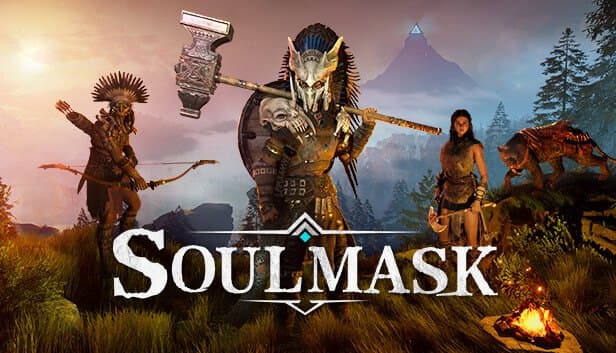
Choose your Game Server
Select from our wide range of optimized game servers. Each server is configured for maximum performance and comes with DDoS protection.
1. Plan Type
2. Location
3. Choose Plan

Which Soulmask Plan Is Right for You?
Compare recommended use, plan hardware and monthly prices.
| Plan | Recommended for | Hardware | Monthly price |
|---|---|---|---|
| Emerald 16GB | 10–25 players, one map, few modsOur recommended starting point for Soulmask; 6 vCores carry the tribesmen's AI load. | 6 vCore Ryzen 9950X · 16 GB DDR5 6000MHz · 120 GB NVMe SSD Samsung 990 PRO | ₺840.00/mo |
| Xtreme 32GB | 25+ players, big tribes, many mods12 vCores and generous memory for crowded tribes, frequent invasions and Workshop mods. | 12 vCore Ryzen 9950X · 32 GB DDR5 6000MHz · 200 GB NVMe SSD Samsung 990 PRO | ₺1520.00/mo |
Why TheCrewHost for Soulmask?
In Soulmask the load comes from players' tribesmen as much as from the players themselves, so we sized plans for that NPC crowd.
6–12 vCores for tribesmen
Every player's working tribesmen, tamed animals and raiding groups need constant AI processing, shared out over 6 Zen 5 cores on Emerald or 12 on Xtreme.
GameXishu.json multipliers
Change XP, gathering, crafting speed, survival, combat, tribe, building decay and invasion settings in this file, which the server creates on first launch.
Steam Workshop mods
List mod IDs in the -mod parameter, separated by commas; the server downloads them at startup, and players missing a mod are prompted to subscribe when joining.
Admin access with gm key
Enter the password you set with -adminpsw through the gm key console command in game, then open the GM panel to manage players and the world.
Save and backup intervals
Use -saving and -backup to set how often the server saves and writes backups, and pair them with the panel's automatic backups for double coverage.
DDoS protection for PvP
Competitive servers attract malicious traffic. Free DDoS protection filters attacks so nobody drops out in the middle of an invasion defense.
Soulmask server hosting starts at $21.00 (₺840.00) per month on Emerald 16GB with 6 vCores, and Xtreme 32GB with 12 vCores is the step up; this NPC-heavy survival game gets no smaller tiers. In Soulmask every player recruits tribesmen and puts them to work in fields, at workbenches and on guard duty, and the server simulates all of them, plus wildlife and invasions, at once. You set the player cap, PvE or PvP rules and the join and admin passwords with startup parameters, and tune gameplay multipliers in GameXishu.json. Steam Workshop mods go in through the -mod parameter, and the whole thing runs on Ryzen 9 9950X hardware with NVMe storage in İstanbul.
What kind of game does a Soulmask server run?
Soulmask is a survival game that begins with a mysterious mask granting you special powers and centers on building and running a tribe. What sets it apart are the tribesmen: you bring people you meet in the world into your tribe and, based on their skills, assign them to farming, crafting, gathering or defense. Over time your base turns into a small settlement that keeps working even when you are away.
On your own server, you share that experience with your group. On PvE servers, players fight nature, hostile tribes and invasions targeting their bases together. On PvP servers, rival tribes clash as well. Which ruleset the server uses is set with startup parameters.
Alongside the jungle main map, the game also has a desert-themed map called Shifting Sands. The map to load is defined in the server's launch line. Linking several servers into a cluster that allows travel between maps is also possible, but it requires a separate server for each map.
Why does a Soulmask server start at 16 GB of RAM?
In Soulmask, connected players are only part of the server's workload. The tribesmen working in every player's tribe, tamed animals, hostile tribes roaming the world and invasions against bases are all computed server-side, all the time. When player count doubles, the tribesman count usually does too, so memory and CPU needs can grow faster than the player count itself.
That is why 16 GB is the floor for Soulmask and we do not offer smaller plans for it. Emerald 16GB fits a small to mid-sized community running a reasonable number of tribesmen on one map. If you are aiming for a busy server, a long-running world where every player manages a large tribe, or a long list of Workshop mods, Xtreme 32GB with 12 vCores is the right call.
The server writes its growing world save to disk at regular intervals, and NVMe storage keeps any hitch during those writes short. Outgrow Emerald and you can step up to Xtreme at any point without losing your world.
How do you set startup parameters and GameXishu.json?
Soulmask settings live in three layers, and startup parameters take the highest priority. Use -SteamServerName for the server name, -MaxPlayers for the player cap, -PSW for the join password and -adminpsw for the admin password. Choose combat rules with -pve or -pvp. The -saving value sets how many seconds pass between saves, and -backup how many seconds pass between backups. By default the game port is 8777 and the query port 27015.
Gameplay multipliers are in GameXishu.json under WS/Saved/GameplaySettings. The file is created the first time the server runs, so start the server once, shut it down cleanly and then edit it. XP and gathering rates, crafting times, hunger and thirst, combat balance, tribe settings, building decay and invasions are all managed there.
For a small PvE group, bumping XP and gathering rates a little shortens the long early hours. On PvP servers, keeping building decay and invasion settings balanced stops abandoned bases from cluttering the map.
How do you become an admin on a Soulmask server?
Soulmask handles admin rights with a password defined at server launch rather than a SteamID list. You set it with the -adminpsw parameter, and it cannot be added later from inside the game, so decide on it before the first start.
Once connected, press the tilde (~) key to open the console and run gm key followed by your admin password. Confirm the password in the admin menu that appears and you get access to the GM panel. Admin status does not persist between sessions, so you run the command again every time you log in. Commands are case-sensitive and some use Chinese-derived names, so type them exactly.
The server also opens a management console (the echo port) on port 18888 by default. For everyday work the panel console is enough: follow server output and handle restarts and backups from your browser. Keep the admin password different from the join password and share it only with people you trust; that is the most basic rule of running any server.
How do you add Workshop mods, and how do players connect?
Soulmask has official mod support through the Steam Workshop. To add a mod, grab the long numeric ID at the end of its Workshop page URL and list the IDs in the launch line with the -mod parameter, separated by commas and without spaces. The server downloads the mods itself at startup, so the first boot can take a few extra minutes depending on mod size.
Players joining a modded server need the same mods. When someone tries to join without a required mod, they are prompted to subscribe to the missing Workshop items. Posting your mod list in the server description or on Discord makes life easier for everyone.
Players find your server by searching its name in the in-game server list and enter the password if you set one. After a game update, versions may not match until the server is updated too, and the same can happen when a mod updates; a server restart usually sorts it out. Take a backup before adding or removing mods to protect your world.
How to Set Up a Soulmask Server
- 1
Choose Emerald or Xtreme for your community
Emerald 16GB fits a small to mid-sized community with a sensible number of tribesmen; Xtreme 32GB is for busy, modded servers.
- 2
Place your order and let setup run
As soon as the order is confirmed, the Soulmask server files install on their own, and the console, file manager and backups wait for you at gamepanel.hostingmerkezi.net.
- 3
Define your startup parameters
Before the first start, set the server name, player cap, -PSW join password, -adminpsw admin password and your -pve or -pvp rule.
- 4
Run once, then edit GameXishu.json
After the first launch creates GameXishu.json, stop the server and edit it through the file manager or SFTP to set XP and gathering rates.
- 5
Add Workshop mods if you want them
List mod IDs in the -mod parameter separated by commas; the server downloads them on restart and players subscribe to anything missing.
- 6
Invite players and log in as GM
Players search your server name in the list and join, while you open the console and use gm key with your admin password to reach the GM panel.
Frequently Asked Questions
Questions from players who want a persistent Soulmask world for their tribe.
How much does Soulmask server hosting cost?
Should I choose Emerald or Xtreme?
Can I install mods on a Soulmask server?
How long does setup take?
How do players connect to my Soulmask server?
How do I become an admin?
How is my world backed up?
Does DDoS protection cover my PvP server?
Can I move from Emerald to Xtreme later?
İstanbul Location,
Maximum Performance
Our İstanbul datacenter runs on Ryzen 9 hardware, delivering low latency to players in Türkiye and good connectivity to Europe, the Middle East and the Caucasus.
Turkey

İstanbul
Turkey
Explore Our Other Services
Everything your project needs — from game servers to VPS, dedicated servers, web hosting and Discord bot hosting.
Connect with our community of gamers and developers
Get instant support, share experiences, and stay updated with the latest news
