 PixARK Server Hosting
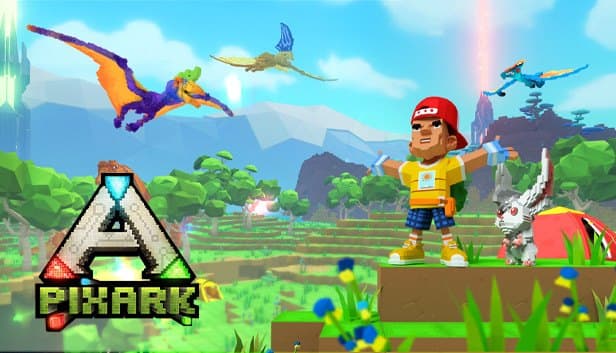
Tame dinosaurs, learn magic and raise castles in a world made of cubes, generated from your own seed and online around the clock.
Choose your Game Server
Select from our wide range of optimized game servers. Each server is configured for maximum performance and comes with DDoS protection.
1. Plan Type
2. Location
3. Choose Plan

Gold 8GB
Platinum 10GB
Diamond 12GB
Emerald 16GB
Xtreme 32GB
Which PixARK Plan Is Right for You?
Compare recommended use, plan hardware and monthly prices.
| Plan | Recommended for | Hardware | Monthly price |
|---|---|---|---|
| Gold 8GB | 2–10 players, fresh world (recommended)The 8 GB starting point of an ARK-derived server; right for small groups and new worlds. | 4 vCore Ryzen 9950X · 8 GB DDR5 6000MHz · 70 GB NVMe SSD Samsung 990 PRO | ₺440.00/mo |
| Platinum 10GB | 10–15 players, growing basesExtra memory as tame counts and building volume climb. | 4 vCore Ryzen 9950X · 10 GB DDR5 6000MHz · 100 GB NVMe SSD Samsung 990 PRO | ₺530.00/mo |
| Diamond 12GB | 15–20 players, large tame collectionsA comfortable choice for creature-collecting tribes and worlds explored for weeks. | 4 vCore Ryzen 9950X · 12 GB DDR5 6000MHz · 110 GB NVMe SSD Samsung 990 PRO | ₺617.50/mo |
| Emerald 16GB | 20–30 players, widely explored world6 vCores carry busy PvP raids and large voxel areas together. | 6 vCore Ryzen 9950X · 16 GB DDR5 6000MHz · 120 GB NVMe SSD Samsung 990 PRO | ₺840.00/mo |
| Xtreme 32GB | 30+ players, long-running community32 GB for worlds that go months without a wipe, with huge bases and hundreds of tames. | 12 vCore Ryzen 9950X · 32 GB DDR5 6000MHz · 200 GB NVMe SSD Samsung 990 PRO | ₺1520.00/mo |
Why TheCrewHost for PixARK?
Features chosen for PixARK's Windows-based server and its voxel world.
Seed and OreSeed control
Terrain shape comes from -Seed and ore placement from -OreSeed. When you want to try a different map, change the values and start a fresh world.
Four ports, CubePort included
Alongside the game, query and RCON ports, a PixARK server uses a separate CubePort for cube data. When players have trouble connecting, reachability of these four ports is the first thing to check.
Multipliers set the pace
Using the ini layout familiar from ARK, adjust XP, taming speed and harvest amount multipliers so the server moves at the pace your group enjoys.
RCON and admin password
Claim console rights in game with the admin password, or connect over RCON to send commands from outside, manage players and save the world.
NVMe SSD for a growing world
Every explored area and every placed cube goes into the save. Samsung 990 EVO Plus NVMe drives read and write a growing voxel world without stalling.
Free DDoS protection
Your listed PixARK server runs behind free DDoS protection, which matters most on PvP servers where a rival tribe might prefer attacking the server over raiding your base.
Renting a PixARK server with us costs from ₺440.00 per month, with 8 GB of RAM on the entry plan. PixARK is a separate game that takes ARK's structure into a procedurally generated world made of cubes, and its server runs on a layout ARK admins will recognize, with a few details of its own. Your world is generated from the -Seed and -OreSeed startup parameters, and besides the game, query and RCON ports, the server uses a dedicated CubePort for voxel data. It all runs in İstanbul on a Ryzen 9 9950X with NVMe SSD storage, and you tune XP, taming and harvesting multipliers in the ini files.
What is a PixARK server, and how is it different from ARK?
PixARK is Snail Games' separate survival game that brings the ARK formula into a voxel world built from cubes. It is not the same game as ARK: Survival Evolved, and the two never share players, servers or saves. You tame dinosaurs and fantasy creatures, progress through magic and technology, and reshape the world block by block.
The ARK heritage shows on the server side. The server runs from PixARKServer.exe, a Windows build, its folders sit under ShooterGame, and settings follow the GameUserSettings.ini layout ARK admins know. The differences come from the voxel world: the map is not fixed but generated from seed values on the server's first start, and a separate CubePort carries that world data to players.
With PixARK server hosting you can build a persistent world with friends, run a relaxed PvE building server, or open a PvP server where tribes raid each other. The world stays online while you are away, and your tames, bases and inventory are waiting when you log back in.
How do seeds, CubePort and startup parameters work?
A PixARK world is generated from two seed values: -Seed decides terrain and biomes, while -OreSeed decides how ores are distributed. The server launches the CubeWorld_Light map and builds the world from those seeds on first start. Because the world is generated at that moment, deciding on seeds up front is the sensible approach.
The server uses four ports: the game port, a query port for the server list, an RCON port for remote management, and the PixARK-specific CubePort. CubePort handles delivering voxel world data to players; if it is unreachable, players may connect but the world will not load properly.
Server name, player cap, join password and admin password are part of the startup configuration too. The ARK-style ini files hold multipliers such as XP, taming speed and harvest amount, plus PvP or PvE preferences. Make changes with the server stopped, then restart.
How much RAM does a PixARK server need?
As an ARK-derived server, PixARK starts at 8 GB of RAM, which is why our plans begin at Gold 8GB. Player count is only part of the picture: the number of tamed creatures, the amount of building and the explored area all grow over time.
In a voxel world, new areas are generated and added to the save as players explore. A few weeks in, the save file is larger and the server holds more data at once. Tribes that collect creatures add real load as well, since every tame is tracked server-side.
The practical advice: Gold 8GB covers a fresh world for 2 to 10 players. As bases grow and tames multiply, moving to Platinum 10GB or Diamond 12GB makes sense. For 20 to 30 players on a widely explored world we recommend Emerald 16GB, and Xtreme 32GB for larger, long-running communities. A daily planned restart also keeps memory use in check.
Administration, backups and updates
There are two ways to run a PixARK server: claim console rights in game with the admin password, or send commands from outside over the RCON port with an RCON client. Either one handles kicking, banning, server announcements and saving the world.
Saves and settings live under the ShooterGame/Saved folder. The panel backs up your server files automatically, and because a tribe's months of work can vanish in one night on a PvP server, backup frequency matters. Make a habit of taking a manual backup before big setting changes or updates. You can also reach every file over SFTP and keep a copy of your backups on your own PC.
When the game updates, the server has to move to the same version, or players will see it in the list and still fail to connect. The main way to customize your server is through the ini files and startup parameters. If you want to use a mod, you can upload its files over SFTP; there is no one-click mod installer, so check compatibility on the mod's page first.
How do players join a PixARK server?
Players open PixARK's multiplayer server list, search for your server's name and join from the list, entering the password if you set one. The server appears in the list through the query port, so a distinctive, easy-to-search name helps.
On first connection the player's client pulls the voxel world data from the server, and on busy, heavily explored worlds that first load can take a little while. If someone has trouble at this stage, check version compatibility first and CubePort reachability second.
Our İstanbul location gives players in Türkiye low latency, which you notice when riding creatures, scouting on flying mounts or defending against a raid. Players joining from Europe, the Middle East and the Caucasus generally get good connections as well.
How to Set Up a PixARK Server
- 1
Choose a plan for your group
Start with Gold 8GB for a fresh world and a small group, or Platinum 10GB or Diamond 12GB for growing tribes with lots of tames.
- 2
Let the installation finish automatically
After payment, the PixARK server files install automatically. Use your login to reach the console and file manager at gamepanel.hostingmerkezi.net.
- 3
Pick seeds before the first start
The world is generated on first launch, so set -Seed and -OreSeed up front. Want a different map? Changing these values is all it takes.
- 4
Set server name, password and admin password
Choose the name shown in the list, the join password and the admin password for console rights. Share the admin password only with your admin team.
- 5
Tune multipliers in the ini files
Stop the server, adjust XP, taming and harvesting multipliers in the ini files to match your group's pace, then start it again.
- 6
Invite players through the server list
Send friends the server name and password; they search for it in PixARK's server list and join. Take a backup from the panel after the first session.
Frequently Asked Questions
What people want to know before renting a PixARK server.
How much does PixARK server hosting cost?
Which plan should I pick?
Can PixARK and ARK share a server?
What is a seed, and how do I choose my world?
How long until the server is ready?
How do players connect?
Can I install mods?
How are backups handled?
Is DDoS protection included, and can I upgrade?
İstanbul Location,
Maximum Performance
Our İstanbul datacenter runs on Ryzen 9 hardware, delivering low latency to players in Türkiye and good connectivity to Europe, the Middle East and the Caucasus.
Turkey

İstanbul
Turkey
Explore Our Other Services
Everything your project needs — from game servers to VPS, dedicated servers, web hosting and Discord bot hosting.
Connect with our community of gamers and developers
Get instant support, share experiences, and stay updated with the latest news
