 Myth of Empires Server Hosting
Raise your fortress, grow your guild and run sieges by your own rules: a Myth of Empires private server in İstanbul, starting at 16 GB.
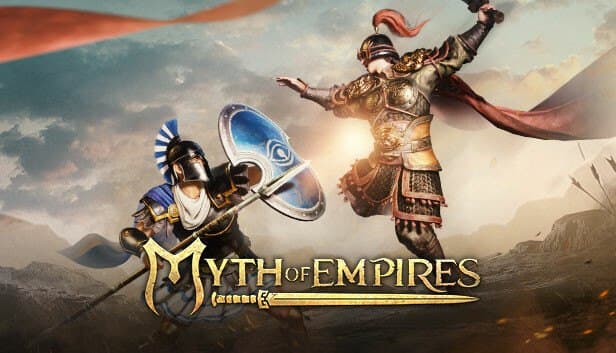
Choose your Game Server
Select from our wide range of optimized game servers. Each server is configured for maximum performance and comes with DDoS protection.
1. Plan Type
2. Location
3. Choose Plan

Which Myth of Empires Plan Is Right for You?
Compare recommended use, plan hardware and monthly prices.
| Plan | Recommended for | Hardware | Monthly price |
|---|---|---|---|
| Emerald 16GB | 10–40 players, single mapRecommended minimum; 6 vCores for small to mid-sized guild servers. | 6 vCore Ryzen 9950X · 16 GB DDR5 6000MHz · 120 GB NVMe SSD Samsung 990 PRO | ₺840.00/mo |
| Xtreme 32GB | 40–80 players, regular sieges12 vCores and 32 GB for multi-guild, modded, siege-heavy servers. | 12 vCore Ryzen 9950X · 32 GB DDR5 6000MHz · 200 GB NVMe SSD Samsung 990 PRO | ₺1520.00/mo |
Why TheCrewHost for Myth of Empires?
The hardware and admin tools it takes to keep a heavyweight war sandbox like Myth of Empires running well.
16 GB+ for a Heavy World
Fortresses, tamed animals, recruited NPCs and siege engines fill memory fast, so our plans start at 16 GB of DDR5 and go up to 32 GB.
6 to 12 vCores for Sieges
Emerald comes with 6 and Xtreme with 12 Ryzen 9 9950X vCores, so the CPU is not the bottleneck when hundreds of building pieces take damage in a siege.
Rates and Server Rules
Tune loot and spawn rates, crop growth speed and gameplay rules for your community, whether you want a fast-progression war server or official-paced play.
Steam Workshop and Mod Editor
Myth of Empires ships with an official mod editor and Steam Workshop integration; upload mods that support private servers through SFTP or the file manager.
NVMe for Large Saves
World saves with thousands of building pieces write quickly to Samsung 990 EVO Plus NVMe drives, and 120 GB or 200 GB leaves room for backups too.
DDoS Shield for Guild Wars
Rival guilds may target a server before a siege; free DDoS protection filters that traffic, and our Turkish-speaking support team is on hand 24/7 if something goes wrong.
Myth of Empires server hosting at TheCrewHost starts at $21.00 per month (₺840.00) with Emerald 16GB, a 24/7 private server on a Ryzen 9 9950X with DDR5 memory and NVMe storage. Because the game simulates such a heavy world, we do not offer plans below 16 GB for it. The server is hosted in İstanbul, so guilds connecting from Türkiye and nearby regions are not fighting lag during large sieges. You set the rules, from loot and spawn rates to crop growth speed, and choose which Steam Workshop mods your community plays with. A persistent battlefield for your guild no longer depends on someone leaving their PC switched on.
What does a Myth of Empires private server offer?
Myth of Empires is Angela Game's war sandbox built around fortress building, guild management and large-scale siege warfare. Alongside official servers, the game supports custom servers as well as solo and hosted modes. A private server is a world that permanently stores your guild's fortresses, tamed animals and recruited NPCs, with rules that you write.
On official servers, pace and rules are the same for everyone. On your own server, you can run a fast-progression war server, a long-haul building and economy server, or a closed world open only to members of one guild. With more than 1,300 crafting recipes, several civilizations and a nobility progression system, the game becomes a far more controlled experience once you tune the rates for your own community.
Private servers are most popular with guilds that have their own internal rules, role-play focused communities and groups who want to play away from the pressure of large guilds on the official servers.
Why does a Myth of Empires server need at least 16 GB of RAM?
Myth of Empires has a notably heavy server, which is why our plans start at 16 GB of RAM. The server tracks far more than players: every fortress wall, pet, recruited NPC, crafting station and siege engine on the map is simulated continuously. Once a few active guilds have placed hundreds of building pieces over a couple of weeks, memory use climbs well above where it started.
Emerald 16GB is our recommended starting point for a community of 10 to 40 players on a single map, and it comes with 6 vCores. For servers with several large guilds sieging regularly and more than 40 players, Xtreme 32GB with 12 vCores and 32 GB is the much safer choice. During a siege, many structures take damage and NPCs fight at the same time, so CPU load spikes sharply as well.
Storage matters here because the server files are large and world saves swell over time. The 120 GB and 200 GB NVMe allocations let you keep several days of backups side by side, which makes recovering after a messy siege far easier.
How do you manage server settings and rates?
The rules of a Myth of Empires private server are defined by the configuration that the game's private server tool produces. That tool gathers settings such as loot and spawn rates and crop growth speed in one place and generates the StartPrivateServer.bat file that launches the server with those settings. On TheCrewHost, you reach the server files through the panel file manager and over SFTP.
When you set rates, think about your community's rhythm. For a guild that plays a few evenings a week, higher gathering and crafting rates bring fortresses to siege-ready status in a reasonable time. For a busy community that plays daily, rates close to the official pace keep the economy alive much longer. Changing rates frequently in the middle of a season is usually a bad idea, since it can hand an unfair advantage to guilds that started early.
Before any major settings change, stop the server, take a backup and apply the change in one go. If you are not sure which setting lives in which file, our support team can point you to the right one.
Mods and the Steam Workshop
Myth of Empires comes with an official mod editor and Steam Workshop integration, so players can build and share mods with new structures, items and gameplay changes. A private server is the one place where you decide which mods your community plays with.
Before adding a mod to your server, read its description carefully. Whether it supports private servers, which game version it works with and whether players also need to subscribe to it are usually spelled out there. You upload the mod files to the server with the panel file manager or over SFTP.
The safest way to add mods is step by step. Take a backup before each new mod, add it on its own, start the server and check the console for errors. After a big game update, waiting for mods to be updated lowers the risk of breaking the world. Mods can also push memory use up, and servers running many of them will find Xtreme 32GB a more comfortable workspace.
How do players join, and how do you keep the server healthy long term?
Players join by searching for your server name in Myth of Empires' custom server list, and if you set a password it is requested on entry. The server's IP and port are shown in the panel. Pinning the server name and password in your guild's Discord makes onboarding new members painless.
The real challenge on a long-running Myth of Empires server is that the world gets heavier over time. Abandoned fortresses, unused animals and scattered building pieces all add memory and CPU load. Community rules that set sensible building and animal limits per guild keep the server smooth for months.
Take a manual backup from the panel before big siege events, so that if a battle is ruined by an unexpected bug you can restore the world to that moment. Regular restarts refresh memory too, so we recommend scheduling one for the hours when the fewest players are online. After game updates, make sure the server is running the current version.
How to Set Up a Myth of Empires Server
- 1
Choose a plan for the size of your community
Start with Emerald 16GB for a single-map community of 10 to 40 players, or Xtreme 32GB for crowded guilds that siege regularly.
- 2
Complete payment and wait for installation
Setup starts automatically once payment is confirmed; the Myth of Empires server files are large, so the download can take a little while before the server shows in the panel.
- 3
Set the server name, password and rates
In the private server configuration, set the server name, join password, loot and spawn rates and crop growth speed for your community.
- 4
Add Workshop mods if you want them
Upload files for mods that support private servers over SFTP, taking a backup before each one and checking the console for errors.
- 5
Start the server and invite your guild
Confirm in the console that startup finished, then share the server name and password; players search for it in the custom server list and join.
Frequently Asked Questions
Common questions about pricing, hardware, mods and administration before renting a Myth of Empires private server.
How much does Myth of Empires server hosting cost?
Why is there no smaller plan?
Which plan should I choose?
Are mods and the Steam Workshop supported?
How long does setup take?
How do players connect to my server?
Can I change loot and crafting rates?
Is my world backed up?
Is DDoS protection included?
Can I move from Emerald to Xtreme later?
İstanbul Location,
Maximum Performance
Our İstanbul datacenter runs on Ryzen 9 hardware, delivering low latency to players in Türkiye and good connectivity to Europe, the Middle East and the Caucasus.
Turkey

İstanbul
Turkey
Explore Our Other Services
Everything your project needs — from game servers to VPS, dedicated servers, web hosting and Discord bot hosting.
Connect with our community of gamers and developers
Get instant support, share experiences, and stay updated with the latest news
