 Empyrion: Galactic Survival Server Hosting
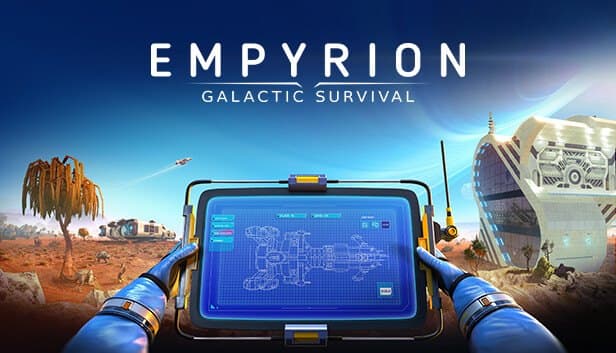
From planet surface to orbit to the next star system: grow your Empyrion universe with your crew on a server that runs 24/7 in İstanbul.
Choose your Game Server
Select from our wide range of optimized game servers. Each server is configured for maximum performance and comes with DDoS protection.
1. Plan Type
2. Location
3. Choose Plan

Gold 8GB
Platinum 10GB
Diamond 12GB
Emerald 16GB
Xtreme 32GB
Which Empyrion: Galactic Survival Plan Is Right for You?
Compare recommended use, plan hardware and monthly prices.
| Plan | Recommended for | Hardware | Monthly price |
|---|---|---|---|
| Gold 8GB | 2–6 players, default scenarioEnough for small co-op groups with a handful of playfields open at once. | 4 vCore Ryzen 9950X · 8 GB DDR5 6000MHz · 70 GB NVMe SSD Samsung 990 PRO | ₺440.00/mo |
| Platinum 10GB | 6–12 players across several planetsExtra memory for each playfield process that spins up as players spread out. | 4 vCore Ryzen 9950X · 10 GB DDR5 6000MHz · 100 GB NVMe SSD Samsung 990 PRO | ₺530.00/mo |
| Diamond 12GB | 10–16 players or Reforged EdenLarge Workshop scenarios load more content, and this plan is a comfortable start. | 4 vCore Ryzen 9950X · 12 GB DDR5 6000MHz · 110 GB NVMe SSD Samsung 990 PRO | ₺617.50/mo |
| Emerald 16GB | 16–30 players, scenario community6 vCores balance many playfield processes running at the same time. | 6 vCore Ryzen 9950X · 16 GB DDR5 6000MHz · 120 GB NVMe SSD Samsung 990 PRO | ₺840.00/mo |
| Xtreme 32GB | 30+ players, sprawling multi-system universeFor dozens of simultaneous playfields, big CV fleets and standby playfield processes. | 12 vCore Ryzen 9950X · 32 GB DDR5 6000MHz · 200 GB NVMe SSD Samsung 990 PRO | ₺1520.00/mo |
Why TheCrewHost for Empyrion: Galactic Survival?
Hosting that understands Empyrion's playfield architecture, scenario system and admin tools, ready for fleets of capital vessels.
Full dedicated.yaml Control
Srv_Name, Srv_Password, Srv_MaxPlayers and Srv_Description define the server, while GameName, Mode, Seed and CustomScenario under GameConfig define the universe itself.
Workshop Scenarios
Upload big community scenarios such as Reforged Eden to Content/Scenarios and enable them with CustomScenario. Planets, enemies and the crafting tree all change.
Power for Playfield Processes
Every active planet and space sector runs as its own PlayfieldServer process. With Srv_ReservePlayfields, standby processes cut loading times after a warp.
Telnet and Permission Levels
Enable the password-protected Telnet interface in dedicated.yaml to send commands remotely. adminconfig.yaml in the save folder assigns permission levels by Steam ID.
Ryzen 9 for CV Fleets
Capital vessels built from hundreds of blocks, turrets and base automation all push the CPU. A Ryzen 9 9950X with DDR5 memory helps busy orbits stay smooth.
Universe Backups
Saves are stored under Saves/Games by game name. Automatic backups plus manual ones from the panel let you recover after a bad scenario update or a lost ship.
Empyrion: Galactic Survival server hosting at TheCrewHost starts at ₺440.00 ($11.00) per month, and the entry plan gives you a private Empyrion dedicated server with 8 GB of DDR5 RAM, Ryzen 9 9950X cores and NVMe SSD storage. It runs Eleon's official server software, with the server name, password, player cap, game mode, seed and scenario all set in dedicated.yaml. Load Steam Workshop scenarios such as Reforged Eden to reshape the entire universe. Because Empyrion starts a separate playfield process for every active planet and space sector, memory scales with how spread out your players are, and our İstanbul location keeps latency low for players in Türkiye.
What do you play on an Empyrion server?
On an Empyrion: Galactic Survival server, your crew starts by surviving on a planet and building a base, then works up to hover vessels, small vessels and capital vessels to reach orbit and other star systems. With your own server, that journey no longer depends on anyone's PC; each player can log in whenever they like to mine, upgrade their ship or scout a new planet.
The Empyrion universe is made of playfields: every planet, orbit and space sector is a separate game area, defined as PvE or PvP in the scenario. That lets one server offer safe starter planets alongside risky PvP zones.
Community servers usually revolve around a Workshop scenario. Scenarios such as Reforged Eden redesign the planets, enemy factions, block list and crafting tree from the ground up. You can also run a relaxed co-op for your friends in the default universe, or a PvP server built around faction rivalry.
How much RAM does an Empyrion server need?
For a small group, 8 GB of RAM is a good starting point for an Empyrion server, but what really matters is how many different playfields your players are spread across. Empyrion launches a separate PlayfieldServer process for every active planet or space sector. If five players are on the same planet, one process runs; if they are in five different places, five processes use memory at once.
As your player count grows and the crew spreads across systems, Platinum 10GB and Diamond 12GB become the safer choices. Comprehensive scenarios such as Reforged Eden load more content and raise memory needs further. The 6 vCores on Emerald 16GB help balance many playfield processes running side by side.
Srv_ReservePlayfields keeps idle playfield processes ready to cut load times after a warp, but every reserve process uses memory too. Keeping that value low on smaller plans and raising it on bigger ones is a balanced approach. As saves grow, NVMe storage keeps planet loads quick.
What do you change in dedicated.yaml?
dedicated.yaml is the main config file for an Empyrion server, and it has two sections. Stop the server from the panel before editing, and since YAML is indentation-sensitive, be careful not to break the spacing.
In the ServerConfig section, Srv_Name is the name in the server list, Srv_Password the join password, Srv_MaxPlayers the player cap and Srv_Description the description. Srv_ReservePlayfields sets how many standby playfield processes to keep. EACActive turns Easy Anti-Cheat on or off, and keeping it on makes sense for public PvP servers. Tel_Enabled and its password setting let you send commands remotely over Telnet.
The GameConfig section defines the universe. GameName is the save folder name, so changing it effectively starts a new game. Mode can be Survival or Creative, Seed drives universe generation, and CustomScenario must match the name of a scenario folder under Content/Scenarios.
Most of these settings take effect when a new game is created. Changing the scenario or seed on an existing universe can have unexpected results, so back up first.
How do you manage scenarios, mods and admin rights?
In Empyrion, scenarios are content packs that redefine the universe. Subscribe to a Workshop scenario on your own PC, upload its folder to the server's Content/Scenarios directory over SFTP, and enter the folder name in the CustomScenario field of dedicated.yaml. Players receive the shared data the scenario needs from the server when they connect, so the first join can take a little longer.
Server plugins built with Empyrion's Mod API go into the Content/Mods folder. They can add features such as automated announcements, statistics or extra admin commands, and their compatibility should be checked after every game update.
Admin rights are granted in adminconfig.yaml inside the save folder. Add your own Steam ID at the highest permission level and you can use admin commands from the in-game console; moderators get more limited levels. The same file also keeps your ban list. If you have enabled Telnet for remote management, use a strong password and share it only with people you trust.
How do players join an Empyrion server?
Players join by searching for your server's name in the Multiplayer server list or by connecting directly with its IP and port. The correct address and port are shown in your panel, and if you set Srv_Password, players are prompted for it.
On scenario servers, a wait of a few minutes on the first connection is normal while shared data downloads; later logins are quicker. The first time players join, they pick a starting planet from the options the scenario offers.
With the server running in İstanbul, players in Türkiye enjoy low latency during ship combat and orbital maneuvers, and players connecting from Europe, the Middle East and the Caucasus generally get a good connection too. Writing your faction rules, PvP zones and blueprint limits into the server description or your Discord helps newcomers settle into the universe.
How to Set Up a Empyrion: Galactic Survival Server
- 1
Choose a plan for your crew and scenario
Gold 8GB covers a small group on the default scenario. For a large scenario like Reforged Eden or a widely spread player base, pick Diamond or Emerald.
- 2
Connect to the panel after setup
Your Empyrion server installs automatically once payment clears. gamepanel.hostingmerkezi.net gives you the console, file manager and launch controls.
- 3
Upload your scenario
Upload the scenario folder you downloaded from the Workshop to Content/Scenarios over SFTP. Skip this step if you are playing the default universe.
- 4
Edit dedicated.yaml
Stop the server and set Srv_Name, Srv_Password, Srv_MaxPlayers, GameName, Mode, Seed and CustomScenario. Keep the YAML indentation intact.
- 5
Set up your admins
Once the server has started for the first time and created its save folder, add your Steam ID to adminconfig.yaml at a high level and restart.
- 6
Open the universe and invite your crew
Start the server, confirm it appears in the list and share the address in Discord. Remind players to be patient while shared data downloads on first join.
Frequently Asked Questions
Common questions about Empyrion servers: pricing, RAM, scenarios, admin rights, connecting and backups.
How much does Empyrion server hosting cost?
How much RAM does Empyrion need?
Can I run scenarios like Reforged Eden?
Can I install mods on my server?
How do I make myself an admin?
When will my server be ready to use?
How do players connect to the server?
How do backups and DDoS protection work?
Can I upgrade as my universe grows?
İstanbul Location,
Maximum Performance
Our İstanbul datacenter runs on Ryzen 9 hardware, delivering low latency to players in Türkiye and good connectivity to Europe, the Middle East and the Caucasus.
Turkey

İstanbul
Turkey
Explore Our Other Services
Everything your project needs — from game servers to VPS, dedicated servers, web hosting and Discord bot hosting.
Connect with our community of gamers and developers
Get instant support, share experiences, and stay updated with the latest news
