 Eco Server Hosting
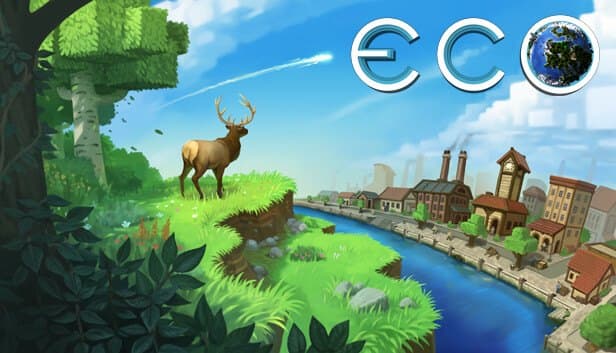
Build a civilization and stop the meteor without wrecking the ecosystem: keep your Eco world simulating day and night on a server in İstanbul.
Choose your Game Server
Select from our wide range of optimized game servers. Each server is configured for maximum performance and comes with DDoS protection.
1. Plan Type
2. Location
3. Choose Plan

Gold 8GB
Platinum 10GB
Diamond 12GB
Emerald 16GB
Xtreme 32GB
Which Eco Plan Is Right for You?
Compare recommended use, plan hardware and monthly prices.
| Plan | Recommended for | Hardware | Monthly price |
|---|---|---|---|
| Gold 8GB | 5–15 players, small co-op worldEnough for a group racing the meteor on a default-sized world. | 4 vCore Ryzen 9950X · 8 GB DDR5 6000MHz · 70 GB NVMe SSD Samsung 990 PRO | ₺440.00/mo |
| Platinum 10GB | 15–25 players, 100x100 worldRuns comfortably at the world size small public servers commonly use. | 4 vCore Ryzen 9950X · 10 GB DDR5 6000MHz · 100 GB NVMe SSD Samsung 990 PRO | ₺530.00/mo |
| Diamond 12GB | 25–40 players, mature economyExtra memory for cities, stores and a save file that grow over the weeks. | 4 vCore Ryzen 9950X · 12 GB DDR5 6000MHz · 110 GB NVMe SSD Samsung 990 PRO | ₺617.50/mo |
| Emerald 16GB | 40–60 players, 140x140 world6 vCores carry both the ecosystem simulation and a crowd on a large world. | 6 vCore Ryzen 9950X · 16 GB DDR5 6000MHz · 120 GB NVMe SSD Samsung 990 PRO | ₺840.00/mo |
| Xtreme 32GB | 60+ players, 160x160 largest worldPlenty of room for the biggest world size, long seasons and extensive UserCode mods. | 12 vCore Ryzen 9950X · 32 GB DDR5 6000MHz · 200 GB NVMe SSD Samsung 990 PRO | ₺1520.00/mo |
Why TheCrewHost for Eco?
A server sized to carry Eco's ecosystem simulation, economy data and world generation settings.
Full Configs Folder Access
Edit Network.eco, Difficulty.eco, WorldGenerator.eco, Disasters.eco and Users.eco with the file manager or SFTP. Changes take effect the next time the server restarts.
Set the Meteor Timeline
With CreateMeteor and MeteorImpactDays in Disasters.eco you can switch the meteor off entirely, or stretch and shrink the countdown to match your community's pace.
World Size and Seed
Choose the world size, seed and terrain generation in WorldGenerator.eco. These values only apply when a new world is generated, so decide before the first launch.
The Server's Web Interface
The Eco server serves a browser-based interface on its own web port. Players can follow the economy, laws and world statistics without launching the game.
Ryzen 9 for the Simulation
Plant spread, animal populations, pollution and thousands of store transactions keep the CPU busy. A Ryzen 9 9950X with DDR5 helps growing cities stay smooth.
Storage Folder Backups
The world save lives in the Storage folder. Automatic backups plus manual snapshots in the panel let you roll back after a controversial law or a broken mod.
Eco server hosting at TheCrewHost starts at ₺440.00 ($11.00) per month, with the entry plan giving your community its own Eco dedicated server on 8 GB of DDR5 RAM, Ryzen 9 9950X cores and NVMe SSD storage. It runs Strange Loop Games' official server software, and you get every .eco file in the Configs folder: server name and password in Network.eco, world size in WorldGenerator.eco, meteor timing in Disasters.eco and admins in Users.eco. Eco's plant, animal and pollution simulation keeps running while players are offline, so a server that stays up 24/7 in İstanbul is simply how the game is meant to be played.
What do players do on an Eco server?
On an Eco server, players build a civilization together and develop the technology to stop an incoming meteor while trying not to wreck the planet's ecosystem. Everyone specializes in a few professions, so nobody can do it all alone: farmers grow food, miners dig ore, carpenters and smiths process goods, and everything is traded through player-run stores and player-made currencies.
The most interesting part is governance. Players pass laws, hold elections, set taxes and argue over rules such as limits on clear-cutting forests or on pollution. Overhunting can collapse animal populations, and pollution can affect the climate and sea level.
This simulation continues while players are offline: plants grow, animals breed and the meteor countdown keeps ticking. That is why Eco is designed around a persistent dedicated server. Communities usually plan seasons around the meteor cycle and regenerate the world when a season ends.
How much RAM does an Eco server need?
An Eco server's memory needs depend more on world size and world age than on player count, which is why our plans start at 8 GB with Gold. The world is loaded into memory while running, and every block, plant, animal and player structure takes up space. For a small group on a default-sized world, Gold 8GB runs comfortably.
As the world gets bigger, requirements rise quickly. Common sizes range from small co-op worlds around 72x72, through the 100x100 and 140x140 sizes popular on public servers, up to 160x160 as the largest option. For 140x140 and above, Emerald 16GB makes sense, and Xtreme 32GB suits the biggest worlds and long seasons.
Time matters too: as the weeks pass, cities grow, store and contract records pile up and the save file swells. A plan that is fine at the start of a season can struggle in its final weeks. On the CPU side, the simulation loop leans on single-core speed, which is where the Ryzen 9 9950X helps.
Which config files control an Eco server?
All Eco server settings live in .eco files in the Configs folder, each using a JSON-like structure. Stop the server from the panel before editing; changes are read on restart.
Network.eco is the server's identity: Name and Description set what appears in the list, PublicServer decides whether it shows up in the public browser and Password sets the join password. The game port GameServerPort and the web interface port WebServerPort are also here; the defaults are 3000 and 3001, but the ports assigned to your server are shown in the panel.
Difficulty.eco adjusts skill gain and experience multipliers, and groups planning a short season often raise them. WorldGenerator.eco sets world size and seed, but only takes effect when a new world is generated. In Disasters.eco, CreateMeteor turns the meteor on or off and MeteorImpactDays sets the days until impact. Users.eco holds your admins and whitelist.
A single missing comma can stop the server from starting, so check the structure carefully before saving.
How do mods, the web interface and backups work in Eco?
Eco mods are not distributed through the Steam Workshop; you upload them to the server's Mods folder by hand. Compiled .dll mods go straight into that folder, while C# files under Mods/UserCode are compiled when the server starts, letting you make server-side changes to recipes, items or game rules. Watch the console after adding a mod, because any compile errors are reported clearly there.
The Eco server also serves an interface on its web port. Players can open it in a browser to check economic data, laws, elections and world statistics, and sharing that link in your Discord makes governance debates much easier.
World data is stored in the Storage folder. To start a new season, back that folder up, edit WorldGenerator.eco with a new size or seed, clear Storage and restart the server. Automatic backups and extra ones you take from the panel let you return to an earlier state if anything unexpected happens.
How do players join an Eco server?
Players join an Eco server through the in-game server browser or by connecting directly with IP:port. With PublicServer enabled in Network.eco, your server appears in the list with its name and description; for a closed community you can turn that off and share the address only with members. If you set a password, players enter it when connecting.
Every player needs to launch the game with their own account; characters are tied to the world and stored on the server. In a new season everyone starts from scratch, which reshuffles professions and gives the community a fresh economy to build.
With the server in İstanbul, latency is low for players in Türkiye, and members connecting from Europe, the Middle East and the Caucasus generally get a good connection as well. If your community spans time zones, a server that is up 24/7 means nobody falls behind in the economy.
How to Set Up a Eco Server
- 1
Pick a plan based on world size
Gold 8GB is enough for a small group on a default world. If you are planning a public world of 140x140 or larger, head for Emerald or Xtreme.
- 2
Open the panel after setup
Your Eco server installs automatically once payment is confirmed. gamepanel.hostingmerkezi.net gives you the console, file manager and start and stop controls.
- 3
Set WorldGenerator.eco and Disasters.eco
Before the first launch, pick the world size and seed, and decide whether the meteor is on and how many days until it hits. Size cannot change after generation.
- 4
Fill in Network.eco and Users.eco
Set the server name, description, password and whether it is public. Add yourself and your moderators as admins in Users.eco.
- 5
Launch and share the web interface
Start the server and wait for world generation to finish in the console. Share the game address and web interface link in Discord to invite your community.
Frequently Asked Questions
The questions we hear most before people launch an Eco server: pricing, world size, the meteor, mods, joining and new seasons.
How much does Eco server hosting cost?
How much RAM should I get for Eco?
Can I disable or delay the meteor?
Can I install mods on my Eco server?
Can I change the world size later?
How long until my server is ready?
How do players connect to the server?
Are backups and DDoS protection included?
Can I upgrade in the middle of a season?
İstanbul Location,
Maximum Performance
Our İstanbul datacenter runs on Ryzen 9 hardware, delivering low latency to players in Türkiye and good connectivity to Europe, the Middle East and the Caucasus.
Turkey

İstanbul
Turkey
Explore Our Other Services
Everything your project needs — from game servers to VPS, dedicated servers, web hosting and Discord bot hosting.
Connect with our community of gamers and developers
Get instant support, share experiences, and stay updated with the latest news
