 CryoFall Server Hosting
Your wipe schedule, your rates, your rules: run a CryoFall colony as PvP or PvE on a server in İstanbul that never sleeps.
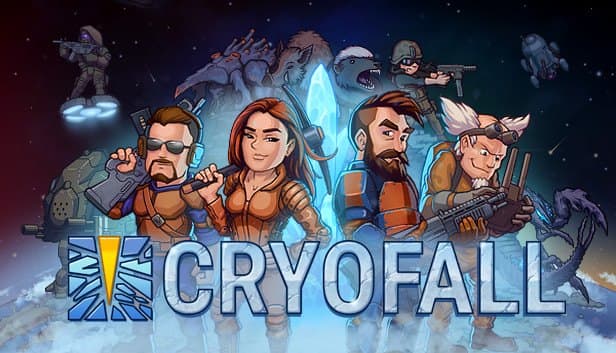
Choose your Game Server
Select from our wide range of optimized game servers. Each server is configured for maximum performance and comes with DDoS protection.
1. Plan Type
2. Location
3. Choose Plan

Bronze 4GB
Silver 6GB
Gold 8GB
Platinum 10GB
Diamond 12GB
Emerald 16GB
Xtreme 32GB
Which CryoFall Plan Is Right for You?
Compare recommended use, plan hardware and monthly prices.
| Plan | Recommended for | Hardware | Monthly price |
|---|---|---|---|
| Bronze 4GB | A few friends up to 100 playersThe official guide puts 100 players at about 2 GB of RAM, so 4 GB leaves ample room. | 4 vCore Ryzen 9950X · 4 GB DDR5 6000MHz · 50 GB NVMe SSD Samsung 990 PRO | ₺240.00/mo |
| Silver 6GB | 100–200 players or a modded serverExtra memory for busy public servers and several .mpk mods at once. | 4 vCore Ryzen 9950X · 6 GB DDR5 6000MHz · 60 GB NVMe SSD Samsung 990 PRO | ₺345.00/mo |
| Gold 8GB | 200–300 players, very active communityA comfortable margin for crowded raid hours and long-season worlds. | 4 vCore Ryzen 9950X · 8 GB DDR5 6000MHz · 70 GB NVMe SSD Samsung 990 PRO | ₺440.00/mo |
| Platinum 10GB | Huge PvE world with no wipes for monthsMost servers never need this; it only helps on very long seasons with giant builds. | 4 vCore Ryzen 9950X · 10 GB DDR5 6000MHz · 100 GB NVMe SSD Samsung 990 PRO | ₺530.00/mo |
| Diamond 12GB | Rarely needed; mod developmentOutside heavy mod development and testing, CryoFall will not use this much memory. | 4 vCore Ryzen 9950X · 12 GB DDR5 6000MHz · 110 GB NVMe SSD Samsung 990 PRO | ₺617.50/mo |
| Emerald 16GB | More than CryoFall needsThe server software is happy with a few cores and a few GB; most of this would sit idle. | 6 vCore Ryzen 9950X · 16 GB DDR5 6000MHz · 120 GB NVMe SSD Samsung 990 PRO | ₺840.00/mo |
| Xtreme 32GB | Not recommended for CryoFall32 GB and 12 vCores stay idle in this game; start small and upgrade only if needed. | 12 vCore Ryzen 9950X · 32 GB DDR5 6000MHz · 200 GB NVMe SSD Samsung 990 PRO | ₺1520.00/mo |
Why TheCrewHost for CryoFall?
Hosting that understands CryoFall's .NET server, its rate files and its mod system, ready for crowded colonies.
Set Your Own Rates
ServerRates.config controls learning points, gathering and crafting speed, and land claim behavior. Lines ship commented out with #, so remove the mark to activate a value.
Choose PvP or PvE
Flip the PvE setting in the same file to turn your server into a raid-free, building-focused world, or keep the classic PvP raiding experience. Your community's style decides.
Load .mpk Mods
Upload mods as .mpk files to Data/Mods and add a mod line for each one in ModsConfig.xml. Mods load in the order they appear in that file.
Operators and Moderation
Add yourself to the operator list in SettingsServer.xml, then manage players in game with commands such as /mod.whiteList.add, /mod.kickList.add and /mod.muteList.add.
Your Own Wipe Cycle
Starting the server with the new argument generates a completely fresh world. Plan short PvP seasons or long PvE ones and keep the old world safely backed up.
Light Server, Lots of Room
The CryoFall server carries a lot of players on very few resources. A Ryzen 9 9950X with DDR5 memory helps the colony stay responsive during busy raid hours.
CryoFall server hosting at TheCrewHost starts at ₺240.00 ($6.00) per month, and even the smallest plan gives you a private CryoFall dedicated server with 4 GB of DDR5 RAM, Ryzen 9 9950X cores and NVMe SSD storage. It runs AtomicTorch's official .NET server: you manage the server name and operators in SettingsServer.xml, and XP rates, gathering speed and the PvE switch in ServerRates.config. Instead of living by the official servers' wipe calendar, you set the season length for your own community. Our İstanbul location keeps latency low for players in Türkiye, and because the CryoFall server is so light, the entry plan can carry a busy colony.
What changes when you run your own CryoFall server?
With your own CryoFall server, the wipe schedule, game rates and rules are set by your community instead of by the official servers. Official PvP servers reset every few weeks; on your server you can stretch a season as long as you like, or start a new one the moment your crew finishes the tech tree.
CryoFall is a survival game about building a colony from scratch on a distant planet: claiming land, running power grids and production chains, and progressing solo or with a clan. Two setups dominate private servers. On PvP, bases can be raided, so protecting land claims, upkeep and defense all matter. On PvE, players cannot attack each other and the community turns to trade, farming and large building projects.
You can run a small whitelisted server for a group of friends, or a public colony for your Discord community that shows up in the in-game server list.
How much RAM does a CryoFall server need?
The 4 GB Bronze plan is more than enough for most CryoFall communities. According to AtomicTorch's own server guide, a server of roughly 100 players runs on about 2 GB of memory and two cores, and even at 300 players the memory requirement stays around 2.5 GB. For CryoFall, CPU speed and uptime matter far more than raw RAM.
Single-core machines are officially discouraged; every one of our plans comes with at least 4 Ryzen 9 9950X vCores, so that is never a concern. Silver 6GB and Gold 8GB add headroom for servers running lots of .mpk mods or huge PvE worlds that go weeks without a wipe.
Larger plans rarely make sense for CryoFall, and we would rather tell you that up front. Saves live in the Data/Saves folder and stay small, so disk space is effectively a non-issue.
How do you configure SettingsServer.xml and ServerRates.config?
CryoFall's server settings are split across two main files in the Data folder. Stop the server in the panel first, open the file through the file manager or SFTP, save your changes and restart.
SettingsServer.xml holds the server's identity: the name and description shown in the server list, whether it is public, the port and the operator list. Once you add yourself to server_operators_list, you get access to admin commands in game. The default port is 6000, but always use the port assigned to your server in the panel. You can also place a 256x256 ServerIcon.png in the Data folder to show a custom icon in the list.
ServerRates.config defines the game's balance: learning point and experience multipliers, gathering and crafting speeds, land claim settings and the PvE mode. Every line ships commented out with a #, and a value only takes effect once you delete that mark. Doubling the rates for a short season is one of the most popular setups for small groups.
How do mods and moderation work on a CryoFall server?
CryoFall mods are .mpk packages that go into the server's Data/Mods folder. After uploading, add a line with each mod's ID to Data/ModsConfig.xml. You will find the ID in the Header file inside the .mpk, which is really an uncompressed zip you can open with any archive tool. When two mods contain the same file, the one listed later wins, so order matters.
Moderation needs no extra tools; commands are typed in game with a leading slash. Use /mod.whiteList.add to whitelist a player and /mod.whiteList.enabled to switch the whitelist on or off. /mod.blackList.add bans a player permanently, while /mod.kickList.add and /mod.muteList.add take a player name and a duration in minutes for temporary kicks or mutes.
When it is time to wipe, back up the current save and start the server with the new argument, which generates an entirely new world.
How do players connect to a CryoFall server?
Players connect through the in-game server list or by typing IP:port into the Custom servers tab. If you made the server public in SettingsServer.xml, it appears in the list with your name and description; for a private server, just share the address with your friends.
With the whitelist enabled, only players you have added can get in, which is ideal for small groups and closed test events. On a public community server, write your rules into the server description and add your moderators to the operator list.
Since the server runs in İstanbul, latency is low for players in Türkiye, and players joining from Europe, the Middle East and the Caucasus generally get a good connection too. After a game update, client and server versions must match; if players suddenly cannot connect after a patch, make sure the server has been updated as well.
How to Set Up a CryoFall Server
- 1
Start with Bronze 4GB
The CryoFall server is light, and Bronze comfortably carries a busy colony. Consider Silver or Gold if you plan lots of mods or a very long PvE season.
- 2
Open your server in the panel
Your server is installed automatically once payment is confirmed. Use gamepanel.hostingmerkezi.net for the console, file manager and start controls.
- 3
Fill in SettingsServer.xml
Set the server name, description and visibility, and add yourself to the operator list. Optionally upload a ServerIcon.png to the Data folder for a custom icon.
- 4
Choose rates and PvP or PvE
In ServerRates.config, remove the # from the lines you want to change, enter your multipliers and the PvE setting, then restart the server.
- 5
Add mods and share the address
Upload any .mpk mods to Data/Mods and register them in ModsConfig.xml. Then post the IP:port in Discord or make the server public in the list.
Frequently Asked Questions
The questions we hear most about CryoFall servers: pricing, rates, PvE, mods, wipes and connecting.
How much does CryoFall server hosting cost?
Which plan fits my player count?
Can I make my server PvE?
Can I install mods on my CryoFall server?
How do I wipe the server?
How soon is my server ready?
How do players join the server?
How do backups and DDoS protection work?
Can I upgrade my plan later?
İstanbul Location,
Maximum Performance
Our İstanbul datacenter runs on Ryzen 9 hardware, delivering low latency to players in Türkiye and good connectivity to Europe, the Middle East and the Caucasus.
Turkey

İstanbul
Turkey
Explore Our Other Services
Everything your project needs — from game servers to VPS, dedicated servers, web hosting and Discord bot hosting.
Connect with our community of gamers and developers
Get instant support, share experiences, and stay updated with the latest news
